Does Basecamp Have a Kanban View?
Short answer: partly. Does Basecamp have kanban? It has a tool called Card Tables that works like a kanban board, with columns and cards you drag between them. But that’s a separate tool, and it doesn’t sit on top of the work most teams actually track, which lives in to-do lists. To-do lists themselves have no board view at all. So whether Basecamp “has kanban” depends entirely on which part of Basecamp you’re looking at.
This post walks through exactly what’s there, what isn’t, and how to get a real kanban view over the lists you already keep.
What Basecamp gives you natively
Basecamp does ship a kanban-style tool, so let’s be precise about it.
A Card Table is a tool you add to a project from the project’s set of tools. Once it’s on, you get columns like Triage, In progress, and Done, and you create cards inside those columns. You drag a card from one column to the next as the work moves along. That is a kanban board in the normal sense of the word: columns representing stages, cards representing work, movement representing progress.
So if someone asks “is there a basecamp board view?”, the honest answer is yes, in the Card Table. We cover it end to end in the Basecamp Card Tables complete guide.
Then why do people say Basecamp has no kanban view?
Because most teams don’t run their work in Card Tables. They run it in to-do lists. And to-do lists have no kanban view.
A to-do list is a checklist. You add items, assign them, set due dates, and check them off. An item is either open or done. There are no columns, no stages, and no way to drag a task from In progress to Done. You can have ten lists in a project, but each one is still a flat checklist, not a board.
This is the gap that trips people up. They’ve built their whole project out of to-do lists, then go looking for a kanban in basecamp view of that work and find nothing. The board lives in a different tool that their tasks aren’t in.
So the real distinction is:
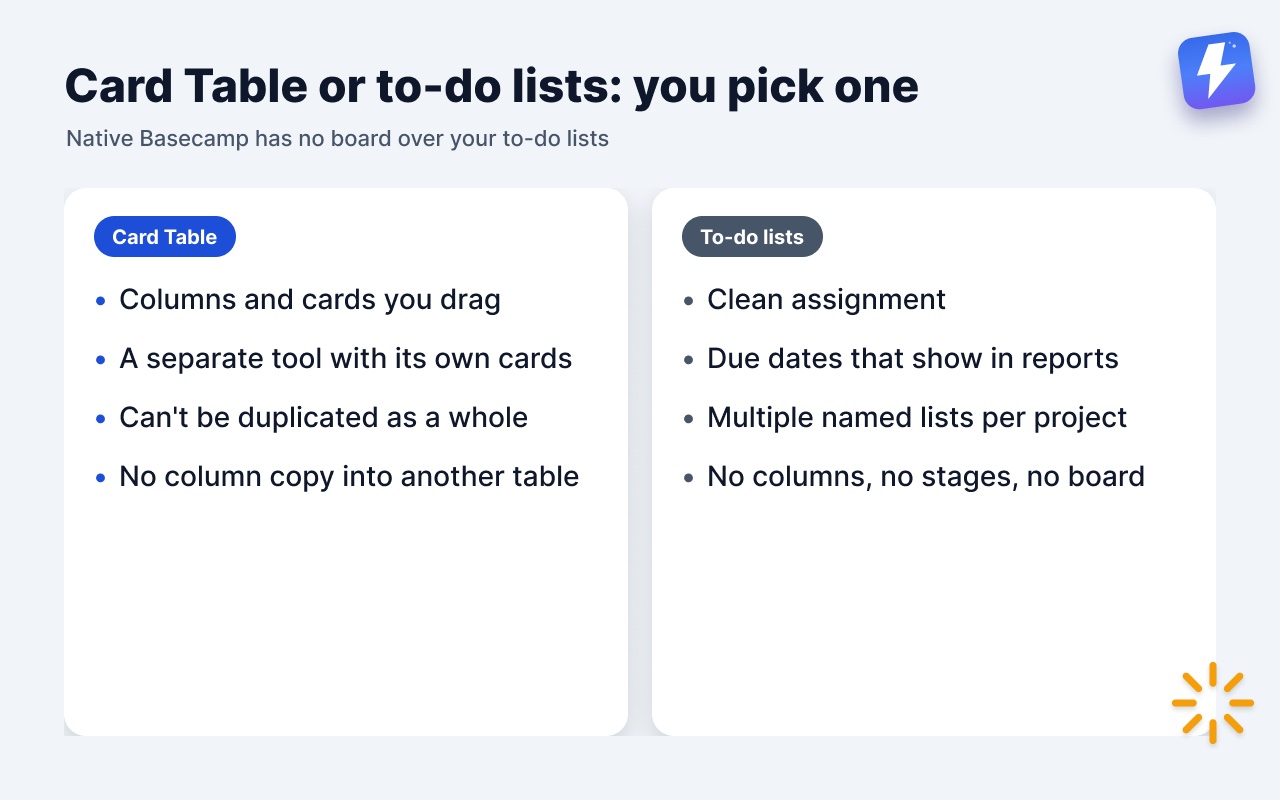
- Card Table = a kanban board, but a separate silo with its own cards.
- To-do lists = where the work usually lives, with no board over them.
Can’t I just move my to-dos into a Card Table?
You can, but it’s a real trade, not a free upgrade. Card Tables and to-do lists are different tools, and switching to get the board means giving things up.
Move everything into a Card Table and you lose what to-do lists are good at: clean assignment, due dates that surface in Basecamp’s reports, and the ability to group work into multiple named lists. Card Tables also can’t be duplicated as a whole, and a column can’t be copied into another table, so a repeatable setup has to be rebuilt by hand. We get into this exact fork in Basecamp Card Table vs To-Do List.
Stay in to-do lists and you keep all of that, but you stay without a board.
Native Basecamp makes you pick one or the other. There’s no built-in way to keep your to-do lists and get a kanban view of them at the same time.
What Basecamp does not have, to be clear
It’s worth being exact here, because comparison articles often get Basecamp’s features wrong in both directions.
Basecamp does have Card Tables (kanban-style) and Project Templates. It does have Hill Charts for tracking progress on a hill metaphor.
Basecamp does not have, natively:
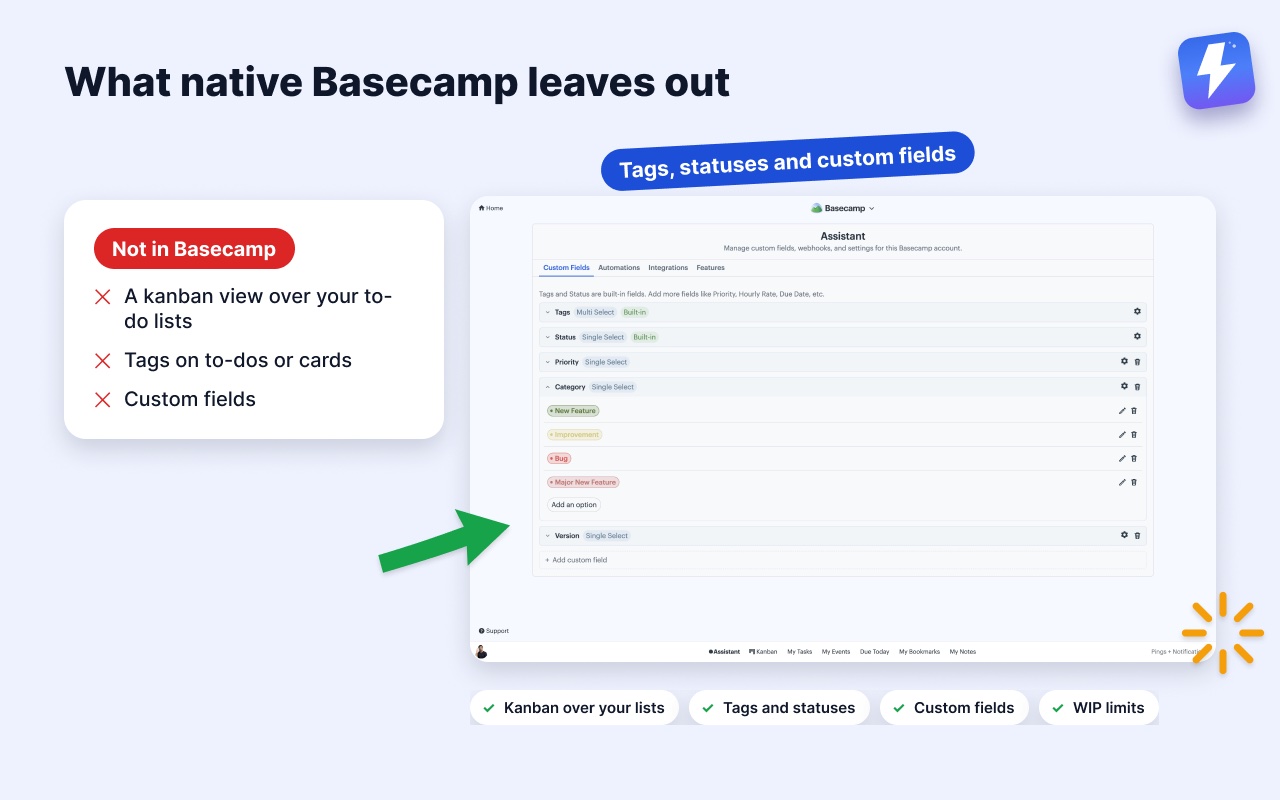
- A kanban view over your to-do lists.
- Tags on to-dos or cards.
- Custom fields.
- Card Table duplication, or a way to copy a column into another table (single cards copy and move fine).
- Time tracking on the lower plans (Timesheet only comes with Pro and Unlimited; teams add Harvest or Everhour for invoicing and budgets, covered in does Basecamp have time tracking?).
- A Gantt chart (it uses Hill Charts instead).
None of these are knocks on Basecamp. It’s built to be simple on purpose. But if you came expecting a board over your existing lists, those are the missing pieces.
How to get a real kanban view over your to-do lists
This is the part native Basecamp can’t do, and it’s what we built Assistant for Basecamp to fix. It’s a browser extension that adds a kanban board directly over the to-do lists you already have, inside Basecamp. The full feature rundown lives on the Kanban board for Basecamp page, and there’s a step-by-step walkthrough in how to add a Kanban board to Basecamp.
The key idea: each to-do list becomes a column. Your project’s real structure is the board. Nothing gets re-entered as cards, and the work stays in Basecamp. You’re not migrating to a new tool or a separate silo. You open a project, click into the board, and your existing Design, Copy, and QA lists show up as columns with your to-dos as cards.
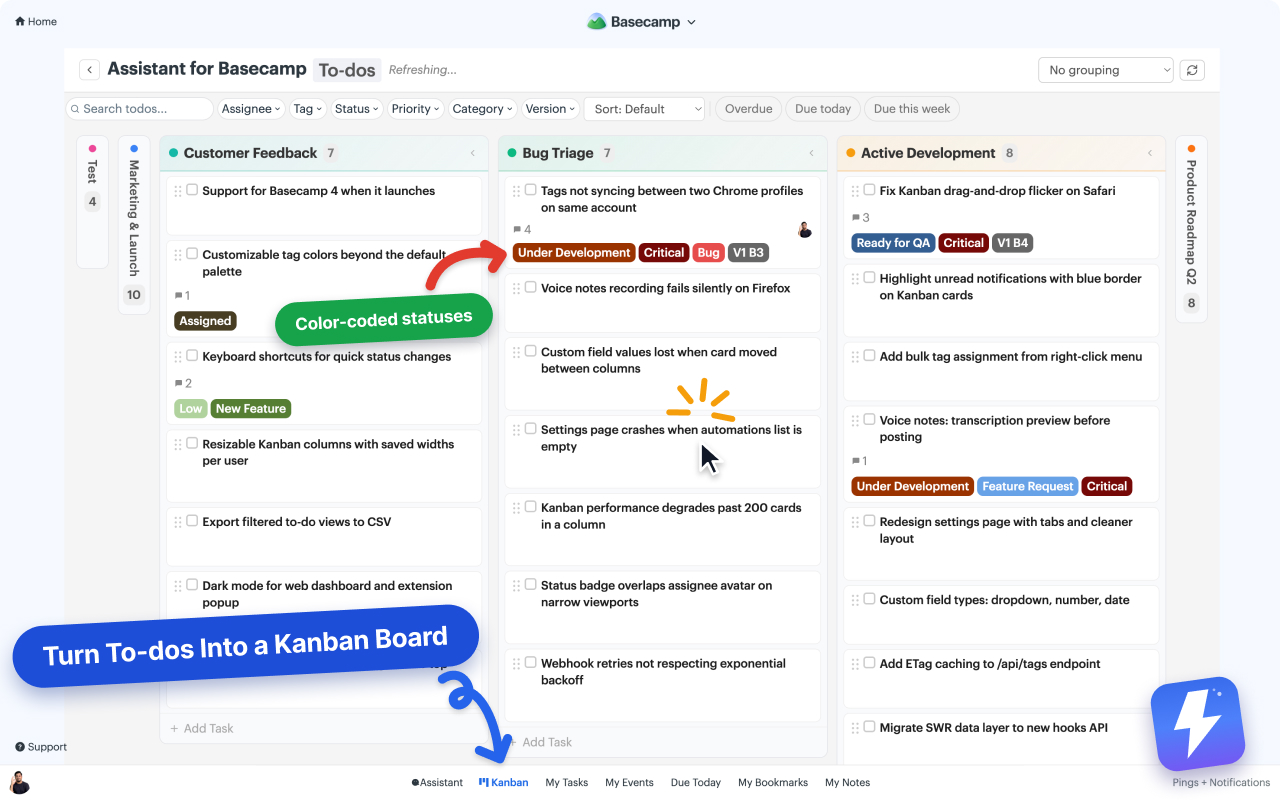
Drag a card between columns and it moves to a different to-do list. The change syncs straight back to Basecamp, so a teammate who never opens the board still sees the to-do where they expect it. On top of the board you also get the things Basecamp doesn’t offer on to-dos:
- Tags and reusable custom statuses with colored badges.
- Custom fields (single-select, multi-select, text, number, date).
- Grouping that rebuilds the columns by assignee, tag, or status, plus a pivot view that puts one field across the top and another down the side.
- WIP limits you set by clicking a column’s count, shared with everyone on the board.
- Column colors taken from Basecamp’s own list colorways and card table colors. Change one from the board and it writes back to Basecamp for the whole team.
- Column collapse, so the parts you’re not working on stay out of the way, plus display rules that drop the columns and rows with no open work.
The full setup takes a few minutes and is documented in the kanban help doc.
How wide can the board go?
Three widths, and you pick per board. A single to-do list or card table, when you only care about one slice of work. A whole project, which is what most people open. Or every project in your account on one board, when you want the whole operation in one place.
For the account-wide board, search your projects and clients and pick the set you want: several projects, or several clients, not a mix of the two. Save it as a named view and it’s there next time. Views are per person and stored on our side, so yours follow you to any computer you sign in from.
One thing stays separate on purpose. To-dos and cards never share a board. They behave differently in Basecamp, and a board that mixed them would be worse at both.
What does it cost?
Assistant is one flat price: $29/month or $290/year for your whole team, with unlimited seats and every feature. One admin subscribes and everyone on that Basecamp account gets the board, with no per-seat charges. You can try it free for 7 days, no card needed. Details are on the pricing page.
The short version
Does Basecamp have a kanban view? It has a kanban-style Card Table tool, but that’s a separate place your tasks have to live in, and your to-do lists have no board at all. If you want a kanban view over the lists you already keep, where each to-do list is a column and changes sync back to Basecamp, that’s what Assistant for Basecamp adds, over a single list, a whole project, or every project in your account.
Useful? Tell Google you want more of this.