How to Add Custom Statuses to Basecamp Tasks
In Basecamp, a to-do has exactly two states: open or checked off. There’s no built-in basecamp task status for the middle, the part where most of the work actually happens. You can’t mark something In review, Blocked, or Waiting on client without writing it into the title or burying it in a comment. This guide shows how to add reusable, color-coded statuses to your Basecamp tasks and then group your board by them, so the state of the work is visible at a glance.
Does Basecamp have a task status field?
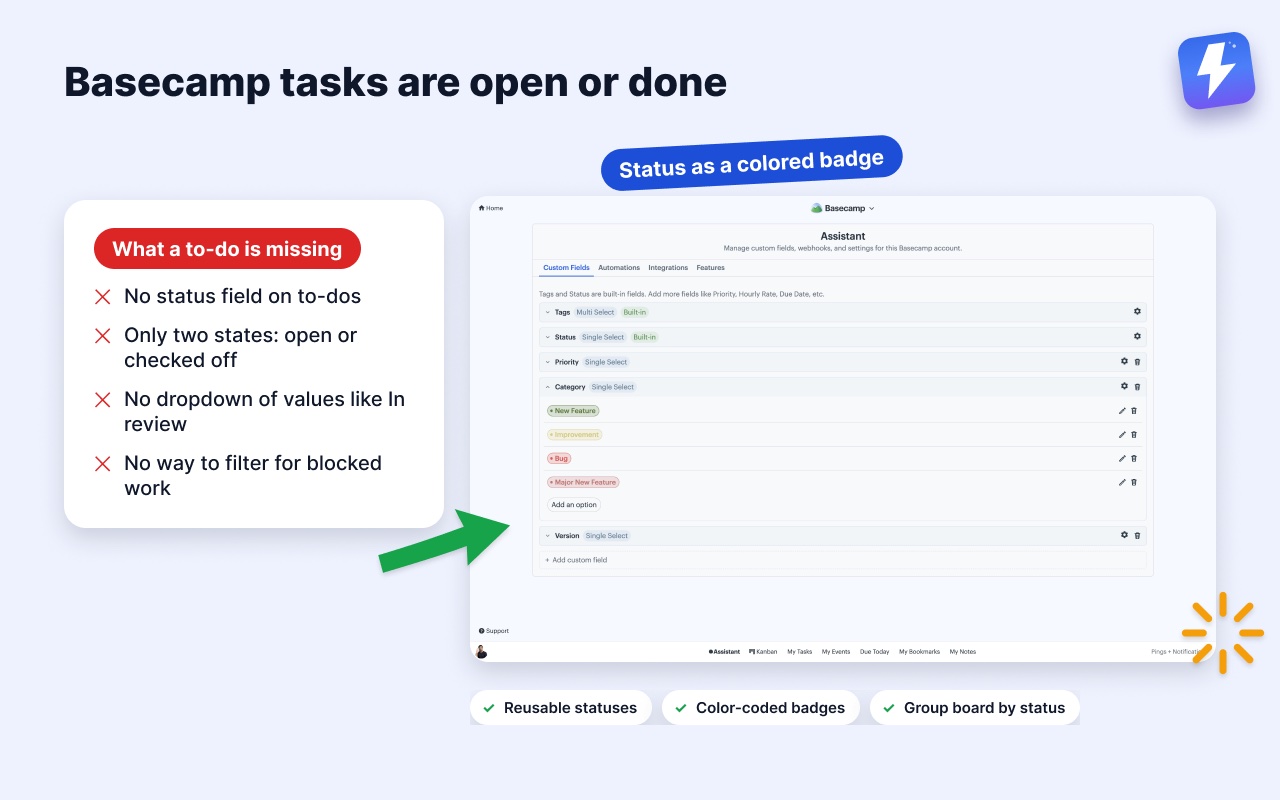
There’s no Basecamp task status field. Basecamp tracks completion, not status. A to-do is incomplete until someone checks it, and that’s the only state Basecamp records. There’s no native status field, no dropdown of values like Ready, In progress, or Done, and no way to filter a list by “everything that’s blocked.”
Basecamp does have a separate Card Table tool with columns, and people sometimes use those columns as statuses. That works inside a single Card Table, but it doesn’t help the to-do lists where most teams actually run their work. Your to-dos still have no status of their own.
So teams improvise. They rename a to-do to [BLOCKED] Fix checkout bug, or they drop a comment saying “this is in review now.” Both fall apart fast. The title gets messy, comments get buried, and nobody can see at a glance which tasks are stuck. You need a real, structured status that lives on the task itself.
What a real Basecamp status field looks like
A proper basecamp status field is a reusable value you attach to a task, not text you type into the title. It should be:
- Reusable: define In review once and apply it to any task, in any project.
- Color-coded: a glance tells you what’s blocked (red) versus ready (green), no reading required.
- Filterable and groupable: pull up every blocked task, or split your board into one column per status.
- Visible without opening the task: the status shows as a badge right on the to-do.
This is exactly what Assistant for Basecamp adds. It’s a browser extension that puts a Statuses field directly onto your Basecamp to-dos, cards, and messages, alongside tags and custom fields. The same fields reach documents and the individual files in Docs & Files. The extension adds the structure Basecamp leaves out, on the pages your team already uses. The status values themselves live on Assistant’s servers, attached to the Basecamp items they describe. Status is one of the built-in fields covered on the custom fields for Basecamp page.
How to add a status to a Basecamp task, step by step
You don’t migrate anything or change how your team works. Statuses sit on top of your existing to-dos.
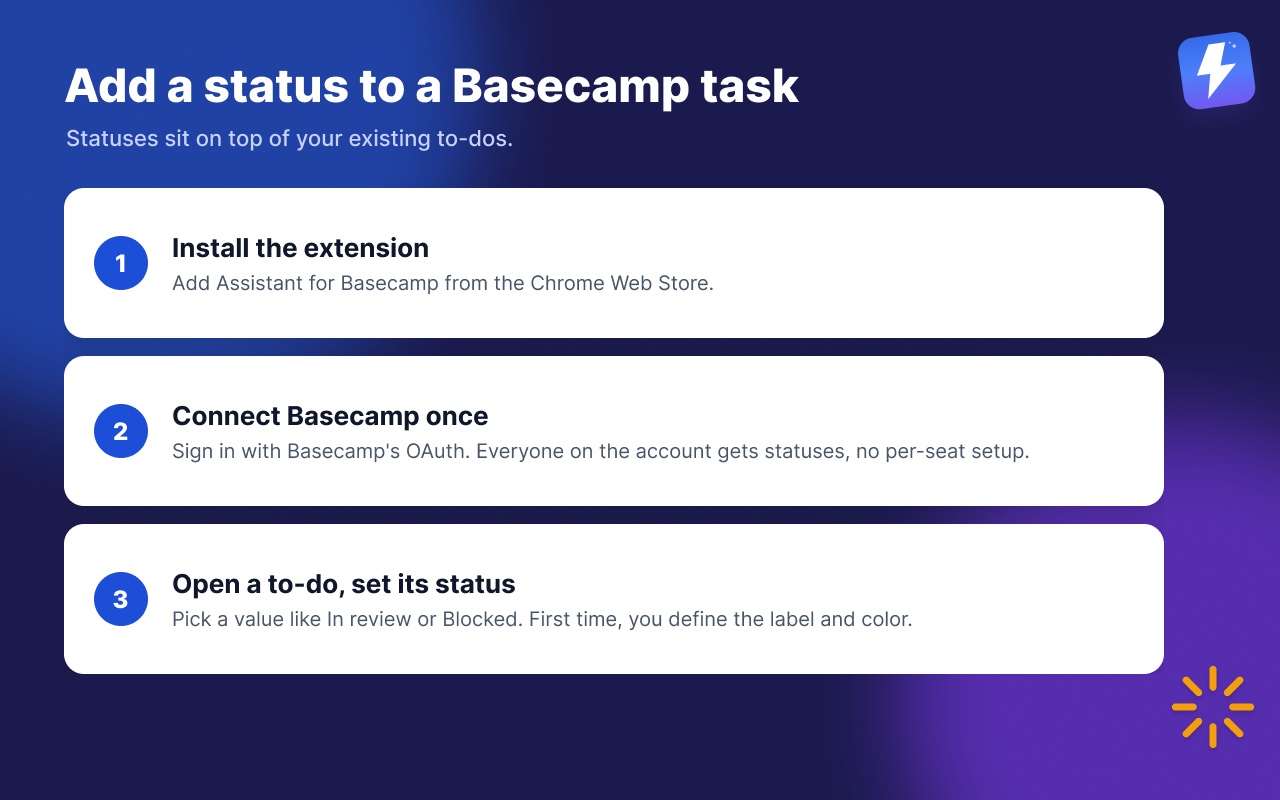
- Install the extension. Add Assistant for BasecampAssistant for Basecamp from the Chrome Web Store or Firefox Add-ons. It works on Chrome, Firefox, Edge, Brave, and any Chromium browser.
- Connect Basecamp once. Open the extension and sign in with Basecamp’s OAuth. Anyone connects the account once and everyone on it gets statuses automatically, with no per-seat setup. The getting started guide has the full walkthrough.
- Open any to-do and set its status. On a task, card, or message, you’ll see a Status control. Pick a value like In review or Blocked, and it shows as a colored badge on the item.
The first time you use it, you’ll define your status values: the label, the color, and whether it’s single-select (one status at a time, which is what most teams want for a workflow status). Once a value exists, it’s available everywhere, so you build the set once and reuse it across every project.
What statuses should you create?
Keep the list short. Five or six values cover almost every team. A workflow status set for an agency or product team usually looks like:
- To do (grey): picked up but not started.
- In progress (blue): actively being worked on.
- In review (amber): done, waiting on a check.
- Blocked (red): stuck on something or someone.
- Waiting on client (purple): out of your hands for now.
- Done (green): finished and verified.
Resist the urge to add a status for every edge case. The point of a basecamp workflow status is a fast read, and a list of fifteen values defeats that. If you need more dimensions, that’s what tags and custom fields are for. Statuses answer “where is this in the workflow,” tags answer “what kind of thing is this,” and custom fields hold structured data like a due-by date or an estimate.
How do I group my board by status?
Once your tasks have statuses, the payoff is seeing them arranged by state. Assistant for Basecamp adds a Kanban board over your to-do lists, and you can group that board by status. The board opens over a single list, a whole project, or every project in your account, so “show me everything blocked” can mean one project or all of them.
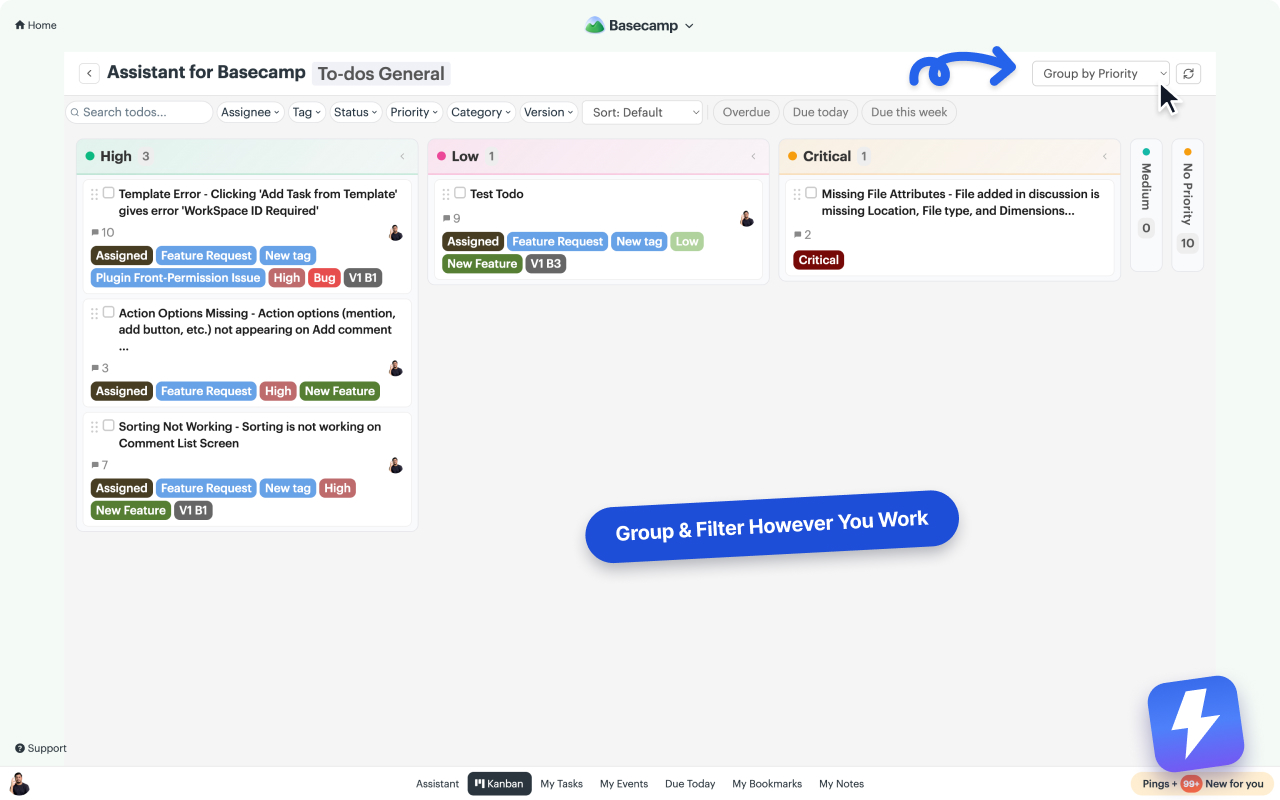
Open any project, click Kanban, and use the Group by dropdown to choose Status. The board rebuilds into one column per status value: a column for In review, a column for Blocked, and so on. Now a single screen tells you how much work is stuck versus moving. Drag a card from one column to another and its status updates. Status is Assistant’s own field rather than a native Basecamp one, so the value saves instantly and everyone on your Basecamp account sees it, on the board, on the native to-do rows, and on the item’s own page.
Two things are worth doing once those status columns exist. Click a column’s count to set a WIP limit on it, so In review going past four turns red for the whole team rather than just for you. And if you’d rather not give up your to-do lists to get status columns, switch to the pivot view: Status across the top, to-do lists down the side. You read both at once instead of choosing between them.
This pairs well with filtering the board down to, say, only your own blocked tasks before a standup. The full reference for filtering and grouping is in the Kanban help doc.
You can also keep statuses updating themselves. With automations, a rule can change a status when something happens, for example set a task to Done when it’s completed, or flip it to In review when a custom field changes. Automations react to Basecamp’s own events and to changes in your AfB fields. They don’t take inbound webhooks from Zapier or Make, so this is for in-Basecamp logic, not external triggers. See how to automate Basecamp without Zapier for the available rules.
Where Basecamp’s own approach wins
Statuses through an extension aren’t free, and there are cases where you shouldn’t bother. If your team genuinely only needs “done or not done,” Basecamp’s checkbox is simpler and you already have it, so adding a status field is overhead you don’t need.
And if your whole workflow already lives in a Basecamp Card Table, its columns act as a status for the cards inside it, natively, with no extension. The gap Assistant fills is specifically for to-do lists, which have no status at all, and for teams who want one consistent, color-coded status set that works the same way across every project and every item type. If that’s not you, native Basecamp may be enough.
What does it cost?
Assistant for Basecamp is one flat price: $29/month or $290/year for your whole team, unlimited seats, every feature included. One admin subscribes and everyone on that Basecamp account gets statuses, tags, custom fields, and the Kanban board. You can try it free for 7 days, no card needed. Details are on the pricing page.
The short version
Basecamp tasks are open or done, with nothing in between. To add a real basecamp task status like In review or Blocked, install Assistant for Basecamp, define a short set of color-coded status values once, and apply them to any to-do, card, or message. Then open the Kanban board, group by status, and the state of every task is visible on one screen, with every change saved instantly for everyone on your Basecamp account.
Useful? Tell Google you want more of this.