How to Transcribe Basecamp Voice Notes
Voice notes landed in Basecamp 5’s editor and people use them, because talking is faster than typing. The problem sits on the other end. A two-minute voice note takes two minutes to consume, can’t be skimmed, can’t be quoted, can’t be read in a meeting, and is invisible to search. Three weeks later, when you know the client said something about the discount but not where, that voice note might as well be a locked box. This guide covers what Basecamp gives you natively, the workarounds people try, and how to get one-click transcription inside Basecamp itself.
Does Basecamp transcribe voice notes?
No. Basecamp 5 records voice notes in messages, comments, documents, Campfires and Pings, but stores them as plain audio with no transcript and no search. The full picture is in does Basecamp transcribe voice notes?. The short version is that every spoken decision, brief and piece of feedback exists only as audio, and audio is the one format in your project you can’t scan.
The workarounds people try
Teams that hit this usually cycle through the same two moves:
- Downloading the file and running it through a transcription tool. This works: download the note, upload it to a speech-to-text service, wait, then paste the text back into Basecamp as a comment so others benefit. It’s five manual steps per note, and in practice nobody does it past the first week.
- Asking people to type instead. This gives up the speed that made voice notes attractive in the first place, and it doesn’t help with the notes already sitting in your projects.
The pattern is the usual one: the workaround exists, but the friction means it doesn’t happen consistently, and inconsistent transcripts are almost worse than none.
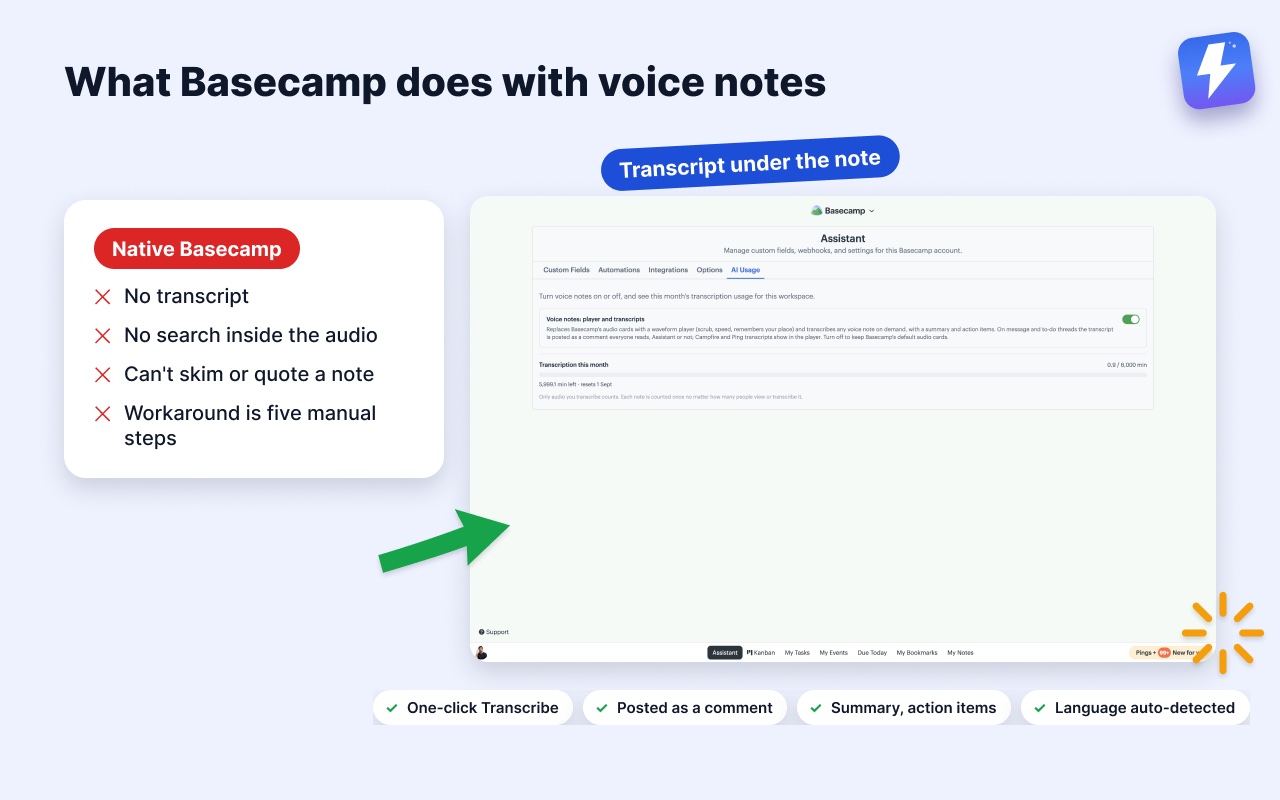
Transcribe voice notes inside Basecamp with Assistant
Assistant for Basecamp is a browser extension that adds features inside the Basecamp you already use. Its voice notes feature does two things: replaces Basecamp’s stock audio card with a proper player, and adds one-click transcription. Here’s the whole flow:
- Install Assistant for BasecampAssistant for Basecamp and connect your Basecamp account (a five-minute setup).
- Open any voice note, in any project. Under the player you’ll see a Transcribe button.
- Click it. A few seconds later the full transcript is posted as a comment right under the note, marked “Transcript (auto)”. Longer notes also get a one-line summary and the action items pulled out, in the same comment.
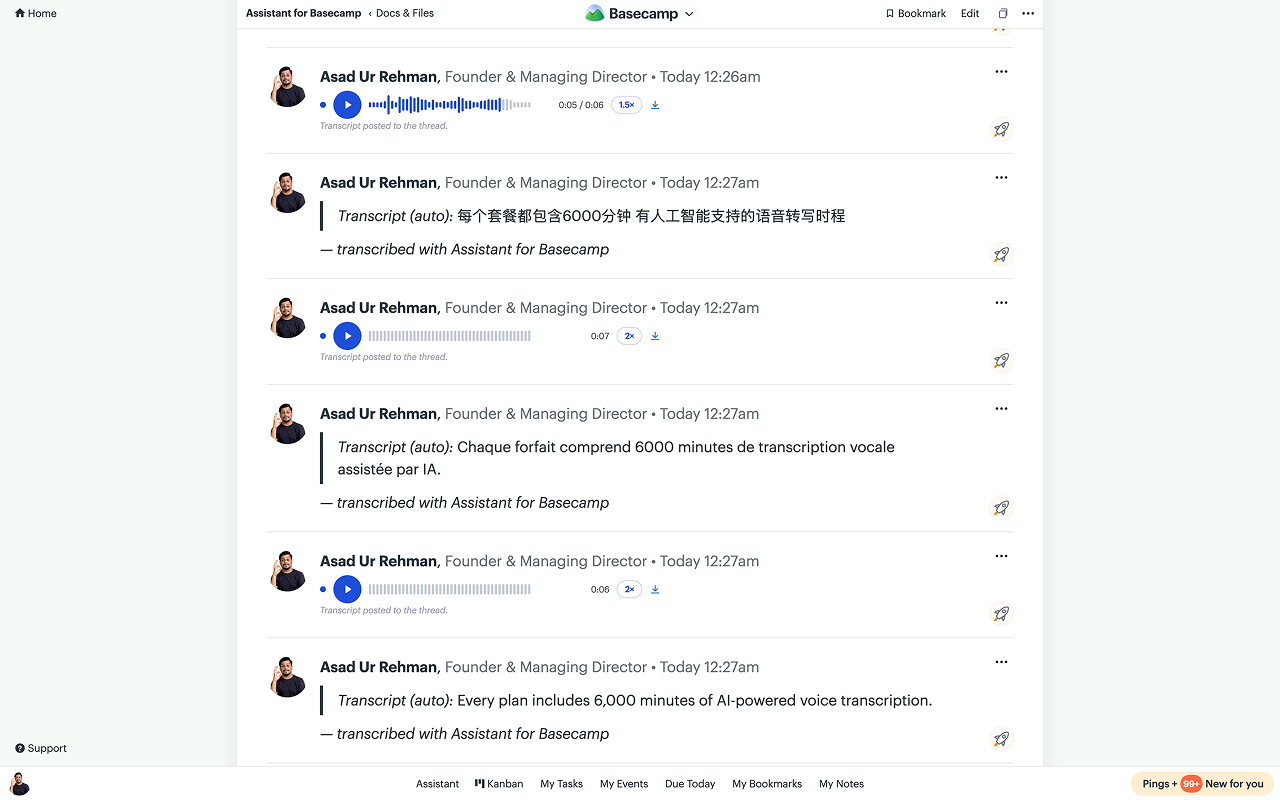
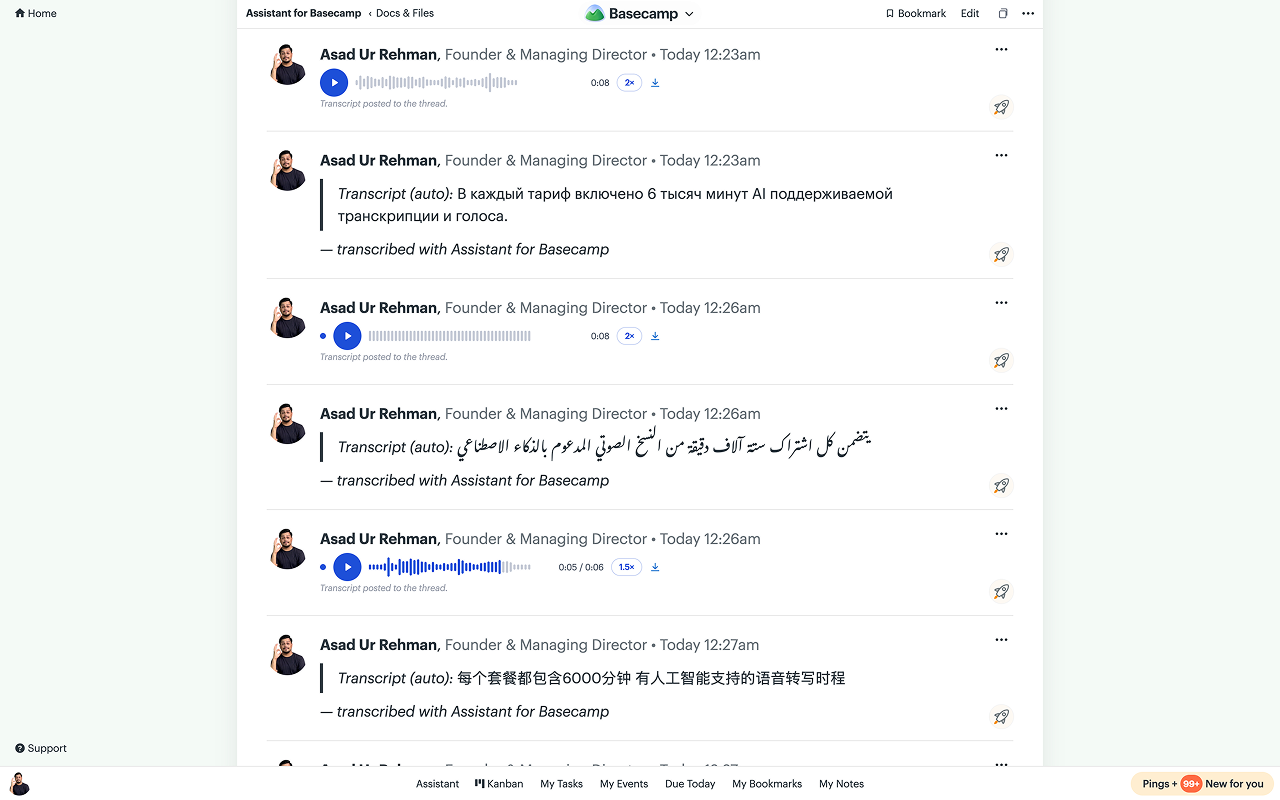
There is no per-note upload, no leaving Basecamp, and no configuration. The language is detected automatically, so a note recorded in Urdu or French or Portuguese comes back in the language it was spoken in, which matters more than you’d think for teams that talk the way they actually talk.
One transcription covers the whole team
This is the part that makes it stick where the manual workaround fails. When one person transcribes a note:
- Everyone reads the same comment. The transcript is a normal Basecamp comment under the note, so teammates on mobile, clients who’ll never install a browser extension, and everyone in between sees the exact same text. Assistant doesn’t inject anything into the thread that others can’t see. (Campfires and Pings have no comments, so those transcripts show inside Assistant’s player.)
- Nobody pays for it twice. The transcription is stored once per note for the whole workspace; after someone transcribes a note, the Transcribe button simply disappears for everyone else.
- Basecamp search can finally find it. Because the transcript is a real comment, the words inside the voice note become searchable with Basecamp’s own search. The locked box problem from the intro is gone: search for “discount” and the voice note’s thread comes up.
Transcripts are also editable. When the model mishears a name or a product term, the transcript comment is yours to edit like any other Basecamp comment.
What about old voice notes?
They work the same way. The Transcribe button appears on every voice note in your account, whether it was recorded this morning or six months before you installed the extension. If your team has a backlog of spoken decisions buried in old threads, you can work through them note by note as you actually need them, rather than re-listening to everything.
The player is worth having on its own
Even before transcription, Assistant swaps Basecamp’s minimal audio card for a player built for catching up on a thread of notes: a clickable waveform, 1×/1.5×/2× speed that’s remembered, resume from where you left off, an unheard dot on notes you haven’t finished, and auto-advance to the next note in the thread. The voice note transcription page has the full breakdown.
Pricing and limits
Voice note transcription is included in Assistant’s one plan: $29/month or $290/year for your whole Basecamp account, unlimited users, alongside the Kanban board, custom fields, and automations. Every workspace includes 6,000 transcription minutes per month (100 hours of audio), and each note counts once no matter how many people read it. Notes up to 10 MB can be transcribed.
Privacy-wise, the audio is read only for the seconds transcription takes and is never stored; the transcript, its summary, and the action items are kept, under the same per-project access rules Basecamp enforces. Details are in the privacy policy and the voice notes help doc.
Frequently asked
Can I transcribe Basecamp voice notes for free? Not natively. Basecamp has no transcription at any plan level. Assistant includes 6,000 transcription minutes a month in its flat price, with a 7-day trial and no card.
Does it do speech to text on old notes? Yes. Any voice note in the account gets the Transcribe button, whether it was recorded today or long before you installed anything.
What languages? The language is detected automatically and the note is transcribed in the language it was spoken in.
The bottom line
Basecamp made recording voice notes easy and left reading them unsolved. If your team sends more than the occasional note, transcription is the difference between voice being a speed-up for the sender and a tax on everyone else. With Assistant for BasecampAssistant for Basecamp it’s one click per note, once, for the whole team. There’s a 7-day free trial with no card needed, so you can transcribe your backlog this afternoon and decide for yourself.
Useful? Tell Google you want more of this.