Everyday enhancements
The papercuts, handled.
None of these is why you install an extension. They're why you keep it. Small fixes for the frictions you hit twenty times a day in Basecamp, from unread items to un-copyable links.
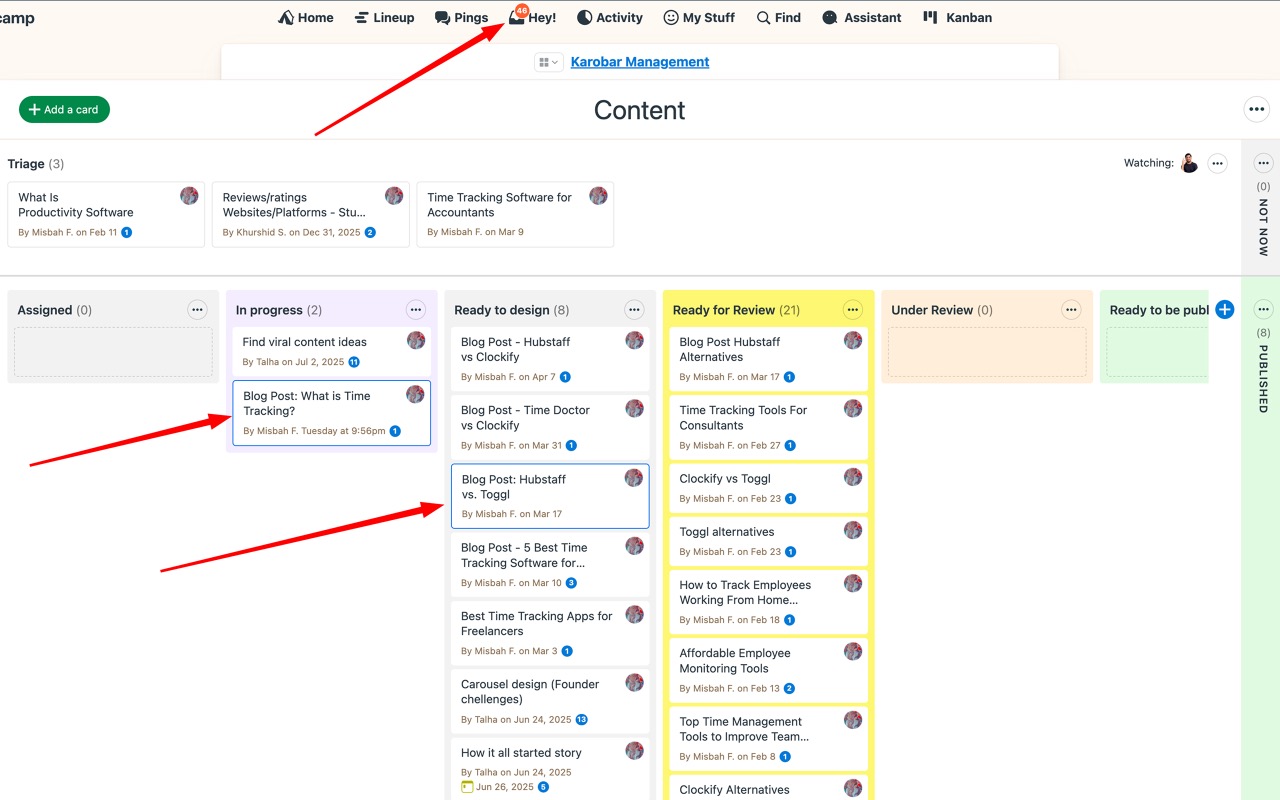
Eight small fixes that add up.
Each one saves seconds. Twenty times a day, every workday, for the whole team.
Unread highlighting Free
A subtle border on to-dos, cards, and messages with activity you haven't seen. Scan a project and know instantly what moved since you last looked. How it works
Copy link, one click Free
A copy-URL button on item toolbars. Grab a permalink for the standup note without right-clicking around Basecamp's UI.
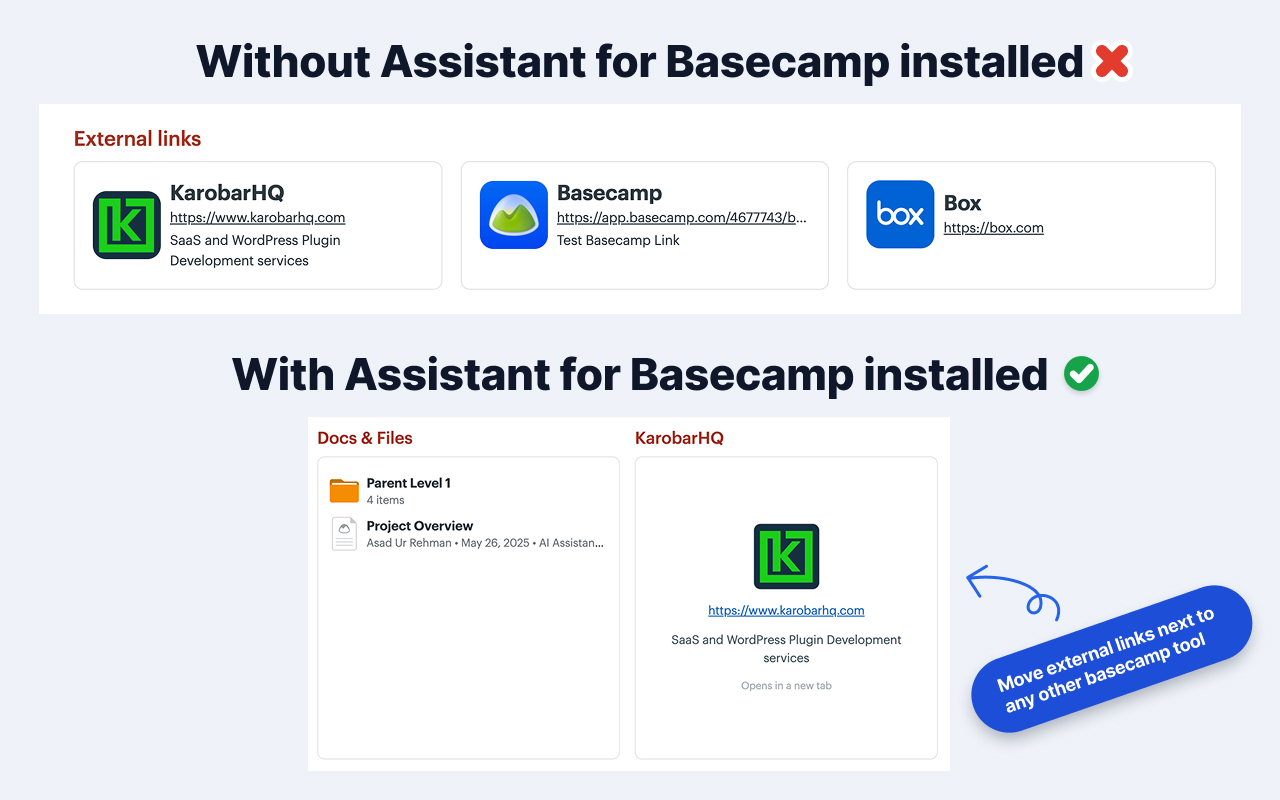
External links as dock cards Free
Project links to Figma, GitHub, or a client portal show up as full cards in the project's tool grid, and each person places their own.
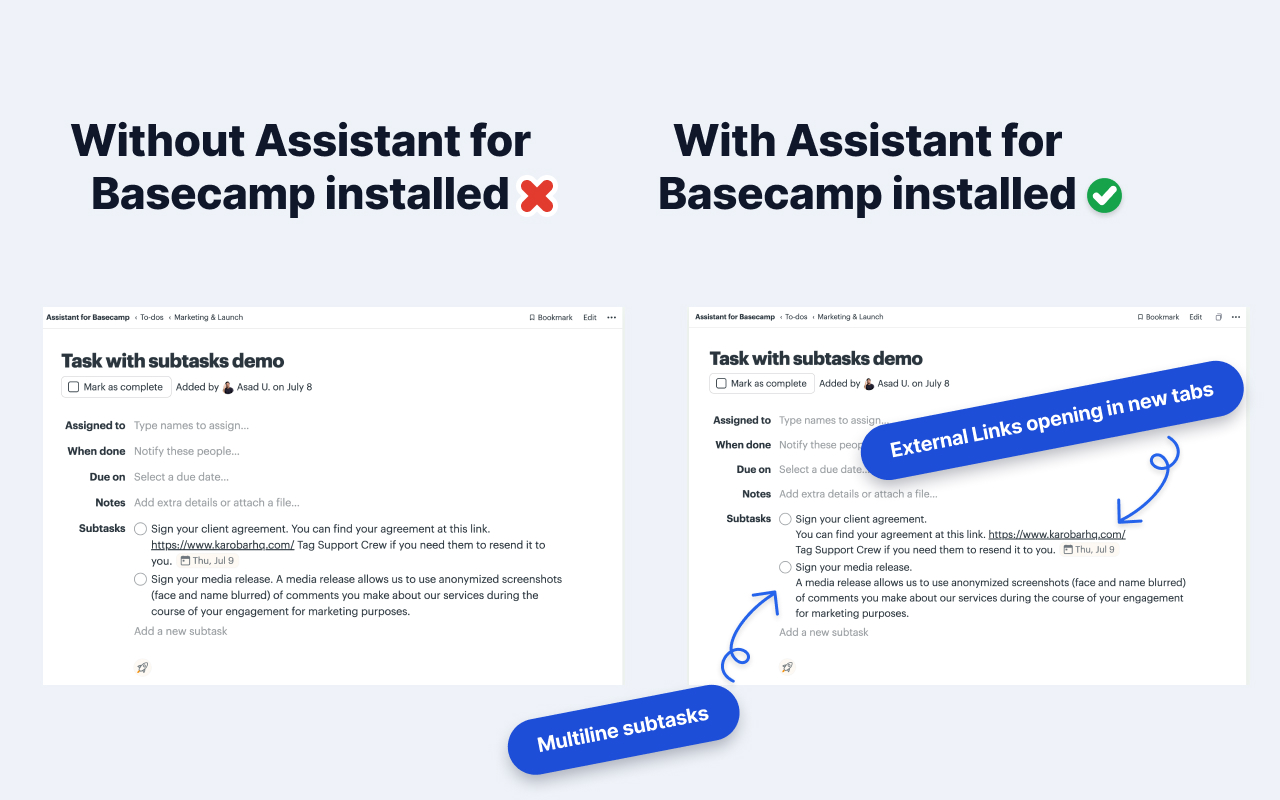
Multi-line subtasks Free
Subtasks written across several lines keep their line breaks, and URLs inside them stay clickable. Notes stop collapsing into soup.
External links in a new tab Free
Optionally open links that leave Basecamp in a new tab, in messages, comments, docs, and subtasks. Basecamp's own navigation stays untouched.
Divider width control Free
Resize the horizontal divider in posts, comments, and chats. A small thing, exactly the kind that bugs you daily.
Bubbled up and bookmarked, flagged Free
Anything you bubbled up or bookmarked carries a blue flag, on native lists, on the item page, and on Kanban cards. The thing you set aside this morning is still obvious at four.
Dates that read right Kanban
On Kanban cards, recurring to-dos show a repeat icon, due dates show the year when it isn't this year, and a completed item never shows up as overdue.

Quick answers.
Do I have to configure all of this? +
No. Unread highlighting, copy links, dock cards, and multi-line subtasks just work once the extension is installed. The behavior toggles, like opening external links in a new tab, live in Assistant's Options tab so each person sets their own.
Do these change Basecamp for teammates without the extension? +
No. These are viewing upgrades layered on your own browser. A teammate without the extension sees stock Basecamp, and nothing you toggle affects them.
Are these free? +
Yes. Seven of the eight stay free after the 7-day trial, with no subscription — each has its own switch in Assistant's Options tab. The exception is the date polish, which lives on Kanban cards, and Kanban is part of the $29 plan. The paid plan covers Kanban, custom fields, the Docs & Files grid, automations, integrations, and voice-note transcription.
Is this everything Assistant does? +
Not close. These are the garnish. The heavy lifting is the Kanban board, custom fields, automations, and the Docs & Files grid, each of which has its own page under Features.
Fix the little things today.
Install the free extension and feel the difference by lunch. 7 of these stay free forever; the rest of Assistant comes with a 7-day trial, no card needed.