Automations for Basecamp
Stop being your project's robot.
Every status flip, every hand-off comment, every 'assign this to QA when it's done' is someone's manual chore in Basecamp. Assistant adds rules that watch your projects and do those steps for you.
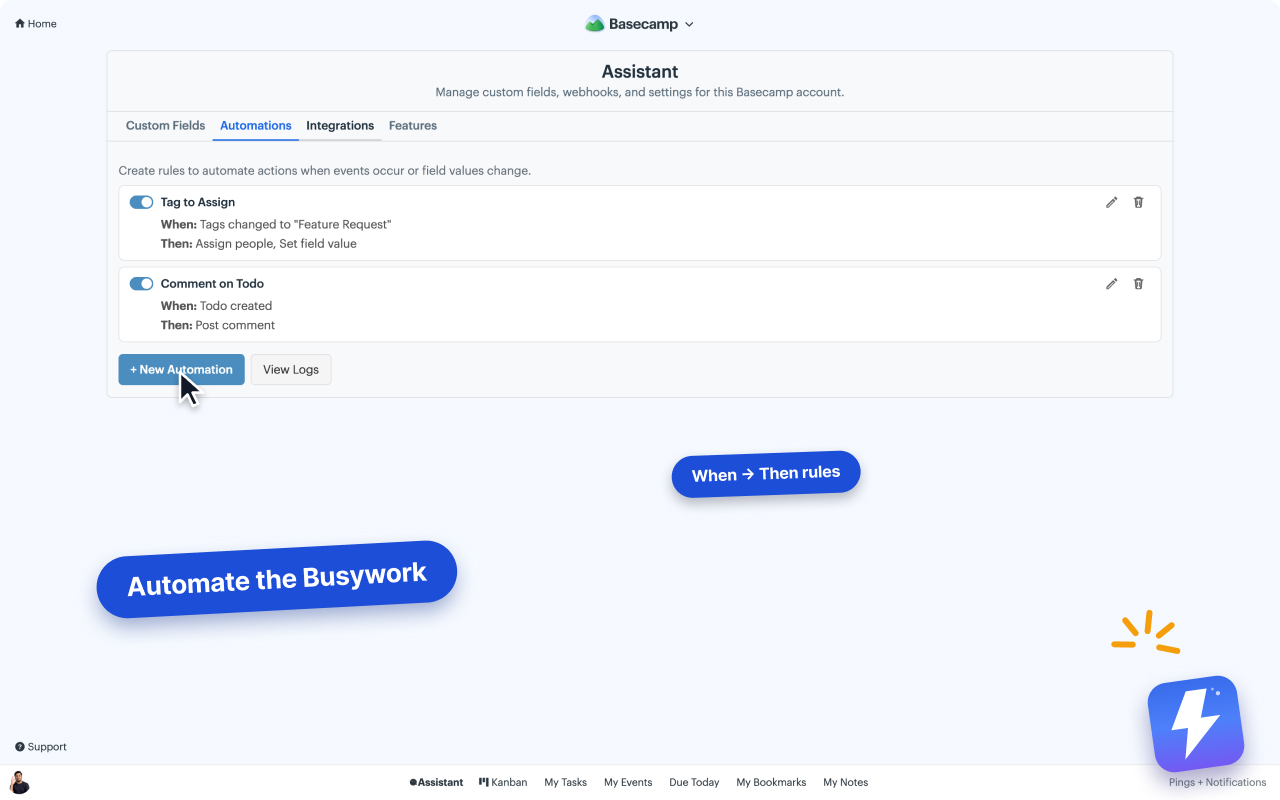
A trigger, then actions. That's the whole model.
No flowcharts, no branching canvas to learn. Pick what to watch for, pick what should happen, save. The rule runs in that project from then on.
Triggers: Basecamp events
A to-do is created or completed, a message is posted, a comment lands. The things already happening in your project become the starting gun.
Triggers: field changes
Status flips to "In review", Priority becomes "Urgent", any of Assistant's custom fields changes value. Your fields stop being labels and start driving the workflow.
Actions that touch the real work
Set a field, add or remove an option, complete or reopen the to-do, assign people, post a comment. All of it lands in Basecamp itself, visible to the whole team.
Logs, toggles, per-project scope
Each rule has an execution log and an on/off switch. Rules live per project, so you can try one on a side project before it runs anywhere important.
What teams automate first
The chores you'll never do by hand again.
Most rules are small. That's the point: each one deletes a 20-second chore you were doing 30 times a week.
- ✓ When a to-do is completed, set its Status to "Done"
- ✓ When Status flips to "In review", assign the reviewer
- ✓ When a new to-do is created, tag it "Untriaged"
- ✓ When Priority becomes "Urgent", post a comment so the thread wakes up
When
Status changes to "In review"
Then
Assign the reviewer · Post comment "Ready for review"
A rule like this takes under a minute to set up.
Your first rule in three steps.
Install the extension
From the Chrome Web Store or Firefox Add-ons. Anyone on the account connects it once; everyone on it is covered.
Open Automations in a project
Pick the trigger and the actions from dropdowns. No syntax, no separate automation tool.
Let it run
The rule fires on every matching event and writes to Basecamp itself. Check the log any time. Full guide in the help center.
Automation questions, answered.
Does Basecamp have automations built in? +
Not the if-this-then-that kind. Basecamp has recurring check-ins and scheduled events, but nothing that reacts to a to-do being completed or a field changing. Assistant adds a rule builder on top: pick a trigger, pick the actions, and the rule runs from then on.
What can trigger a rule? +
Two kinds of triggers. Basecamp events: a to-do is created or completed, a message is posted, a comment is added. And field changes: one of Assistant's custom fields (like Status or Priority) changes value on an item.
What can a rule do? +
Set a field value, add or remove a field option, complete or reopen a to-do, assign people, and post a comment. Chain several actions on one trigger, so "Status flips to Done" can complete the to-do and post a comment in one go.
Does it connect to Zapier or Make? +
Not directly. There is no inbound webhook for external tools to call. If an outside tool creates or changes something in Basecamp itself, Assistant catches that Basecamp event and your rules run. But a Zap can't trigger a rule out of thin air, and we'd rather tell you that here than after you've built a workflow around it.
Can I see what a rule actually did? +
Yes. Every rule keeps an execution log, and each rule can be switched off without deleting it. Rules are set up per project, so an experiment in one project never touches the others.
What does it cost? +
Automations are part of the one plan: $29/month or $290/year for your whole Basecamp account, unlimited users. 7-day free trial, no card needed.
Set the rule once. It works every day.
Install the free extension and build your first automation in minutes. 7-day trial, no card needed.