Voice note transcription
Voice note transcription for Basecamp.
A teammate sends a two-minute voice note. You're in a meeting, on a train, or just faster at reading. Assistant transcribes any Basecamp voice note in one click, and the whole team gets the text.
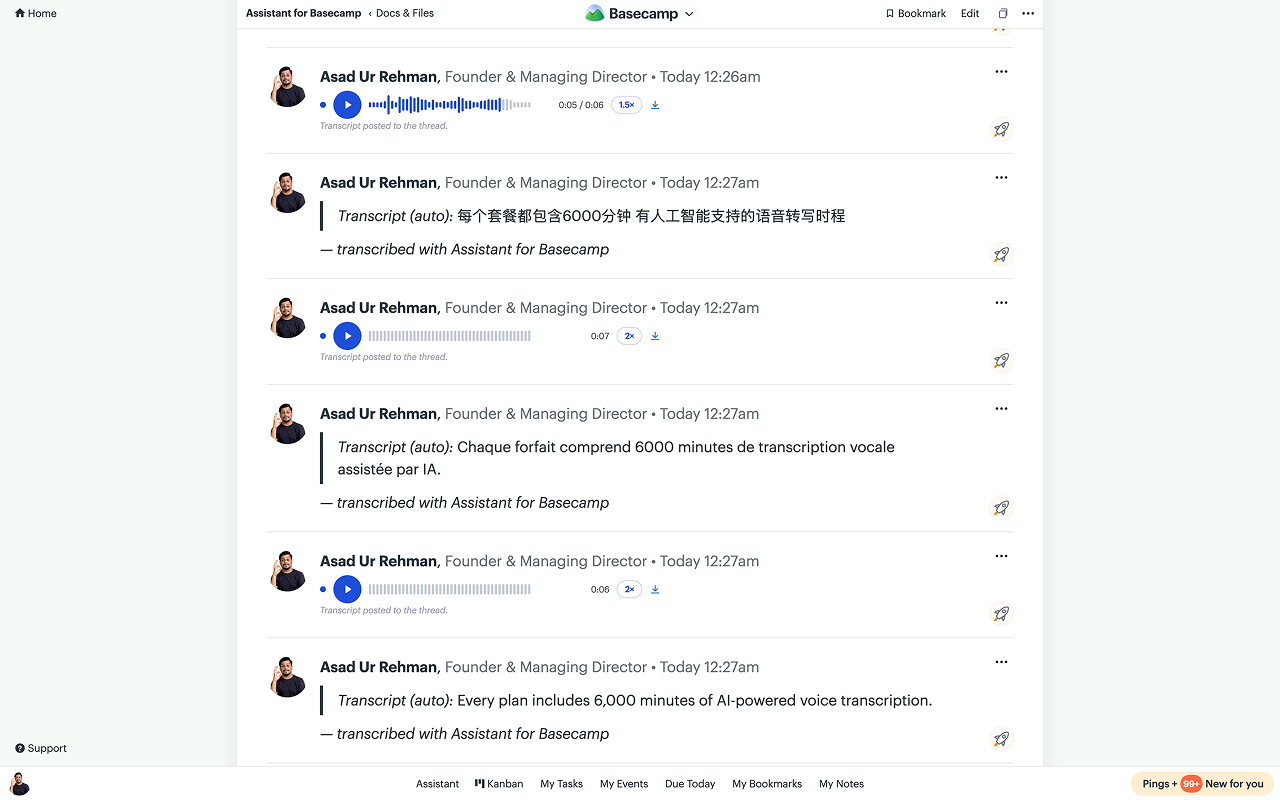
Voice is fast to send. Audio-only is slow for everyone else.
Basecamp 5's voice notes are great for the sender. The receiver gets a play button: no skimming, no quoting, no searching, no reading in a meeting. Assistant fixes the receiving half.
One click, one time
Click Transcribe on any voice note. A typical note takes a few seconds. Once anyone on the team transcribes it, everyone has it.
Readable by the whole thread
On message and to-do threads the transcript is posted as a comment, so people without Assistant read it too, and Basecamp search can finally find what was said.
Summary and action items
Longer notes come back with a one-line summary and the concrete asks pulled out, posted right in the thread with the transcript.
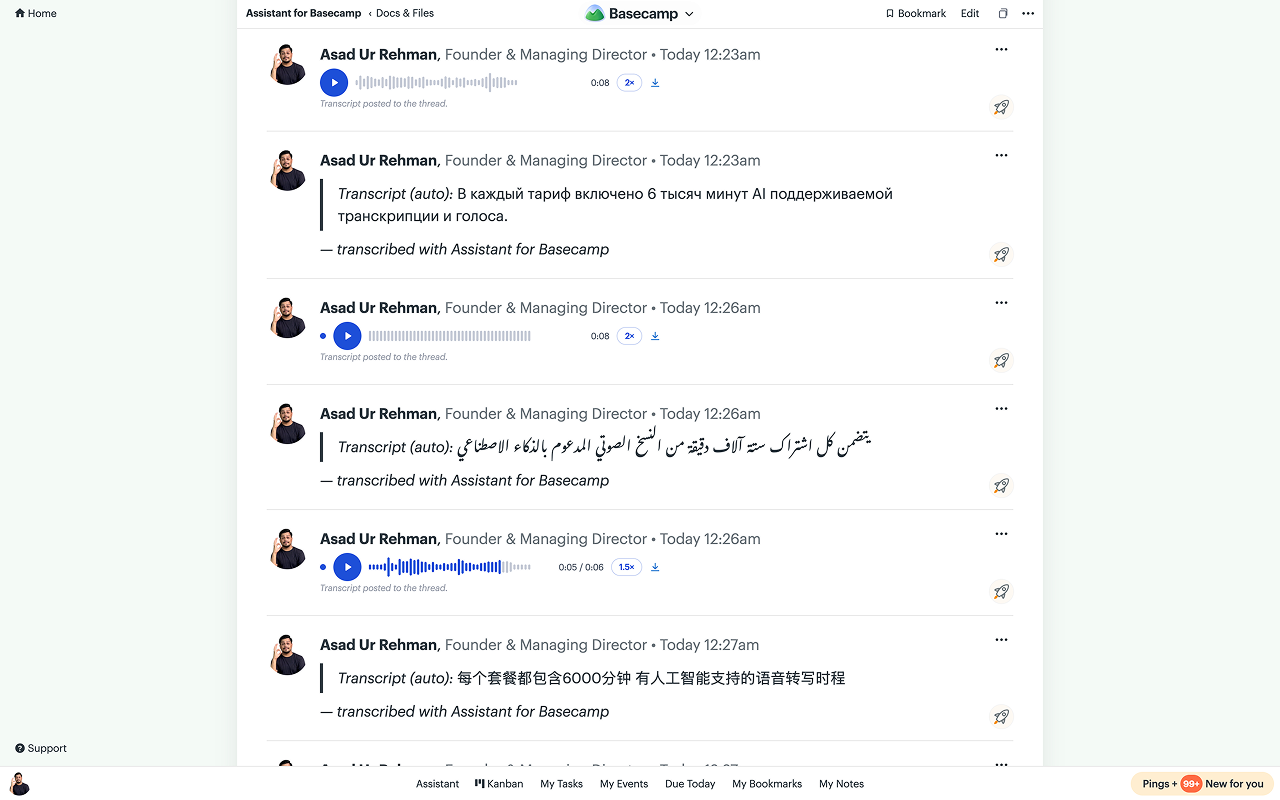
A player built for catching up.
Assistant replaces Basecamp's stock audio card with a player made for working through a thread of notes.
Waveform scrubbing
See the shape of the note and click anywhere to jump.
1× / 1.5× / 2× speed
Your speed choice sticks across notes and sessions.
Remembers your place
Leave mid-note and it resumes where you stopped. Unheard notes carry a dot.
Auto-advance
When one note ends, the next one in the thread starts. Work through a backlog hands-free.
Transcripts are editable, too. The posted transcript is a normal Basecamp comment, so fixing a misheard name is just editing your comment.
Voice note questions, answered.
Does Basecamp transcribe voice notes? +
No. Basecamp 5 records voice notes, but they stay audio-only (as of August 2026). There's no transcript, no way to skim one, and Basecamp search can't see what was said. Assistant adds the transcription layer on top.
Who can see a transcript? +
Everyone, the same way. On message and to-do threads the transcript is posted as a regular comment right under the note, so the whole team reads the exact same thing whether they have Assistant or not, on desktop or mobile. Nobody transcribes (or pays for) the same note twice. Campfires and Pings have no comments, so those transcripts show inside Assistant's player instead.
What languages does it handle? +
It detects the language automatically and transcribes the note in the language it was spoken in. You don't configure anything.
Do old voice notes work? +
Yes. Any voice note in your Basecamp account gets the Transcribe button, whether it was recorded today or months before you installed Assistant.
Is the audio stored on your servers? +
No. Transcription reads the audio for the seconds it takes to run and discards it. We store only the transcript text, its summary, and action items. Notes up to 10 MB are supported.
What does it cost? +
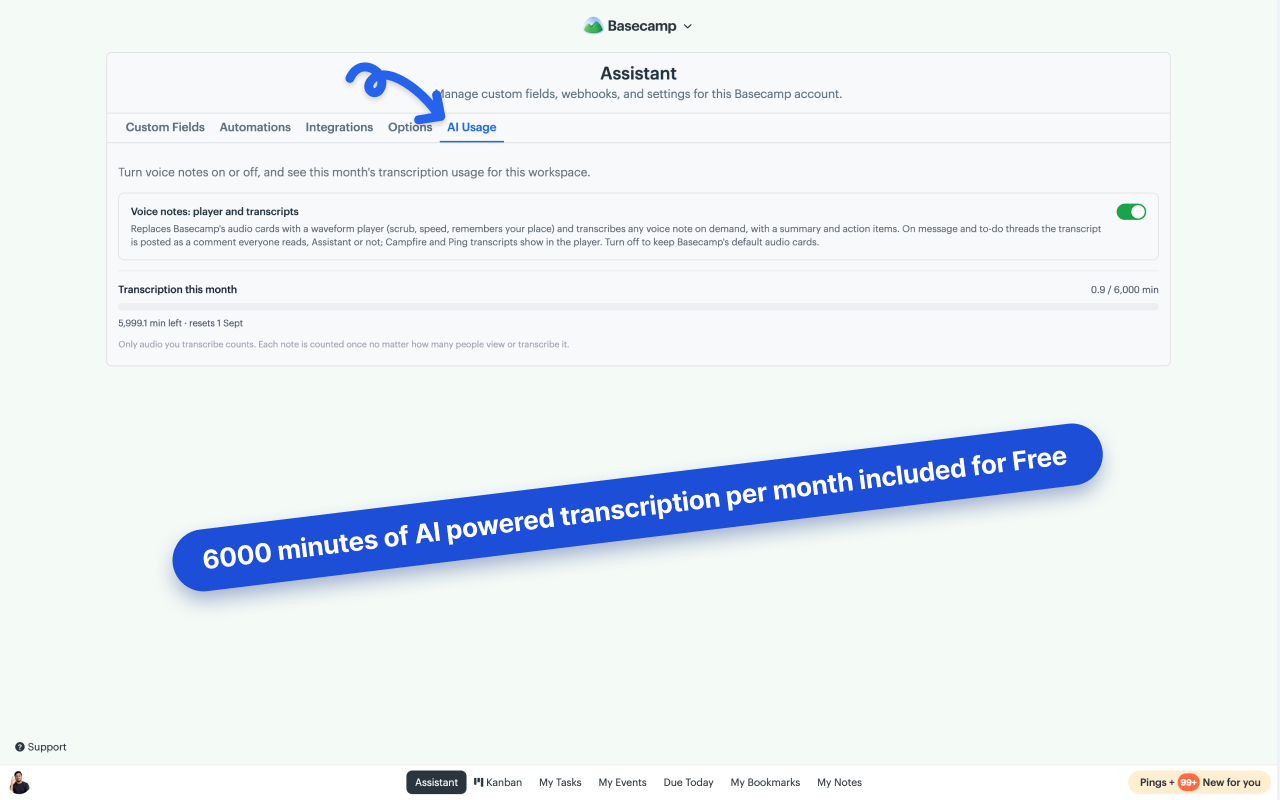
It's part of the one plan: $29/month or $290/year for your whole Basecamp account, unlimited users. Every workspace includes 6,000 transcription minutes per month, and each note only counts once no matter how many people read it. 7-day free trial, no card needed.
Stop replaying voice notes hoping to catch the ask.
Install Assistant, open any voice note, click Transcribe.