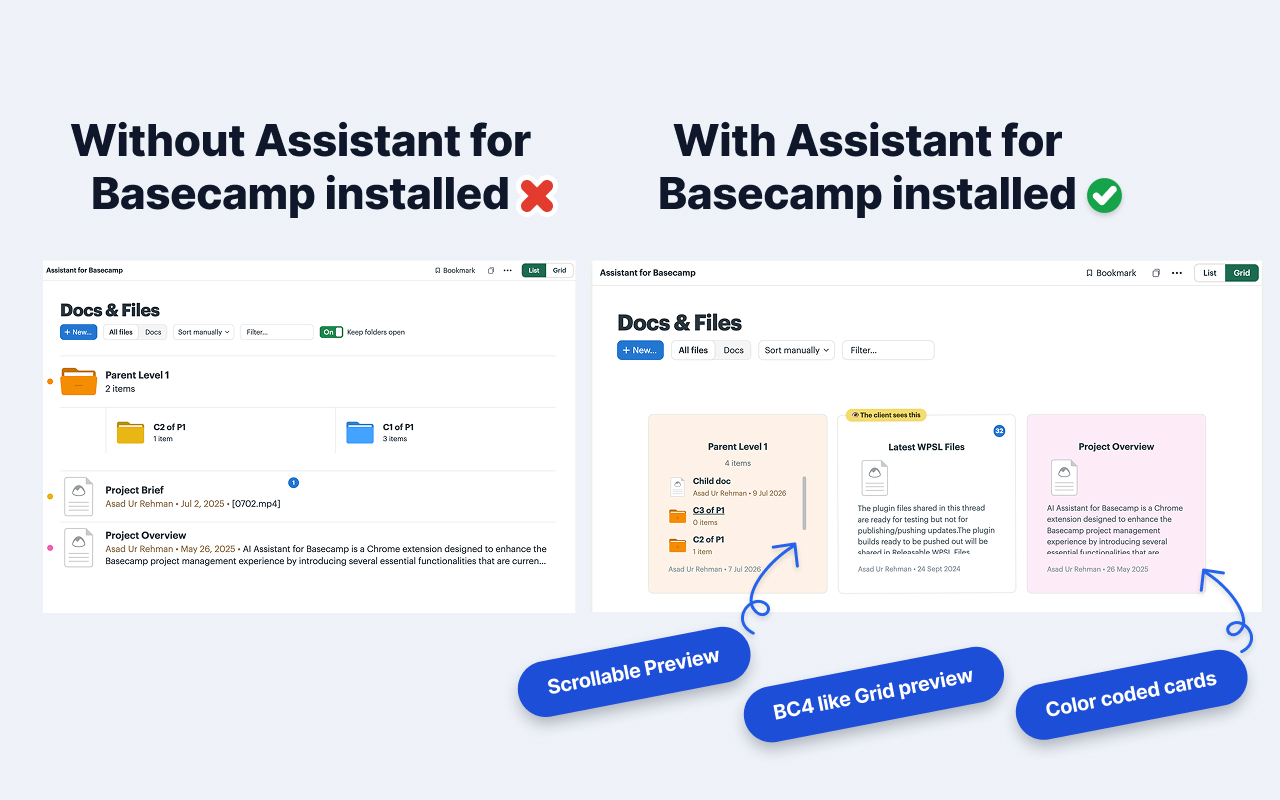
Kanban, tags & statuses for Basecamp .

Kanban boards, tags, statuses, custom fields, and automations, all inside Basecamp. One Chrome extension to install, and no new workflow to learn.

Free 14-day trial · No credit card · Works with Basecamp 5

Home Lineup Pings Hey!45 Activity My Stuff Find Assistant Kanban
Assistant for Basecamp To-dos

Features

The features Basecamp never shipped.

Kanban, custom fields, automations, and unread highlight. One install, no per-person setup.

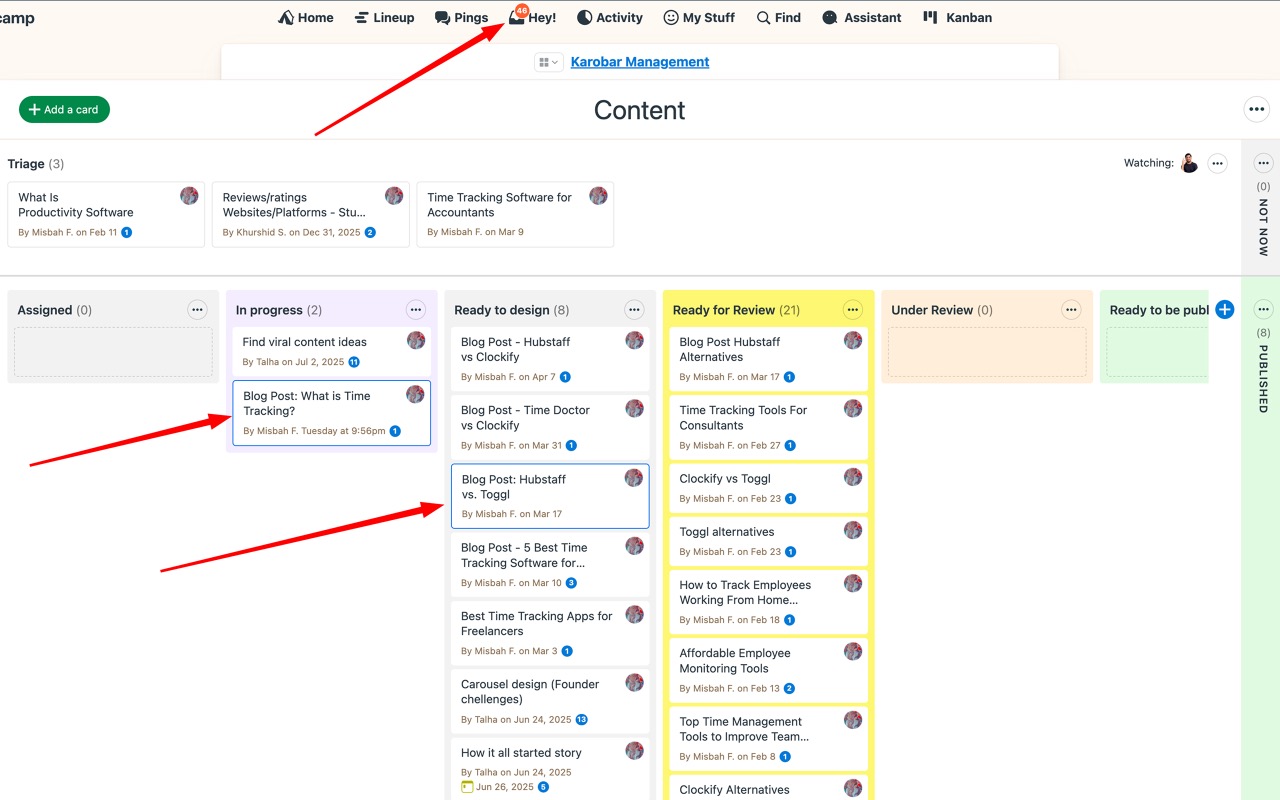
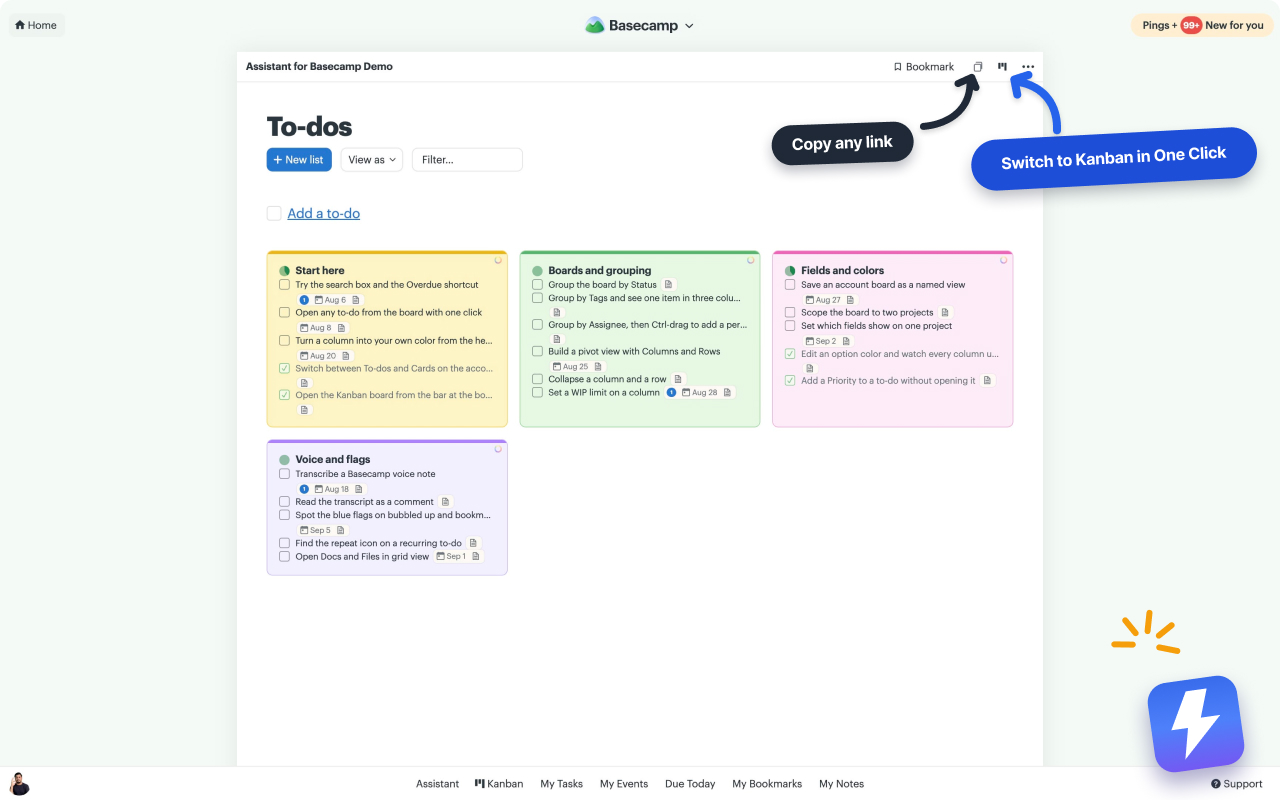
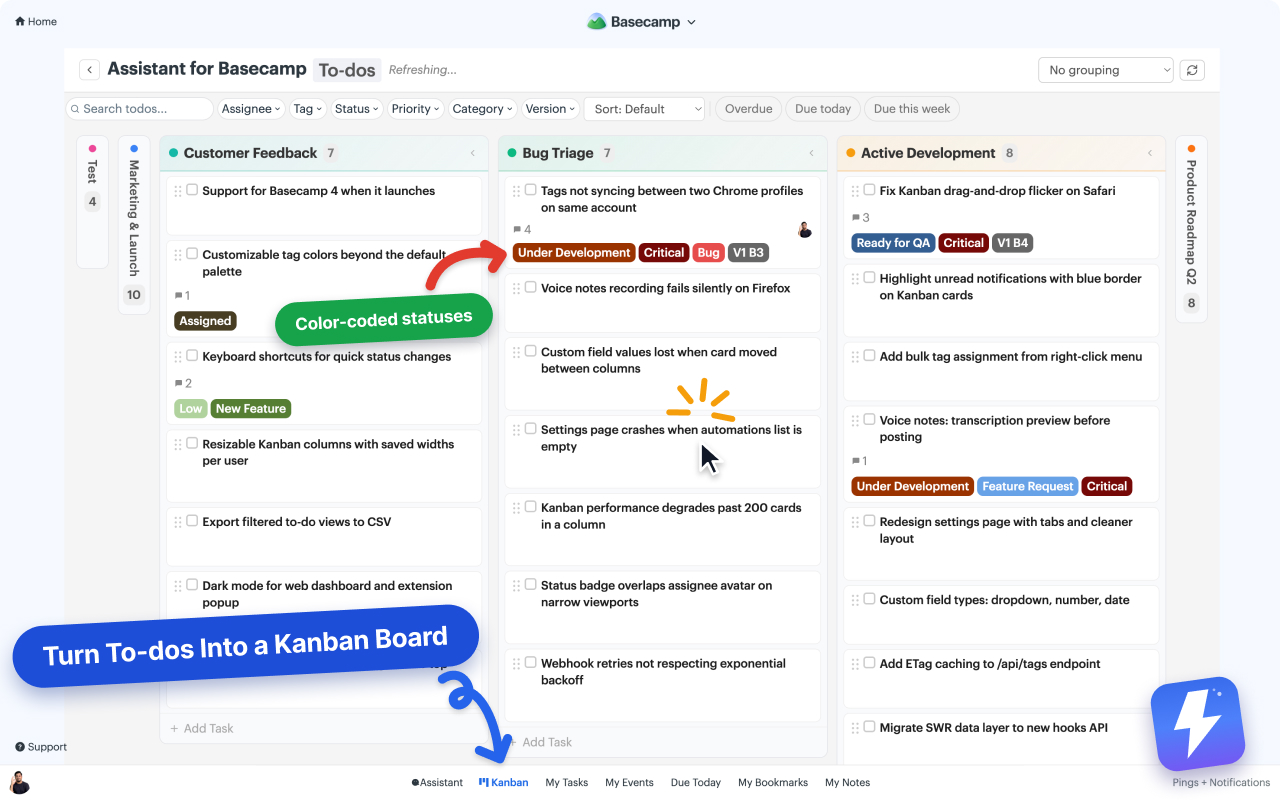
Turn to-dos into a Kanban board

A full drag-and-drop board layered right on your Basecamp to-do lists. Group by status, assignee, or tag.

New
Bug
QA

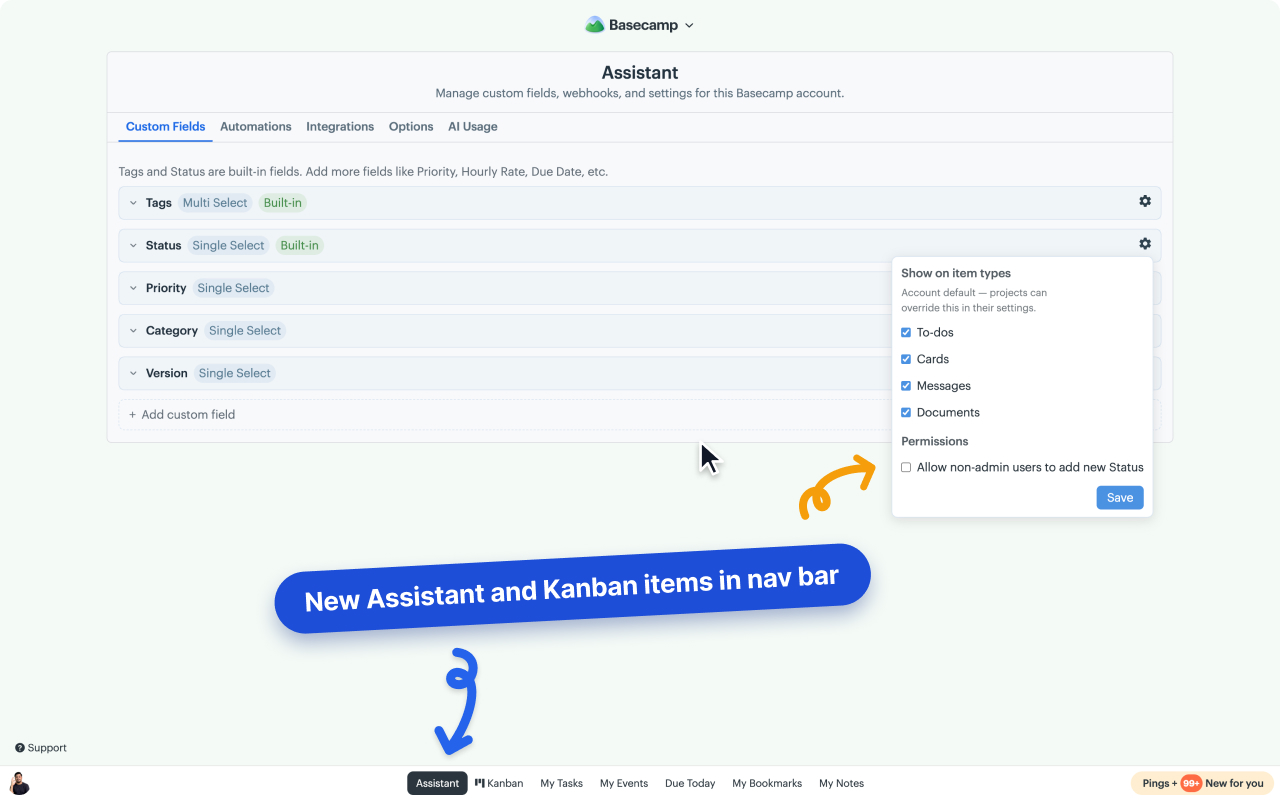
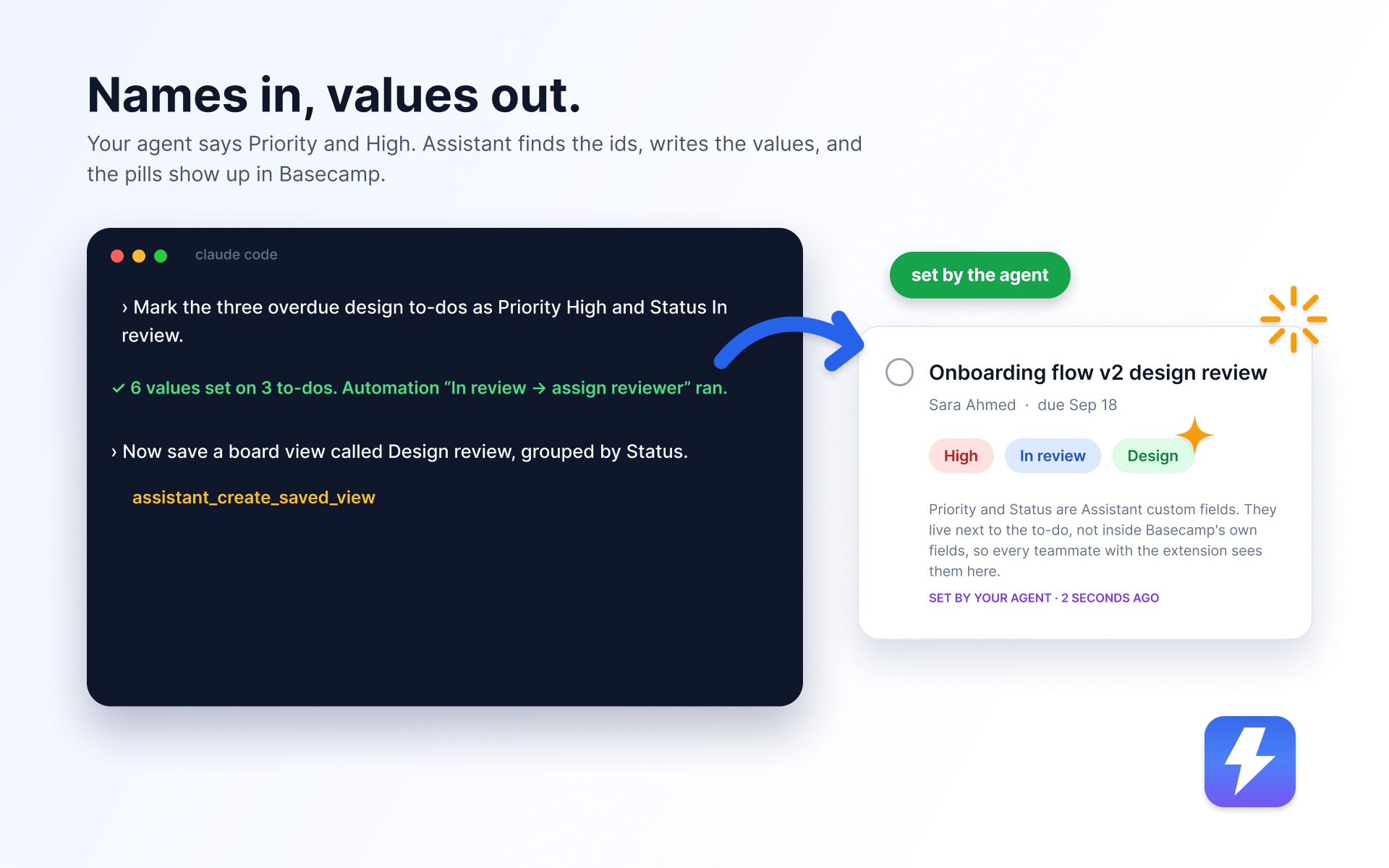
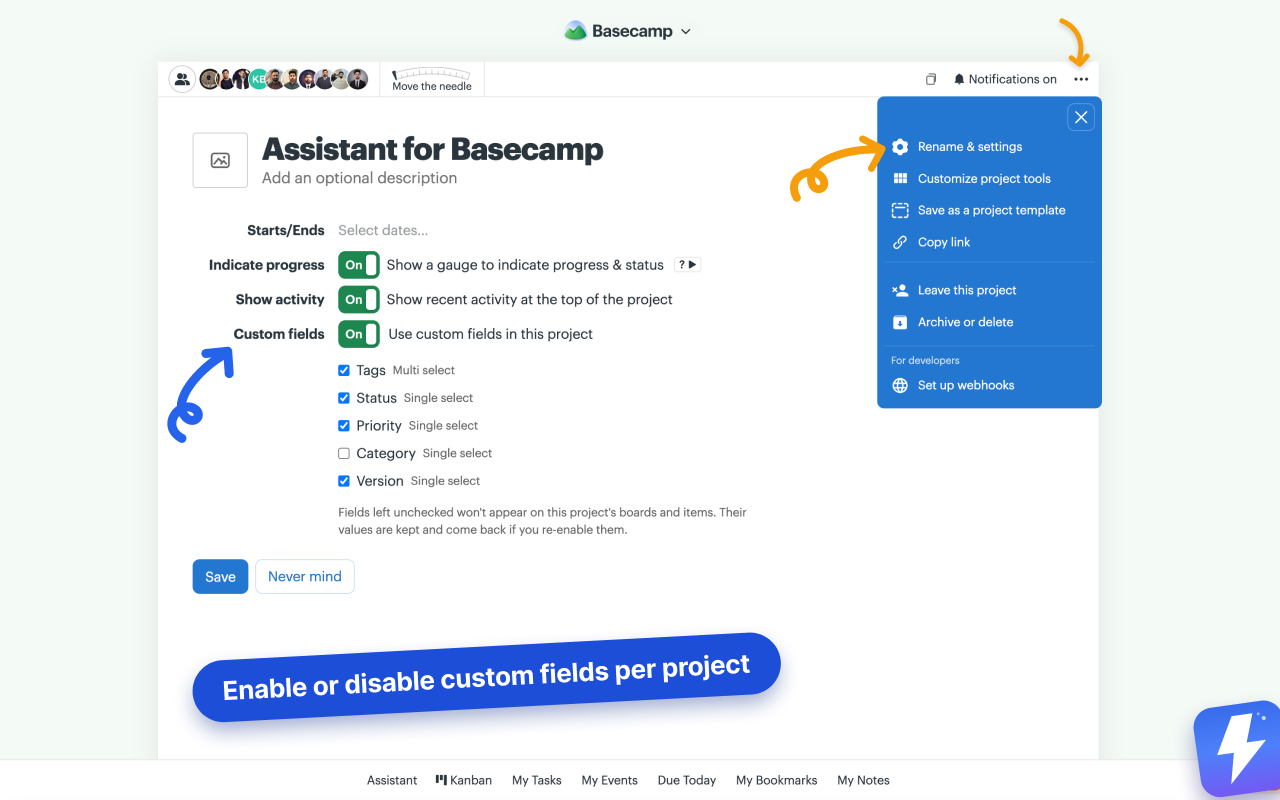
Custom fields

Priority, status, version, due date, estimate. Put any field you want on any to-do.

High Fri, Jun 6 v1.2

Color-coded tags & statuses

Build the tags and statuses your team uses, each in its own color. One look tells you where everything stands.

Under Dev Ready Review

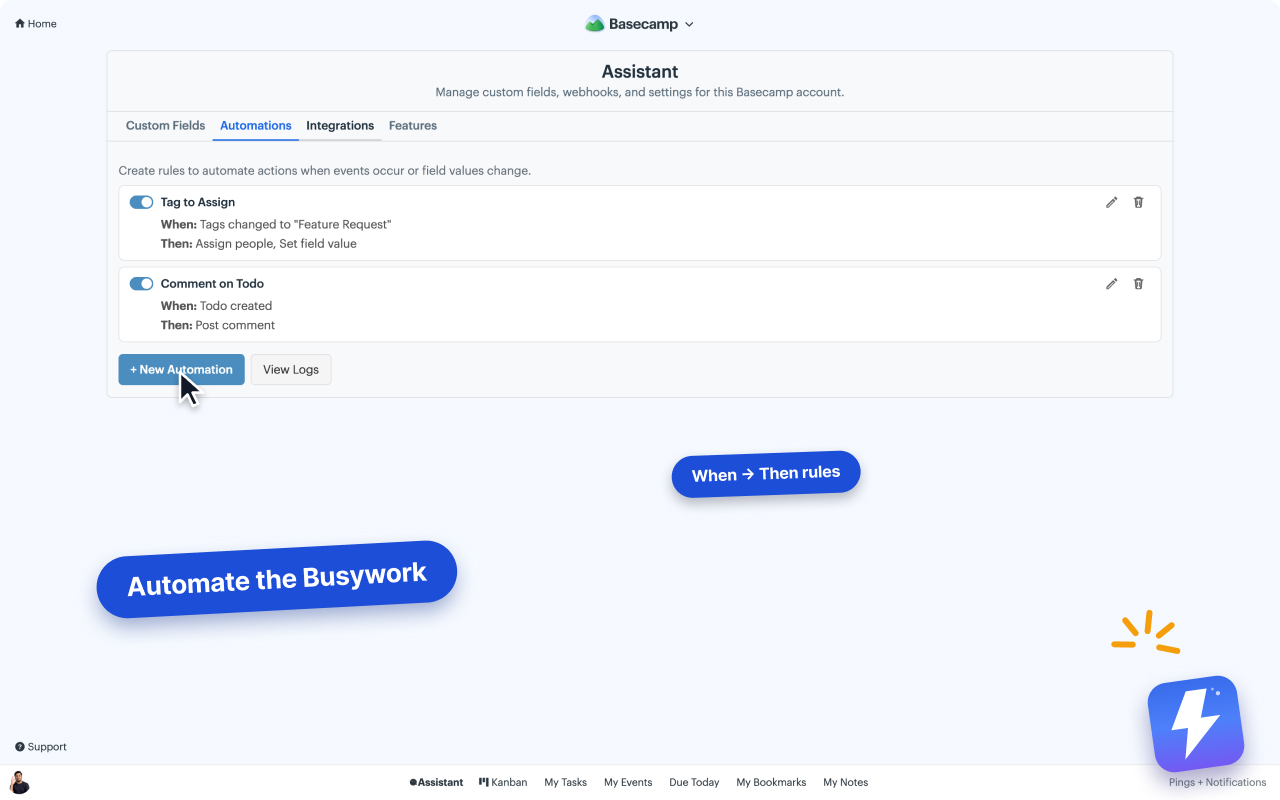
Automations

Set up rules that tag, assign, and set statuses for you, so nobody's doing it by hand.

Tag = "Bug" Assign + prioritize

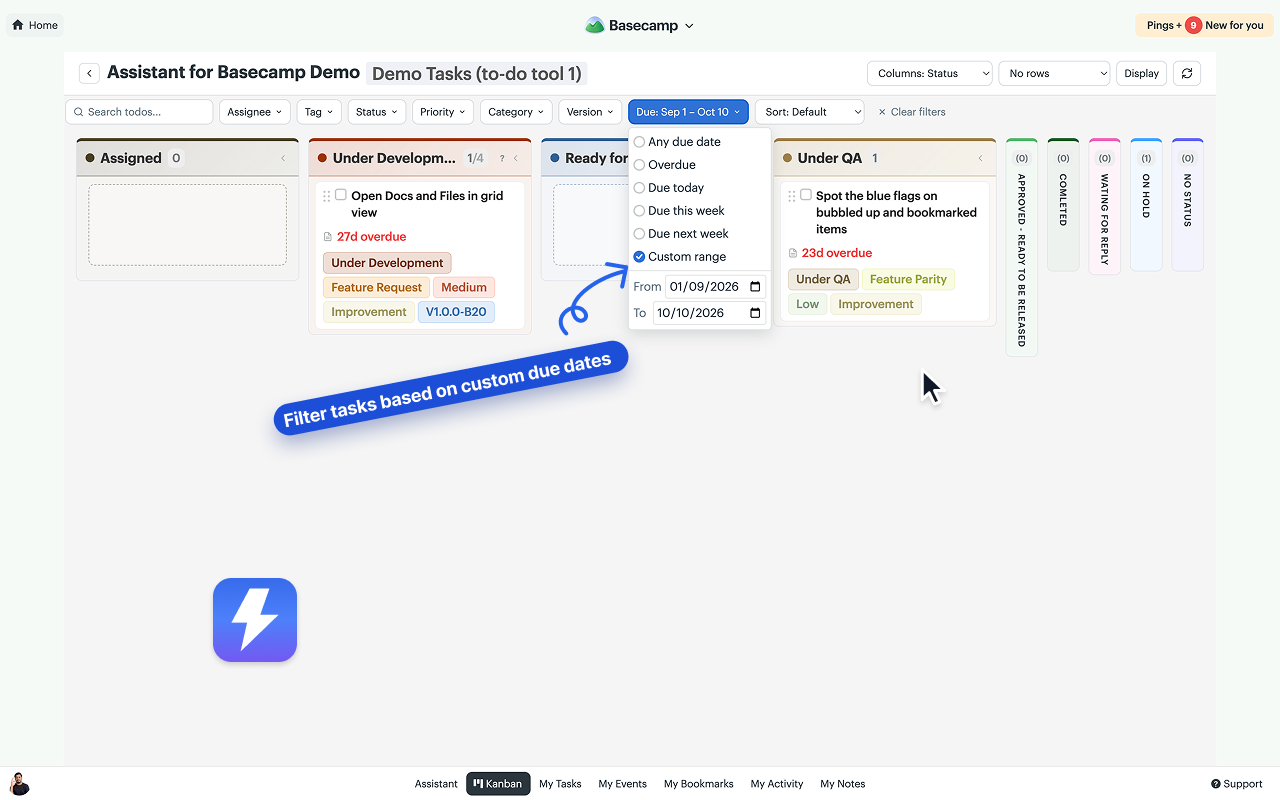
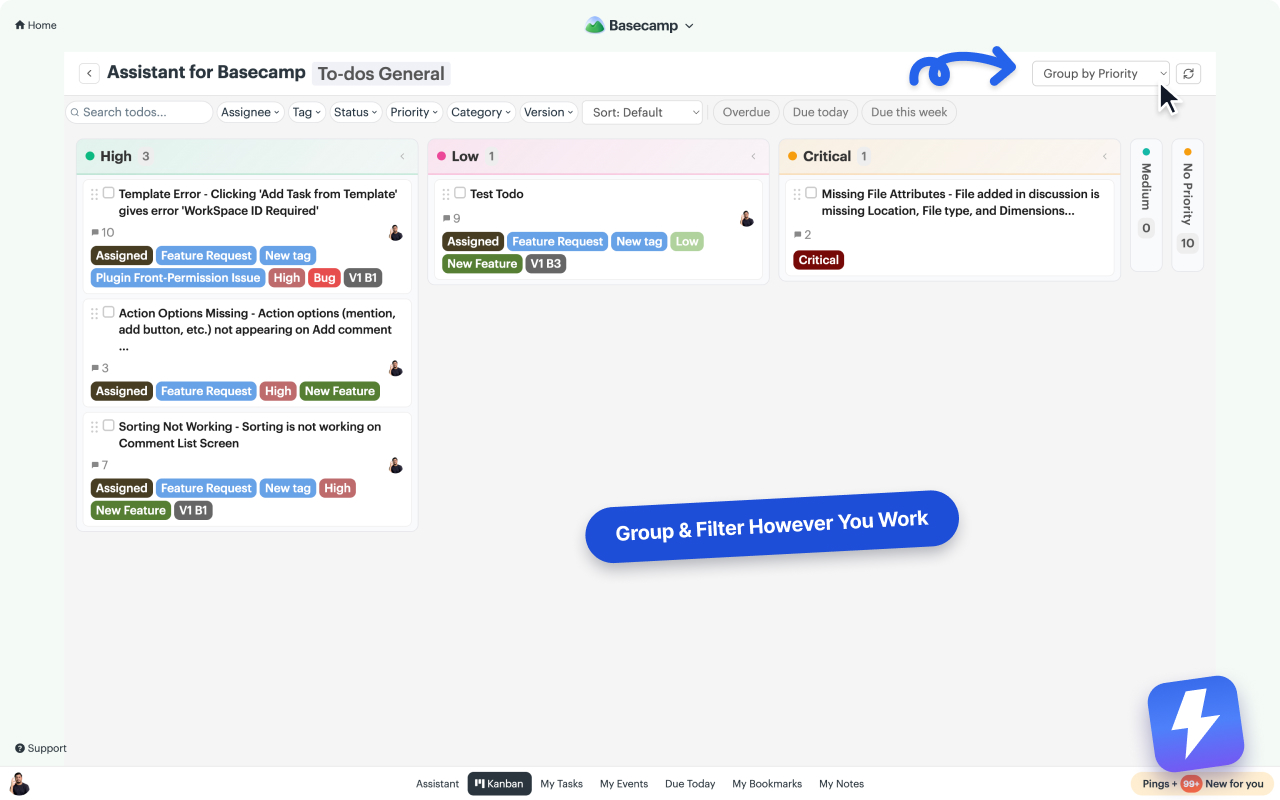
Group & filter the board

Slice the board by status, assignee, tag, or priority. Then search and sort to find anything fast.

Group: Status Assignee Overdue

Runs inside Basecamp, so your data never leaves

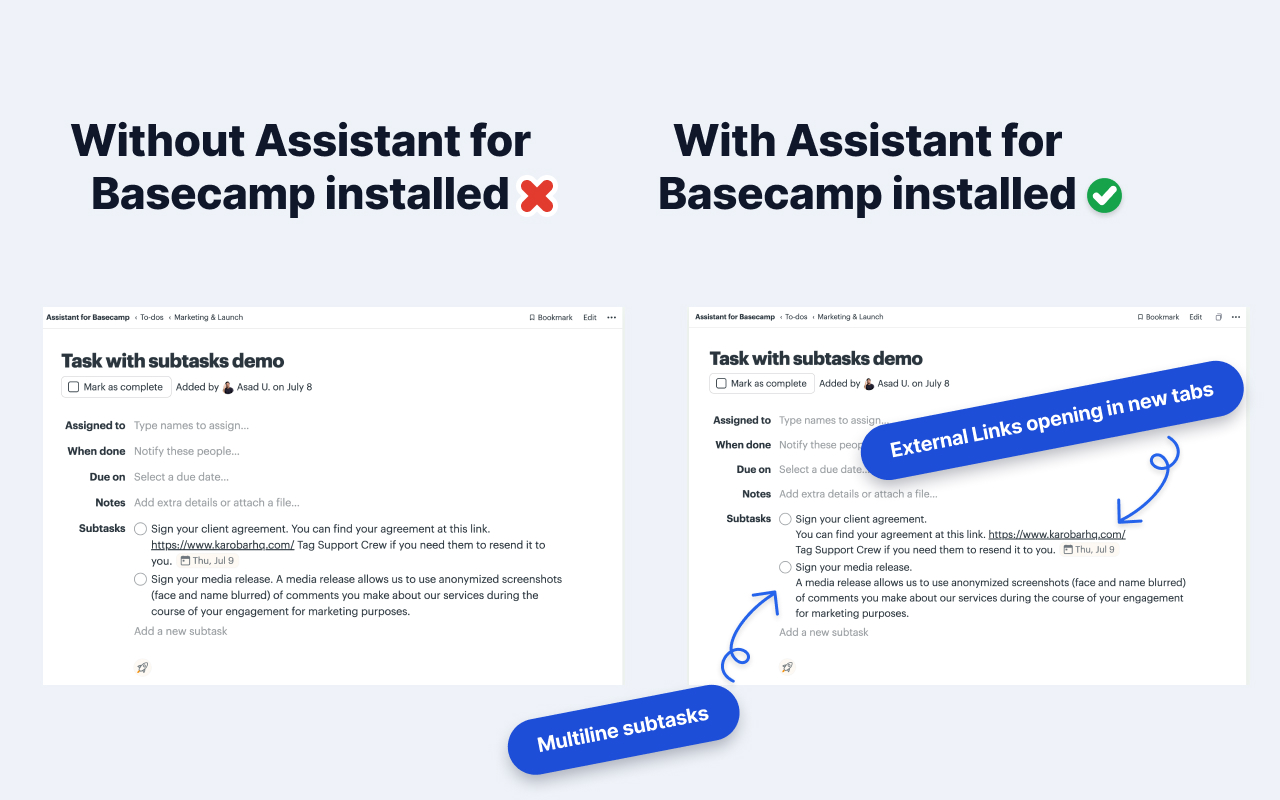
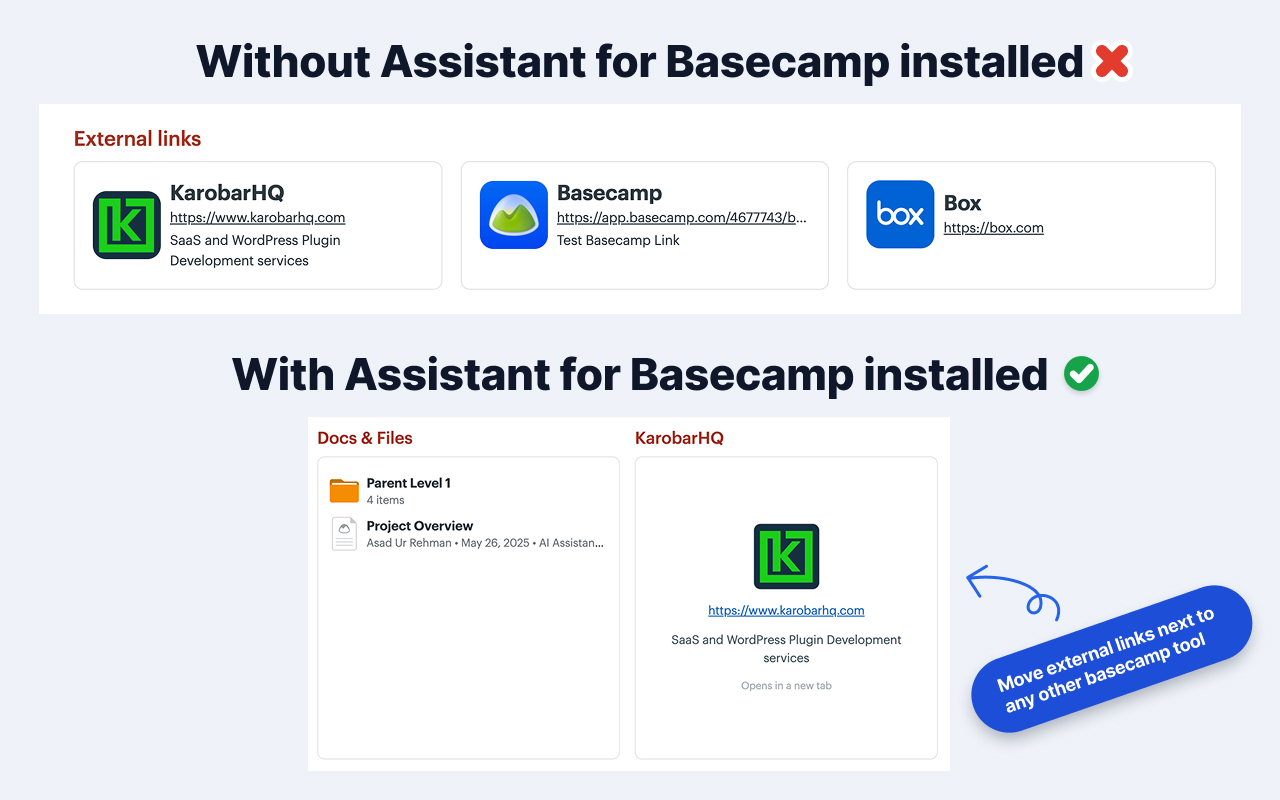
There's no new app to learn. The extension adds its UI to the Basecamp pages you already use, and your messages, to-dos, and files never leave.

Works with Basecamp 5

Unread highlight

See what's changed since you were last in a project, without scrolling back through everything.

How it works

Set up in three steps.

1

Install the extension

One click from the Chrome Web Store. Works on Chrome, Edge, Brave, and every Chromium browser.

2

Connect your Basecamp account

Admins sign in once with Basecamp OAuth. Secure, read-only for most features, fully revocable anytime.

3

Invite your team

Your whole team's in. Anyone in your Basecamp account installs the extension, signs in, and the new UI lights up. No seats to assign.

Loved by Basecamp teams

What beta teams are saying.

Early quotes from beta teams using Assistant across client work, product, and operations.

★★★★★
We've tried every project tool you can name. The team kept drifting back to Basecamp. Assistant gave us the Kanban and custom fields we were missing. Finally, everyone's in one place.
MS
Maya Sandberg
Operations Lead, design agency (12-person team)
★★★★★
The automations alone paid for the year. New bug comes in, it auto-tags, auto-assigns, and lands in the right triage column. My PM got half a day back every week.
DK
Dan Kovacs
CTO, SaaS startup (28-person team)
★★★★★
Clients used to email us daily asking for status updates. Now the status is right there in Basecamp. My inbox is measurably quieter. Worth every penny.
PR
Priya Ramanathan
Founder, branding studio (6-person team)

Pricing

One flat price for your whole team.

$29/month or $290/year. Unlimited seats, every feature. One admin pays, and everyone in that Basecamp account gets it.

Monthly

$29 / month

Unlimited seats · all features · cancel anytime

Save $58 / year

Yearly

$290 / year

$24.17/mo · unlimited seats · ~2 months free

FAQ

Common questions.

Does this replace Basecamp?

No. It enhances it. Assistant runs inside Basecamp. All your data stays in Basecamp; we add a layer of tags, statuses, fields, and views on top.

Do I need to change how my team uses Basecamp?

Not at all. The extension adds UI directly onto Basecamp pages. People who don't install it still see Basecamp exactly as before.

What data do you store?

We store tags, statuses, custom field values, automations, and OAuth tokens needed to connect to the Basecamp API. We never store your project content (messages, to-dos, files). Those stay in Basecamp.

Is there a free trial?

Yes. 14 days, no credit card, full access for your whole team. After the trial, one admin subscribes for $29/month (or $290/year) and everyone keeps access.

How does pricing work?

One flat price: $29/month or $290/year for your whole team — unlimited seats and every feature. One admin pays; there are no per-seat charges.

Who connects the Basecamp account?

A Basecamp admin connects each account once and pays. After that, everyone in that Basecamp account gets the extension automatically — no seat assignments, no access requests.

Add Kanban and tags to your Basecamp.

Install the free extension. 14-day trial on all paid features. No credit card.