Kanban board
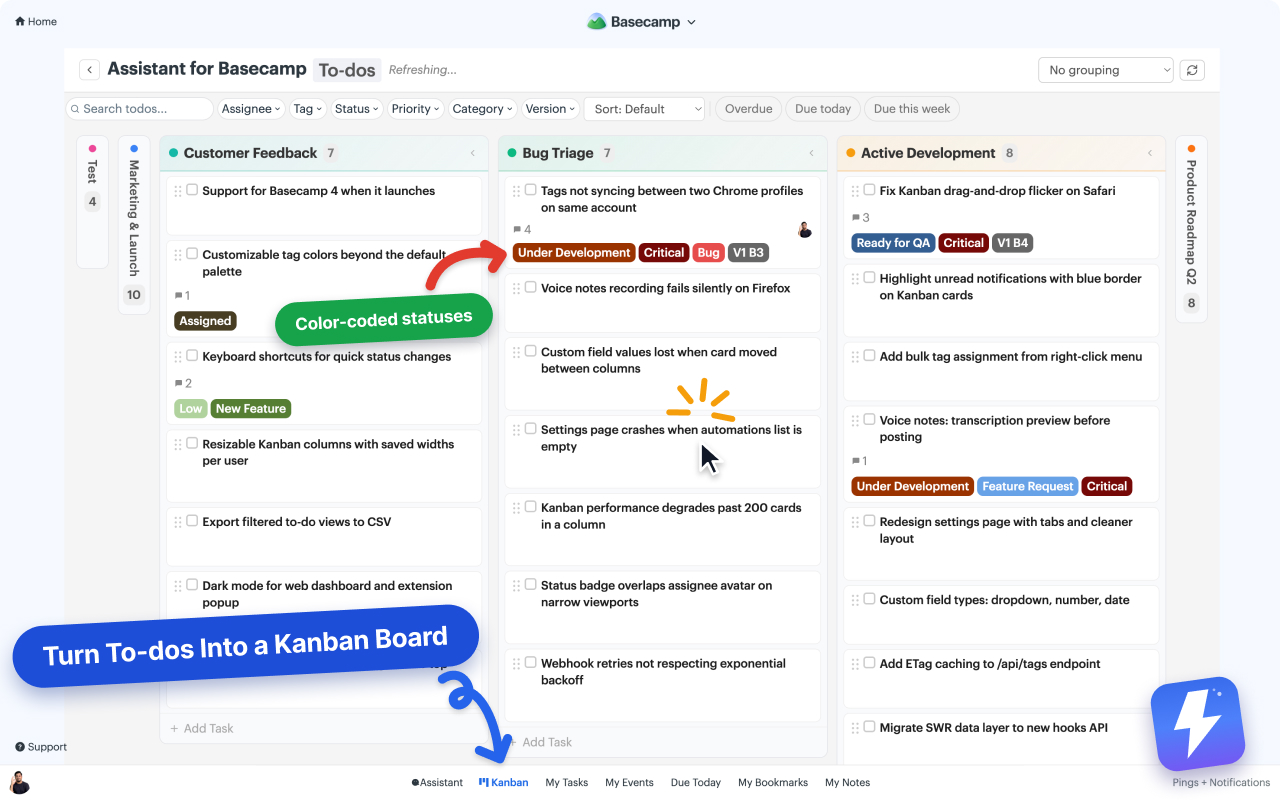
A drag-and-drop Kanban view layered on top of any Basecamp project’s to-do lists and card tables.
Opening the board
- Open any Basecamp project you’ve connected to Assistant.
- Click the Kanban entry in the project’s menu (added by Assistant alongside the built-in items).
- The board loads all to-dos across the project, grouped by status.
Open in Kanban, on a single to-do set or card table, opens a board over just that one. The account board covers every project in the account at once. To-dos and Cards always get their own board, so the two never mix on one screen.
Grouping
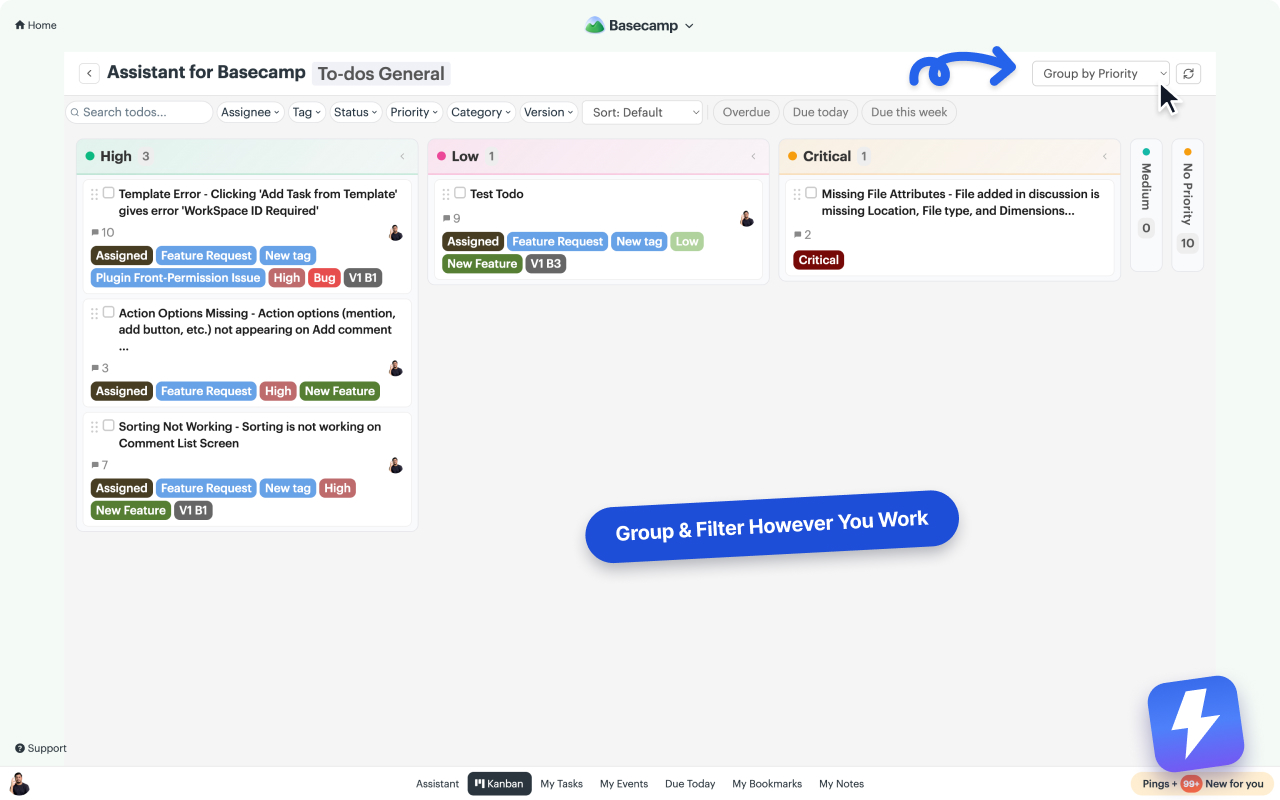
Columns on the board come from the project’s to-do lists. Use the Group by dropdown at the top of the board to rebuild the columns from a field instead:
- No grouping (default): one row of columns.
- Assignee: one column per team member, plus Unassigned.
- Any select-type field: group by Tags, Status, or any single- or multi-select custom field you’ve created, like Priority, Category, or Version.
Grouped columns follow the field’s own option order and colors, with a No [field] column at the end for items that haven’t been set. Your grouping choice is remembered per project.
Group by Tags or any multi-select field and an item carrying three tags shows in all three columns. Assignee grouping works the same way: a to-do assigned to two people appears in both columns, dragging a copy to someone else’s column reassigns that spot, and Ctrl-drag (Cmd-drag on a Mac) adds a person instead of replacing one.
Drag and drop
Drag a card between columns to move it to another to-do list. When the board is grouped by a field, dragging a card to another column sets that field’s value. Changes sync to Basecamp immediately. Everyone else sees them on their next refresh.
Filtering
The filter bar above the board filters by tag, status, assignee, or custom field value. Filters stack. Use them to narrow down to “my unfinished bugs” or “blocked design work” in a click.
Filtering narrows the cards, not the columns they sat in. To clear the emptied columns out of the way too, turn on Hide empty columns and rows in the Display popover.
Display rules
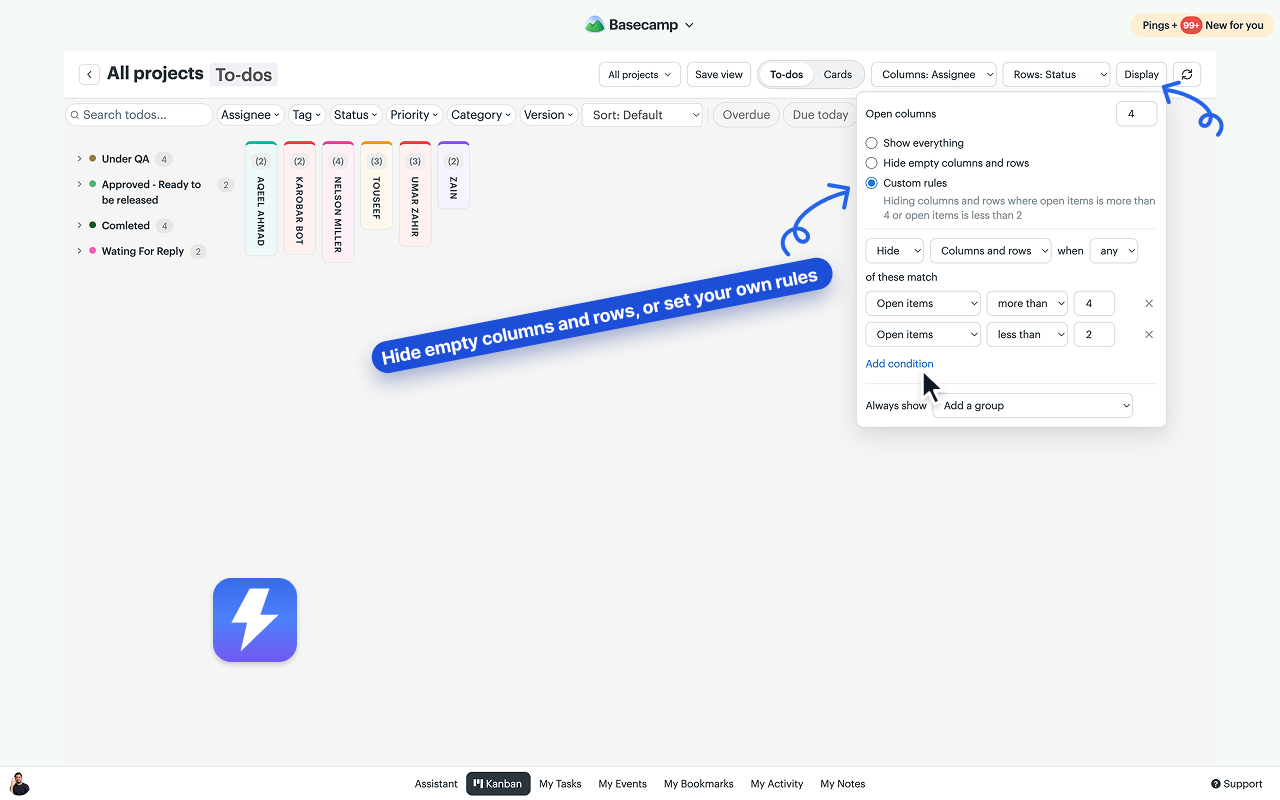
The Display button at the right end of the toolbar opens a popover. It holds the Open columns limit and three choices for what the board shows.
- Show everything is the default. Every column and row stays on the board.
- Hide empty columns and rows drops any column or row with no open to-dos. A person whose only remaining items are completed leaves the board until they pick up work again. Pivot rows follow the same rule.
- Custom rules let you write the rule yourself: Hide or Show, applied to Columns, Rows, or Columns and rows, matching when all or any of your conditions hold. Conditions cover open items, completed items, overdue items, due this week, last activity older than a number of days, the WIP limit, and the name of a column or row you pick. A plain-words summary under the choice reads back what the rule does. On a pivot, a Show rule keeps the rows or columns the kept groups’ work sits in.
Put a column or row on the Always show list and it stays on the board whatever the rule says.
Rules run after the filter bar, so they read what the filters left behind. They are yours alone and live in the browser you set them in, stored with the board the way your grouping choice is, and a saved view carries them.
Pivot view
Pick one field for the columns and another for the rows, Status across the top and To-do lists down the side for example, and every item lands in its own cell. Rows collapse to their header, and column headers and row labels stay in view while you scroll.
Saved views
Search the picker for projects or clients, narrow the board to the ones you want, and save the whole setup as a named view. Clients and projects are either/or, never mixed. Views are per person and stored on our servers, so they follow you to any computer.
WIP limits
Click a column’s count to set a limit on it. Limits are stored per board and the whole team sees them, so the same column can allow 10 in one project and 3 in another. The count turns red once open work passes the limit. Column and row counts show open work only, and the completed items are reported in the count’s tooltip, in the WIP help popover, and in the Completed section.
Tips
- Collapse empty columns by clicking the column header. You can also set your own maximum for how many columns stay open, from two to all of them, under Open columns in the Display popover; the rest collapse to slim strips.
- To-do list columns carry each list’s own Basecamp color and card-table columns their real column color. Pick a new one from the column header and it changes in Basecamp for everyone.
- The board view respects Basecamp’s access rules. Team members only see projects they belong to.
- Slow board? Trim your status list (Settings → Custom Fields) and archive completed to-do lists inside Basecamp.
Can't find what you need? Email us at hello@getassistant.io