Does Basecamp Have Time Tracking? Yes, With Timesheet
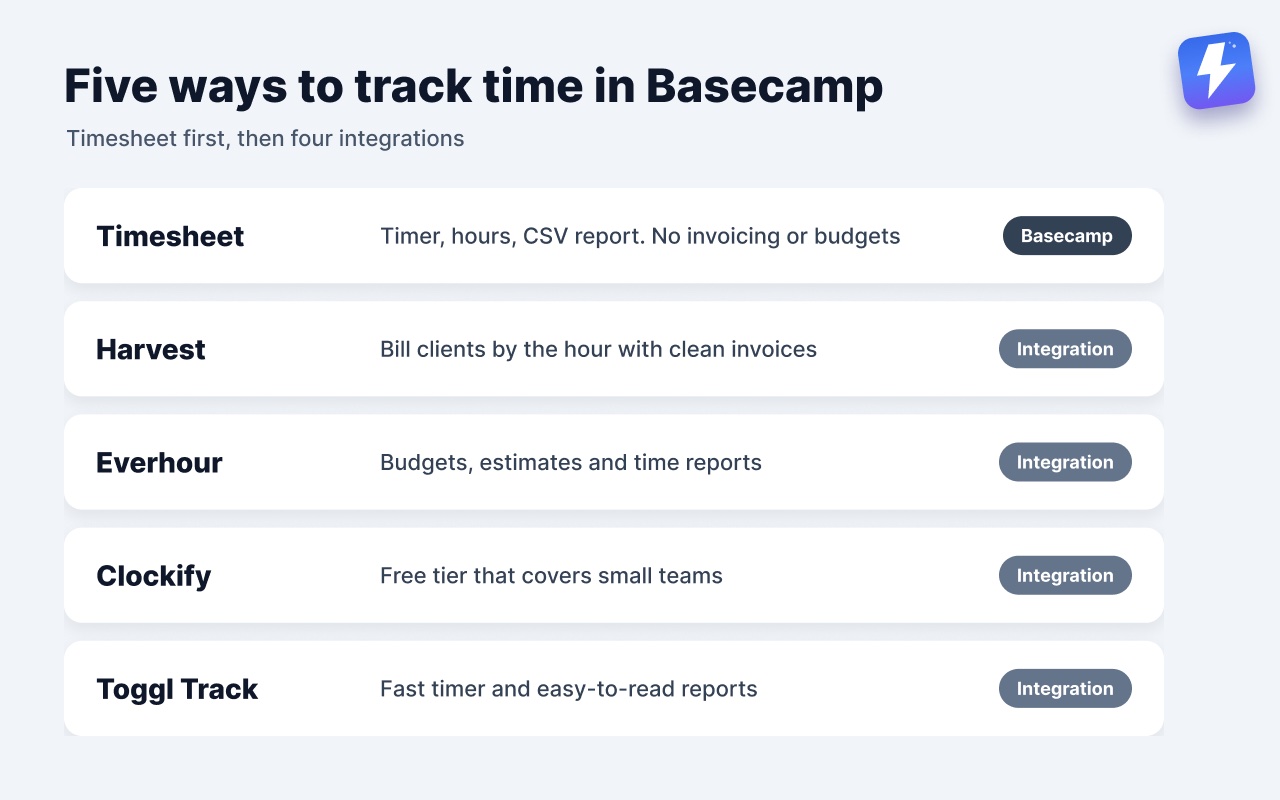
The short answer: yes. Since June 2024 Basecamp has had official time tracking called Timesheet. You get a green timer on to-dos, cards, docs, and the project home page, hours entered as 2:30 or 2.5 with an optional note, and a report under Activity that totals hours across projects, filters by project, person, or date range, and exports to CSV. Clients never see any of it. The catch is the plan, not existence: it comes with Pro ($99/month) and Unlimited ($299/month, billed annually), and the Free, Freelancer and Studio plans don’t include it. What Timesheet doesn’t do is invoicing, budgets, or rate cards, which is where Harvest, Everhour, Clockify, and Toggl still earn their place. This post walks through all five options and is honest about where each fits.
Does Basecamp have time tracking built in?
Yes, since June 2024, through a feature called Timesheet. It launched as a $50/month add-on; since Basecamp’s mid-August 2026 repricing it comes with the Pro and Unlimited plans, and the add-on no longer appears on Basecamp’s pricing page. Both plans are a flat price for the whole account, not per seat.
What you get is a green timer on to-dos, cards, docs, and the project home page. Enter hours as 2:30 or 2.5, add a note if it needs one, and log time on behalf of a teammate who forgot. Under Activity there’s a report that totals hours across projects, filters by project, person, or date range, and exports to CSV. Clients can’t see any of it.
Keeping it off the entry plans is a design choice. Basecamp’s philosophy leans away from surveillance-style features, and the founders have written publicly that they don’t track their own team’s hours, so Timesheet has always been something the teams that bill opt into: first as a paid add-on, now by choosing Pro or Unlimited. What it stays out of is invoicing, budgets, and rate cards. If your billing runs on those, you’ll pair it with a dedicated tool or use one instead.
If Timesheet isn’t switched on, a few Basecamp features get mistaken for it:
- Hill Charts show how far along a piece of work is (uphill = figuring it out, downhill = executing). That’s progress, not time.
- Due dates mark when something is expected, not how long it took.
- The activity timeline shows when things happened, but it won’t sum up effort.
So the real question isn’t whether you can track time in Basecamp. It’s whether Timesheet is enough for how you bill. There are two routes: Basecamp’s own Timesheet, or a dedicated time tool.
Basecamp’s own option: Timesheet
In June 2024, Basecamp brought back a Basecamp Classic favorite as a paid add-on; since the August 2026 repricing it comes with the Pro and Unlimited plans instead. Timesheet puts a green timer on to-dos, cards, docs, and the project home page: type the hours (2:30 or 2.5), add an optional note, done. You can log hours for a teammate as well as yourself, and the report under Activity totals everything across projects, filters by project, person, or date range, and exports to CSV. Clients never see it. It comes with the Pro ($99/month) and Unlimited plans.
- Best for: teams that need hours logged and reported without adding another vendor.
- Strength: native, zero setup, clients never see it, and one flat price for the whole team instead of per seat.
- Watch out for: no invoicing, no budgets, no rate cards, and it’s only on the Pro and Unlimited plans. It logs and reports hours; it doesn’t run a billing operation.
If you need invoices and budgets on top of the hours, a dedicated tool is the answer.
The best Basecamp time tracking integrations
Basecamp has an open API, and the major time-tracking tools have built integrations on top of it. They don’t compete with Timesheet on whether tracking exists, they compete on what it leaves out: invoicing, budgets, rate cards, and deeper reporting. Harvest is the strongest of the four for most billing-heavy teams, but it’s worth seeing all of them before you commit.
Harvest
Harvest is the most established Basecamp time tracking integration, and the two products have a long history together (Harvest was an early Basecamp partner). It adds a “Track time” link directly onto Basecamp to-dos through a browser extension, so you start a timer without leaving the task. Hours roll up into Harvest for invoicing and reporting.
- Best for: agencies and freelancers who bill clients by the hour and want clean invoices.
- Strength: the to-do level timer feels native, and invoicing is genuinely good.
- Watch out for: at $9 a seat per month billed annually, Harvest costs as much as Toggl Track and more than Everhour or Clockify, and the free tier is limited to one person and two projects.
Everhour
Everhour also injects a timer into the Basecamp interface, so you can start and stop tracking on a to-do without switching tabs. Its reporting and budgeting features are a step up if you care about tracking time against a project budget rather than just billing.
- Best for: teams that want budgets, estimates, and time reports, not only invoices.
- Strength: estimates vs. actuals reporting, and a generous set of dashboards.
- Watch out for: the free plan (up to 5 seats) covers time tracking, reports and export, but not the Basecamp integration or budgets, so in practice you’re on Team at $8.50 a seat per month billed yearly, with a 5-seat minimum. That per-seat cost adds up on bigger teams.
Clockify
Clockify is the budget pick. It has a free tier that genuinely covers small teams, and a browser extension that adds a timer button to Basecamp to-dos like the others.
- Best for: small teams or anyone who wants solid time tracking without a per-seat bill.
- Strength: the free plan is real, not a trap.
- Watch out for: the deeper reporting and locking features sit behind paid tiers, and the Basecamp link relies on the browser extension being installed per person.
Toggl Track
Toggl Track is the favorite for people who want a fast, low-friction timer and clean reports. Its browser extension adds a Toggl button inside Basecamp to-dos, and it’s known for getting out of your way.
- Best for: individuals and small teams who value speed and simplicity over heavy invoicing.
- Strength: the timer is quick, and the reports are easy to read.
- Watch out for: invoicing is weaker than Harvest, so client-billing-heavy shops may outgrow it.
A pattern you’ll notice: all four work the same basic way. A browser extension drops a timer onto your Basecamp to-dos, and the hours live in the other tool. That means your time data does not live in Basecamp. You’ll be checking two places, and the reports come from the time tool. Timesheet’s trade is the opposite: the hours and the report stay in Basecamp, but there’s no invoice at the end of them.
Does Assistant for Basecamp add time tracking?
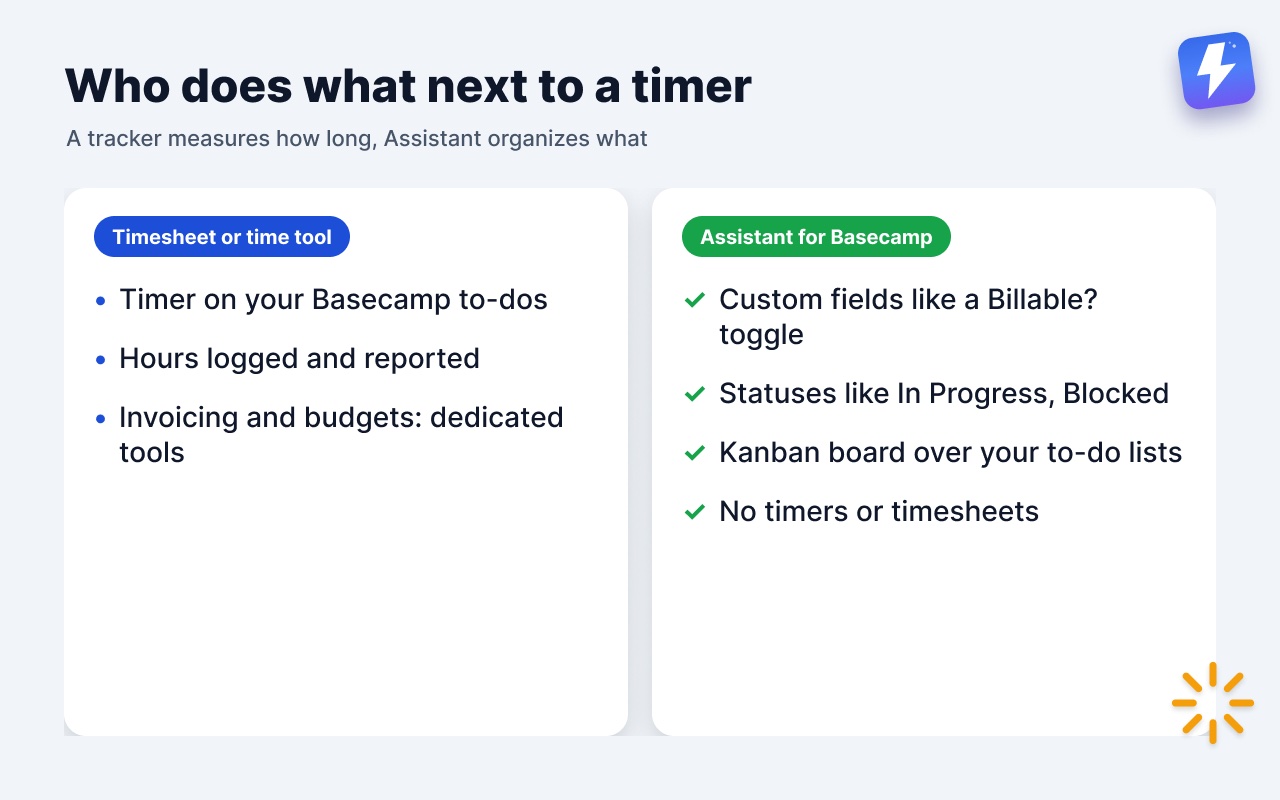
No, and we want to be straight about that. Assistant for Basecamp does not track time. We don’t add timers, timesheets, or hours-based reports, and we have no plans to compete with Harvest or Toggl. If logging hours is your core need, turn on Timesheet or install one of the four tools above. That’s the right call, and we’ll happily point you there.
What we do is the layer next to time tracking: the structure, status, and visibility around your Basecamp work. We’re a browser extension that adds features inside Basecamp 5, so you work where you already work instead of adopting another tool.
Here’s where that complements a time tracker rather than replacing it:
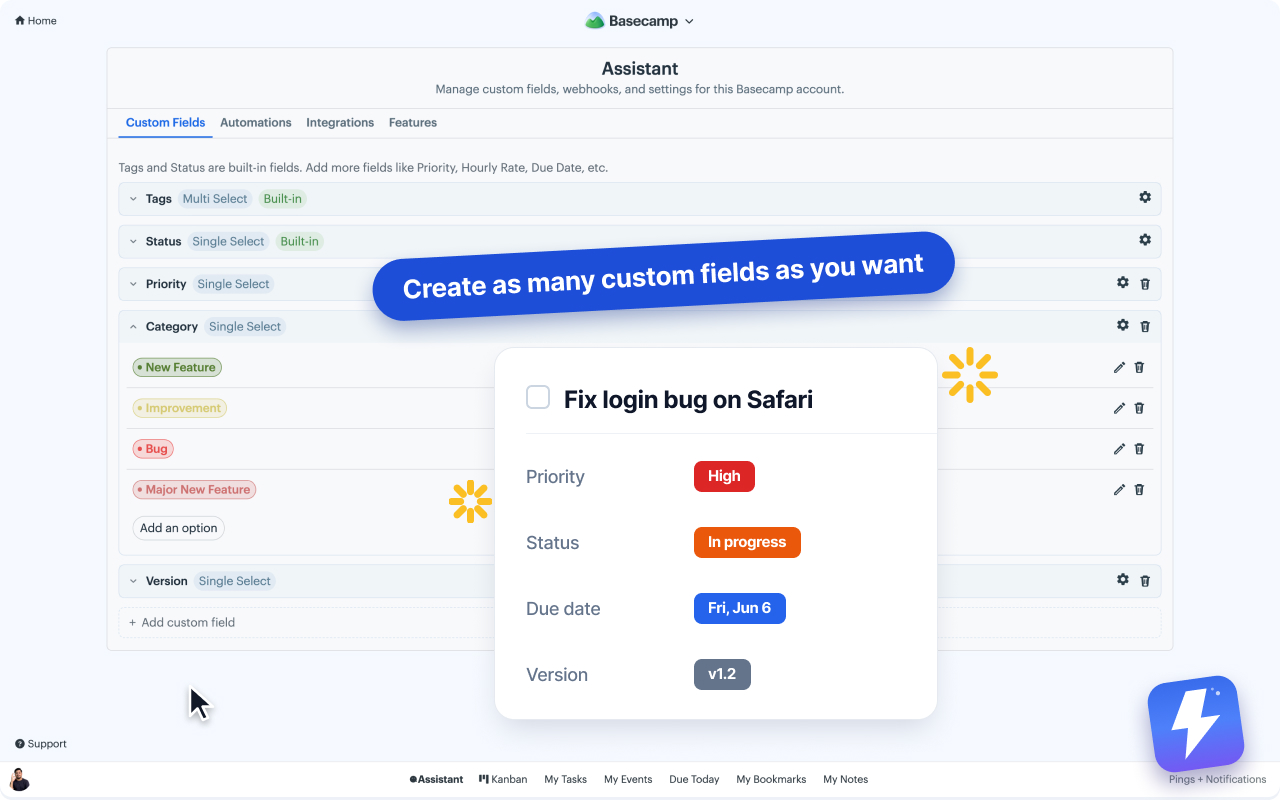
- Custom fields. Add fields like a single-select “Billable?” toggle, a number field for an estimate, or a date field, right on your to-dos. Your time tool records the actual hours; the field records the context. See how to add custom fields to Basecamp.
- Statuses. Mark a to-do as In Progress, Blocked, or In Review so a timer that’s been running on a stuck task makes sense at a glance. See how to add custom statuses to Basecamp tasks.
- A Kanban board over your to-do lists. Each to-do list becomes a column, so you can see what’s in flight while time accrues against it. See does Basecamp have a Kanban view.
So the honest division of labor is: a time tracker measures how long, and we organize what and what state it’s in. Different jobs.
A practical setup that works
If you’re an agency or freelancer billing by the hour, this is the combination that works:
- Start with Timesheet if you only need hours logged and reported. It’s already inside Basecamp, it’s flat-priced for the whole account, and clients can’t see it. It comes with Pro and Unlimited.
- Move to a dedicated tracker if you invoice from those hours. Bill clients heavily? Harvest. Track against budgets? Everhour. On a lower plan and not ready to upgrade? Clockify. Want simple and fast? Toggl.
- Install its browser extension so the timer appears on your Basecamp to-dos and your team tracks where the work actually lives.
- Add a “Billable?” custom field and statuses with Assistant for Basecamp so each task carries the context the timer can’t, then group your board by status to see where billable hours are going.
That gives you hours logged wherever they make sense, organization in Basecamp, and no need to run a third project tool on the side.
What about the Basecamp API and building your own?
Basecamp’s API is open, so a technical team could build a custom time-logging tool against it. In practice this is rarely worth it. Timesheet already covers logging and CSV export natively, and the four integrations handle invoicing, rounding, and the edge cases you’d otherwise have to build and maintain yourself. Reach for the API only if you have a genuinely unusual workflow that none of the off-the-shelf tools fit.
The bottom line
Basecamp does track time. Timesheet gives you a timer on to-dos, cards, docs, and the project home page, hours you can log for yourself or a teammate, and a report under Activity with CSV export that clients never see. It comes with the Pro and Unlimited plans, so on Free, Freelancer and Studio you’d upgrade or use a separate tool. For invoicing, budgets, and rate cards, add Harvest, Everhour, Clockify, or Toggl. Their browser extensions drop a timer onto your to-dos, and the hours live in the time tool. Assistant for Basecamp doesn’t track time, but it adds the custom fields, statuses, and Kanban board that make those tracked hours easier to read. If you only need a timer, you don’t need us. If you need your Basecamp projects organized around that timer, start a 7-day free trialstart a 7-day free trial, no card needed.
Useful? Tell Google you want more of this.