Basecamp vs ClickUp: What Switching Actually Costs
The Basecamp vs ClickUp choice usually comes down to one question: do you want software that decides things for you, or software you decide everything about? Basecamp is opinionated. It gives you a small set of tools, arranged a fixed way, and asks you to work how it works. ClickUp is the opposite. It gives you views, fields, automations, and settings for almost everything, and asks you to build the system yourself.
Neither approach is wrong. They suit different teams, and the wrong fit makes both tools miserable. This post lays out where each one wins, where each one loses, and how to tell which side you’re on before you commit a team to it.
A disclosure before the comparison. We build Assistant for Basecamp, a browser extension that adds ClickUp-style fields and boards inside Basecamp, so we have a stake in your answer. Everything below about ClickUp is accurate, and there are real jobs it does better. If the third option is the one you want, it is further down, and we costed the migration itself in the real cost of leaving Basecamp.
What’s the core difference between Basecamp and ClickUp?
Basecamp is built on a strong opinion: most project tools are too complicated, so it deliberately ships fewer features. Every project has the same handful of tools. A message board for announcements. To-do lists for tasks. A docs and files section. A group chat called Campfire. A schedule. That’s most of it. You don’t configure much because there isn’t much to configure.
ClickUp is built on the opposite opinion: teams want control, so give them everything. You get multiple task views (list, board, calendar, Gantt, timeline, workload, mind map), custom fields of many types, custom statuses per list, time tracking, goals, dashboards, docs, and an automation engine. You assemble those pieces into whatever workflow you want.
So the real Basecamp or ClickUp decision isn’t about feature count. It’s about who does the thinking. Basecamp thinks for you and removes choices. ClickUp hands you the choices and the work of making them.
Where ClickUp wins
Being honest first: there are plenty of jobs where ClickUp is the better tool, and pretending otherwise would waste your time.
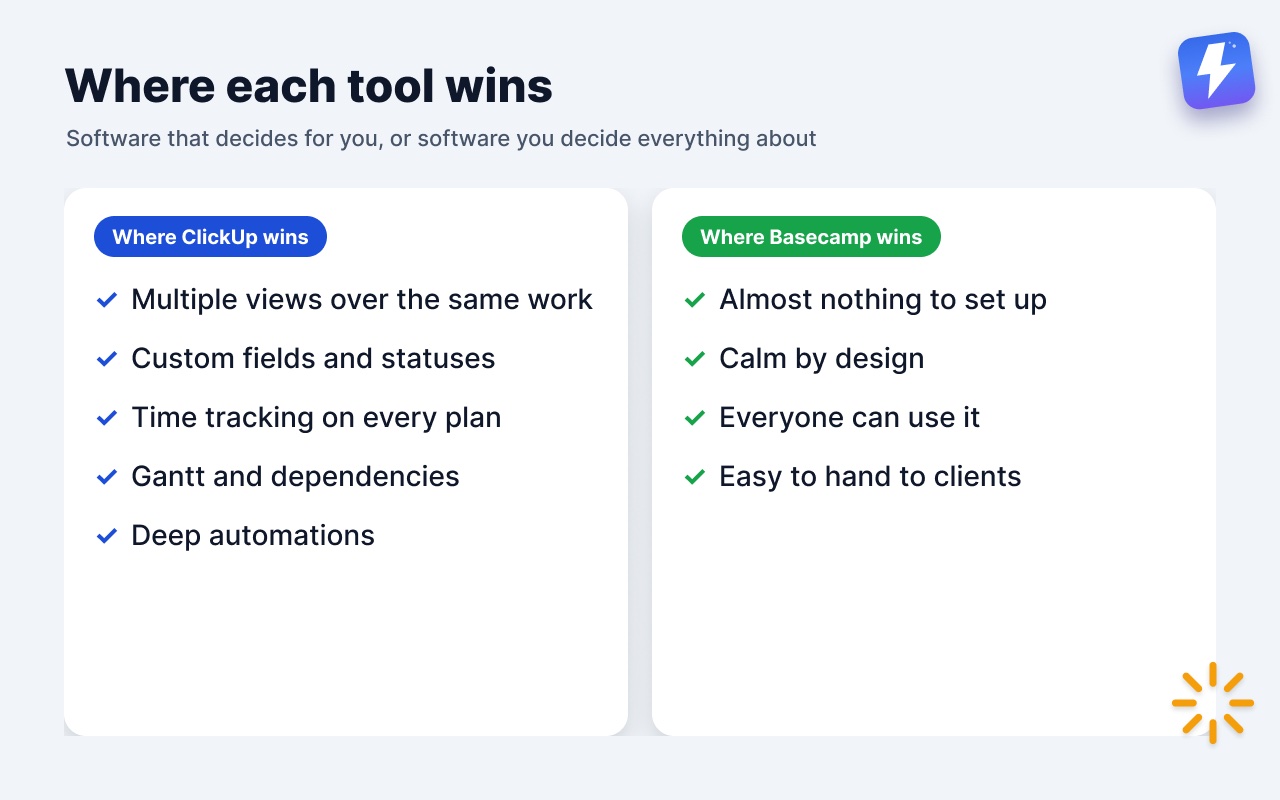
Multiple views over the same work. This is ClickUp’s biggest edge. The same set of tasks can be seen as a list, a kanban board, a calendar, or a Gantt chart, and you switch between them with a click. Basecamp has nothing like this. Its to-do lists are flat checklists with no board view, and its separate Card Tables tool is its own silo. If different people on your team want to look at the same work in different shapes, ClickUp does that natively and Basecamp does not.
Custom fields and custom statuses out of the box. ClickUp lets you add fields like priority, estimate, client, or stage to any task, and define your own status workflow per list (not just “open” and “done”). Basecamp ships neither of these on to-dos. A Basecamp to-do is on or complete, with no fields attached.
Time tracking on every plan. ClickUp has a native timer and time estimates in all of its plans. Basecamp has a timer too, through Timesheet, along with totals by project, person or date range and a CSV export, but only on its Pro and Unlimited plans. Timesheet also stops short of invoicing, budgets and rate cards, so teams billing hours still pair it with Harvest or Everhour. If time estimates and capacity tracking are central to how you run, that’s a real point for ClickUp.
Gantt and dependencies. ClickUp has Gantt charts and task dependencies for teams that plan around hard sequencing. Basecamp deliberately avoids Gantt and uses Hill Charts instead, which show whether work is still being figured out or being executed, not when each task lands.
Deep automations. ClickUp’s automation engine can move tasks, change statuses, assign people, and post updates based on a long list of triggers. Basecamp has no native automation at all.
If your team genuinely needs these, Basecamp will feel thin and frustrating, no matter how clean it looks.
Where Basecamp wins
Now the other side, with the same honesty.
Almost nothing to set up or maintain. A new Basecamp project is usable in minutes because there’s no schema to design. No custom fields to define, no statuses to configure, no views to build, no automation rules to write. For teams that want to manage projects rather than manage a project tool, this is the entire pitch. ClickUp’s power has a cost: someone has to build and maintain the setup, and that person becomes a part-time admin whether they signed up for it or not.
It’s calm by design. Basecamp groups everything around projects and pushes notifications into a single place you check on your terms, rather than firing alerts constantly. The smaller surface area means fewer settings to argue about, fewer ways for two people to organize the same thing differently, and less drift over six months. ClickUp’s flexibility is real, but flexible tools tend to fragment as each person bends them their own way.
Everyone can actually use it. Because there’s so little to learn, non-technical teammates, clients, and occasional users get productive fast. ClickUp has a genuine learning curve. New people often need a walkthrough before they can find anything, and that friction is a recurring tax on every hire and every client you invite in.
Clients and outside collaborators. Basecamp is comfortable to hand to a client. The interface is simple enough that they won’t get lost, and you can scope what they see per project. ClickUp can do guest access too, but the denser interface is a harder thing to drop a non-expert into.
The pattern: Basecamp wins on simplicity, low maintenance, and onboarding. It loses the moment you need a feature it chose not to build.
Pricing, compared plainly
The two price very differently, so compare on total cost, not headline numbers.
Basecamp charges by active projects, not people: Free (1 project, up to 5 users), Freelancer ($25/mo, 3 projects, 20 users), Studio ($59/mo, 10 projects), Pro ($99/mo, 25) and Unlimited ($299/mo, billed annually), with no per-user fees and unlimited users from Studio up. ClickUp has a free tier and several paid plans priced per user per month, with the more useful automation and dashboard limits sitting on higher tiers. (Both vendors change pricing, so confirm current numbers on their own sites before deciding.)
The honest read: ClickUp’s free tier is a real advantage for a small or budget-conscious team willing to invest setup time; Basecamp’s Free plan covers a single project for up to five people. As the team grows, ClickUp’s bill rises with every seat, while Basecamp’s rises only when you run more projects at once. And ClickUp’s lower tiers cap the automations and views that are the reason you’d pick it in the first place.
How to decide
A few honest tests:
- Will one person own the setup? ClickUp rewards a team with someone who enjoys building and maintaining a system. Without that person, ClickUp tends to decay into a half-configured mess. Basecamp needs no such owner.
- Do you need multiple views, dependencies, or a timer on every plan? If yes, and you can’t live without them, that’s ClickUp. Basecamp keeps Timesheet to its Pro and Unlimited plans and won’t grow into the other two.
- How technical is the team, and do clients come in? Mixed-skill teams and client-facing work lean Basecamp, because everyone can use it on day one.
- What breaks you, too little or too much? Some teams are paralyzed by a blank, configurable canvas. Others are frustrated by a tool that won’t bend. Know which one your team is.
If you’re between them, the deciding factor is usually maintenance appetite. Teams that want to do the work pick Basecamp. Teams that want to engineer the workflow pick ClickUp.
What if Basecamp is right except for a few gaps?
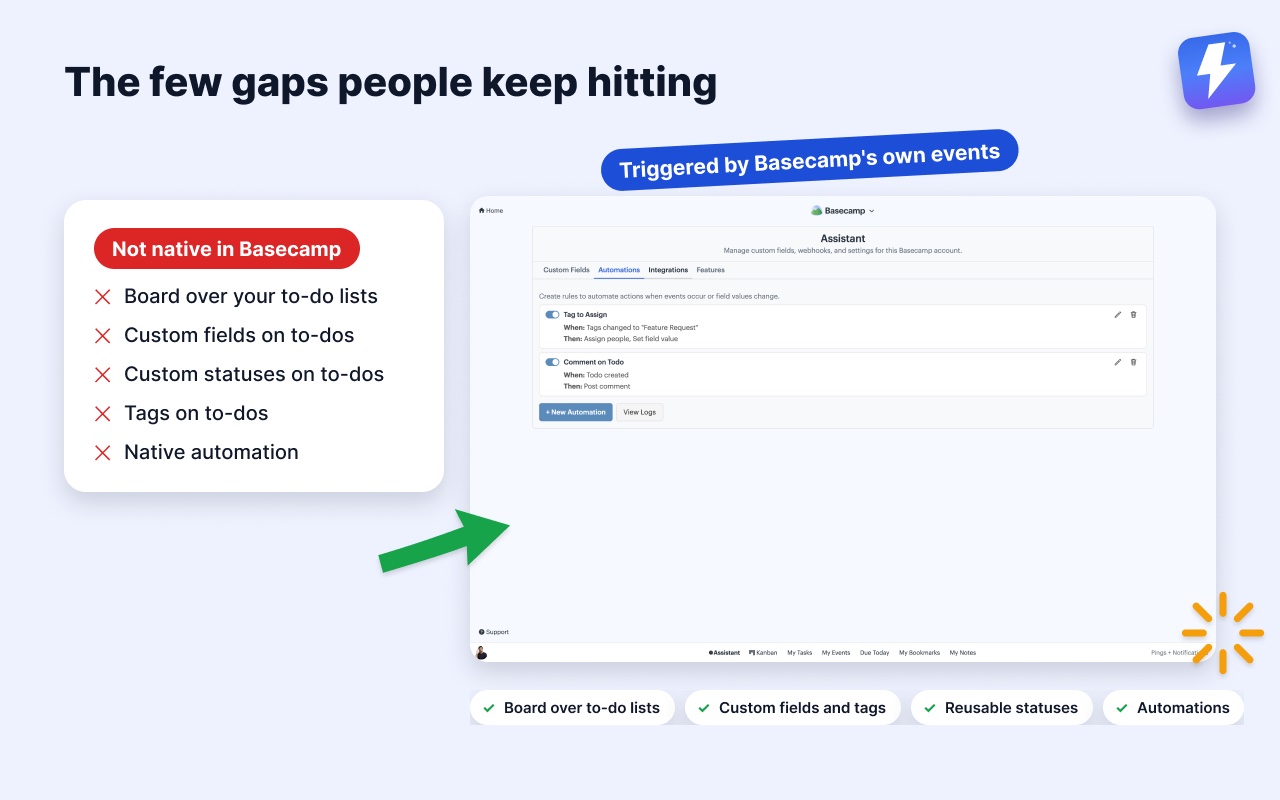
This is the common middle case, and it’s worth naming. A lot of teams prefer how Basecamp feels, the calm, the simplicity, the easy client access, but they keep hitting the same few missing pieces: no tags, no custom fields, no board over their to-do lists. Those gaps are exactly why people start eyeing ClickUp, even when they don’t want ClickUp’s complexity.
There’s a third path: keep Basecamp and add only the missing pieces. That’s what we built Assistant for Basecamp to do. It’s a browser extension that adds features inside Basecamp, so nothing migrates and nobody learns a new tool.
What it adds to the Basecamp you already use:
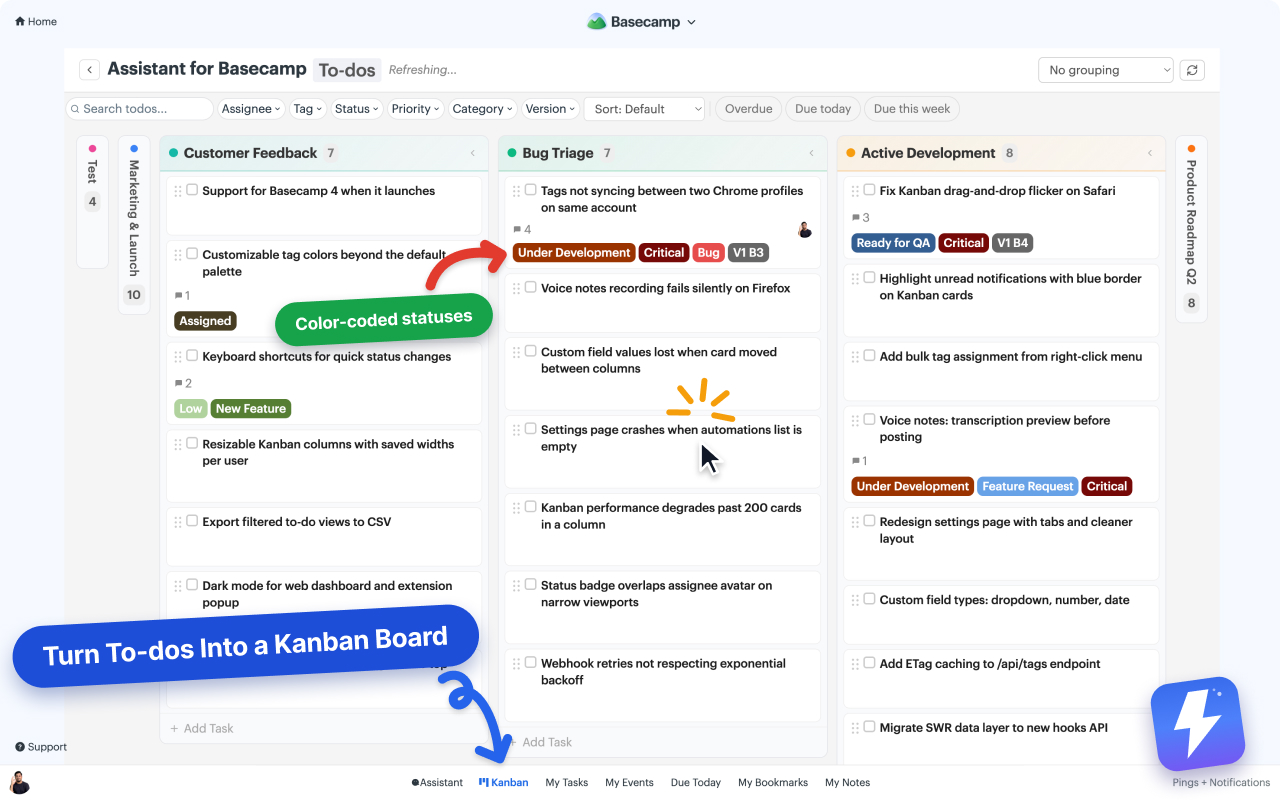
- A kanban board where each to-do list becomes a column, so your project’s real structure is the board, with grouping, column colors that save back to Basecamp, and a choice of running it on one list, one project, or every project at once.
- Custom fields (single-select, multi-select, text, number, date) with colored badges.
- Tags and reusable custom statuses on to-dos, cards, and messages.
- A pivot view (one field across the columns, another down the rows), saved views that follow you to any computer, and per-column WIP limits the whole team can see.
- Automations triggered by Basecamp’s own events and custom-field changes (set a field, assign people, complete a to-do, post a comment).
- Unread highlighting.
- Voice note transcription: any Basecamp voice note becomes text in one click, posted as a comment the whole thread can read.
This won’t turn Basecamp into ClickUp, and it shouldn’t. There’s no Gantt chart, no dependencies, and no dashboards, and it doesn’t track time. It also runs only inside Basecamp, in desktop Chrome or Firefox, so there’s nothing to open on a phone or a tablet. If any of those is the thing you need, that’s a different tool. But if your only reason to consider ClickUp is a handful of missing features on top of an interface you otherwise like, adding them to Basecamp is often the lighter move than switching to a tool you’ll have to configure and teach.
Pricing is one flat $29/month or $290/year for the whole team, unlimited seats, with a 7-day free trial and no card needed. The full feature list is on the pricing page, and setup is in the kanban help doc.
The short version
Basecamp vs ClickUp is opinionated simplicity against maximal flexibility. Pick Basecamp if you want a calm tool that works out of the box and that anyone, including clients, can use without training. Pick ClickUp if you need multiple views, custom fields, time tracking included in the plan, dependencies, and deep automation, and you have someone willing to build and maintain that system. If you like Basecamp but keep bumping into a few missing features, the cheapest fix is usually to add them to Basecamp rather than trade the whole tool for one that does more and demands more.
Useful? Tell Google you want more of this.