Tracked Alternatives for Basecamp: What to Use Instead (2026)
Tracked (also known as TrackedHQ) added something to Basecamp that many teams badly wanted: kanban boards, labels, and estimates that live inside Basecamp’s own interface. If you’re reading this, you probably use it, and something about it stopped fitting.
Usually it’s one of three things. The per-seat bill grew with your team. You need more than labels and estimates on your to-dos: actual fields like priority, category, or a client name. Or you want your board and your data to do things Tracked doesn’t do, like trigger actions automatically when something changes.
This is an honest look at your options: a full-featured Tracked alternative, two lighter tools, the free route using what Basecamp already ships, and the cases where staying on Tracked is genuinely the right call. We build Assistant for Basecamp, so you know where we stand. But every comparison below includes what Tracked does better, because that’s the only kind of comparison worth reading.
What Tracked does, and where teams outgrow it
Tracked is a browser extension (Chrome, Brave, Firefox) that adds three things to Basecamp: kanban boards for projects and people, colored labels on to-dos, and effort estimates. It costs $3 per user per month with a $9/mo minimum, or $60/mo for unlimited users, after a 30-day trial.
Teams start looking for a Tracked for Basecamp alternative when they hit one of these walls:
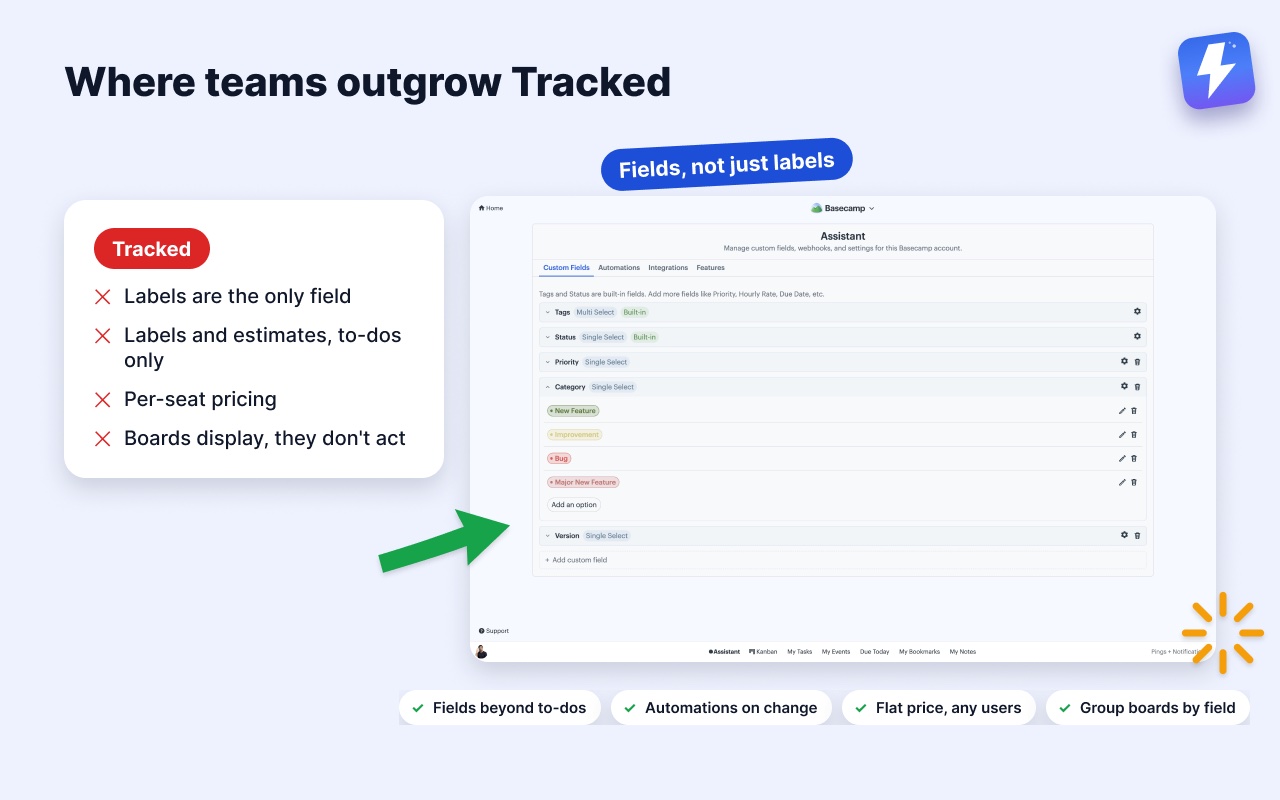
- Labels are the only field. A label can say “Urgent” or “Design”, but it can’t hold a status, a version number, a client name, and a priority as separate, filterable values. Everything competes for the same label list.
- To-dos only. Labels and estimates apply to to-dos. Card tables, messages, and documents stay bare.
- Per-seat pricing. At $3/user, a 15-person team pays $45/mo, and adding a contractor for two weeks means touching billing. The $60 unlimited tier caps it, but that’s $720/yr.
- Boards display, they don’t act. Moving a card or changing a label doesn’t trigger anything. No auto-assignment, no comment posted, no field set. Everything stays manual.
If none of those bite, keep Tracked and close this tab. If one of them does, here are the paths.
Option 1: Assistant for Basecamp
Assistant for Basecamp is a browser extension for Chrome and Firefox that overlays a full project-management layer on Basecamp: kanban boards on any project, custom fields on to-dos, card-table cards, messages, and documents, plus automations that react to changes.
Voice notes become text. Basecamp 5 records voice notes and Tracked leaves them as audio. Assistant transcribes any note in one click and posts the transcript as a comment the whole thread can read and search, with a summary and action items on longer ones. 6,000 minutes a month are included in the flat price.
Fields, not just labels. Where Tracked gives you labels, Assistant gives you field types: tags (multi-select), statuses, single-select, multi-select, text, number, and date fields. “Priority: High”, “Client: Acme”, “Version: 2.1”, and “Estimate: 8” are separate fields with their own colors, filters, and board groupings, not eight entries fighting in one label list. An account admin controls the field list, and each project can turn individual fields on or off. Tracked’s estimates map cleanly onto a number field, so nothing is lost in a switch. See how custom fields work in Basecamp and how statuses work.
Boards that group by anything, at any width. Each to-do list or card table becomes a kanban board with drag-and-drop. Build that board from one list, from a whole project, or from every project on the account at once; to-dos and cards always get separate boards rather than being pooled together. You can also group any board by a field’s values: a Status board, a Priority board, a per-client board. Group by tags or any multi-select and an item carrying three tags appears in all three columns instead of being forced into one. Dragging a card between columns updates the field itself and posts an audit comment on the item, so the change has a trail your team can see. Overdue, due-today, and due-this-week filters are one click.
Saved views, pivots, and WIP limits. Search the picker for projects or clients, select several projects or several clients (never a mix of the two), and save the arrangement under a name. Views are stored per user on the server, so they follow you to any computer. Pivot view puts one field across the columns and another down the rows, with collapsible rows and headers that stay in view while you scroll. WIP limits are set per column and per board, so the same column can allow 10 in one project and 3 in another. The whole team sees them, and the count turns red when open work passes the limit. Completed items never count against it.
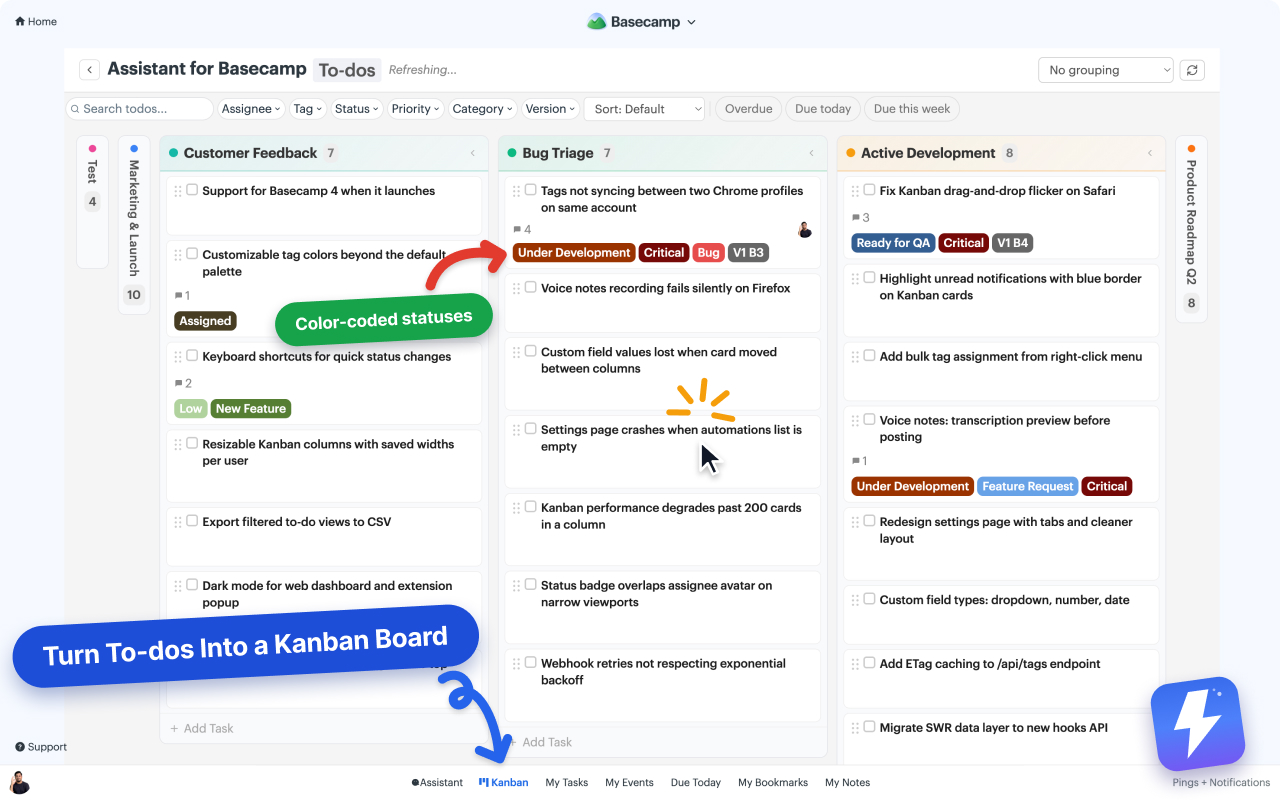
Automations. Rules like “when a to-do is completed, set Status to Done” or “when Priority changes to Critical, assign the lead and post a comment” run on Basecamp’s own events and on field changes. This is the part per-seat board tools structurally don’t have: your process runs itself instead of relying on whoever remembered. See how to automate Basecamp without Zapier.
Beyond boards. A grid view for Docs & Files with image thumbnails and drag-to-reorder, one-click duplication of entire card tables (with comments and attachments), unread-activity highlighting on items, and Campfire notifications when things change.
Pricing. Flat $29/mo or $290/yr for unlimited users. Anyone can connect the account and one Basecamp admin pays; everyone else on that Basecamp account is covered automatically. No seats to manage. 7-day free trial, no card needed. Full details on the pricing page.
The math against Tracked is simple: at 10+ users, $29 flat beats $3/seat. Against Tracked’s $60 unlimited tier, it’s less than half. Under 10 users, Tracked’s per-seat pricing is cheaper: a 5-person team pays Tracked $15/mo versus our flat $29. If you’re small and labels are enough, that difference is real money.
Where Tracked still wins: it has a standalone web dashboard you can open in any browser, including on a tablet, without Basecamp on the page. Assistant only runs inside Basecamp, which is a design choice we’re not going to reverse. Its 30-day trial is also longer than our 7 days.
Best for: teams of 10+, teams that need real fields on more than to-dos, and anyone who wants their board to trigger actions instead of just displaying state.
Option 2: Basecamp’s native Card Tables (free)
Before paying anyone, know what Basecamp already gives you. Card Tables are Basecamp’s own kanban: columns, drag-and-drop, color labels on cards, an on-hold section, and a triage column. For a single team running one visual workflow, they’re genuinely good, and they’re included in your Basecamp subscription.
The honest limits: card tables are their own tool, separate from to-do lists. You can’t view existing to-do lists as a board, so adopting card tables usually means migrating workflows into them. Cards can’t carry custom fields. And to-do lists themselves get no board view, no labels, and no fields at all. If you’re weighing which to use for a given workflow, Card Table vs to-do list breaks it down.
Best for: small teams whose whole need is “one kanban board per project” and who’d rather restructure work into card tables than pay for an add-on.
Option 3: Lighter tools for narrower gaps
Zapier or Make cover the automation-only case, connecting Basecamp to Slack, your CRM, or a spreadsheet. They live outside Basecamp: they can’t add boards, fields, or tags to the interface, and they’re a separate subscription. Note that Assistant’s automations run on Basecamp events and its own field changes; they don’t accept inbound Zapier webhooks, so some teams run both for different jobs.
Option 4: Staying on Tracked
Two situations where we’d tell you not to switch:
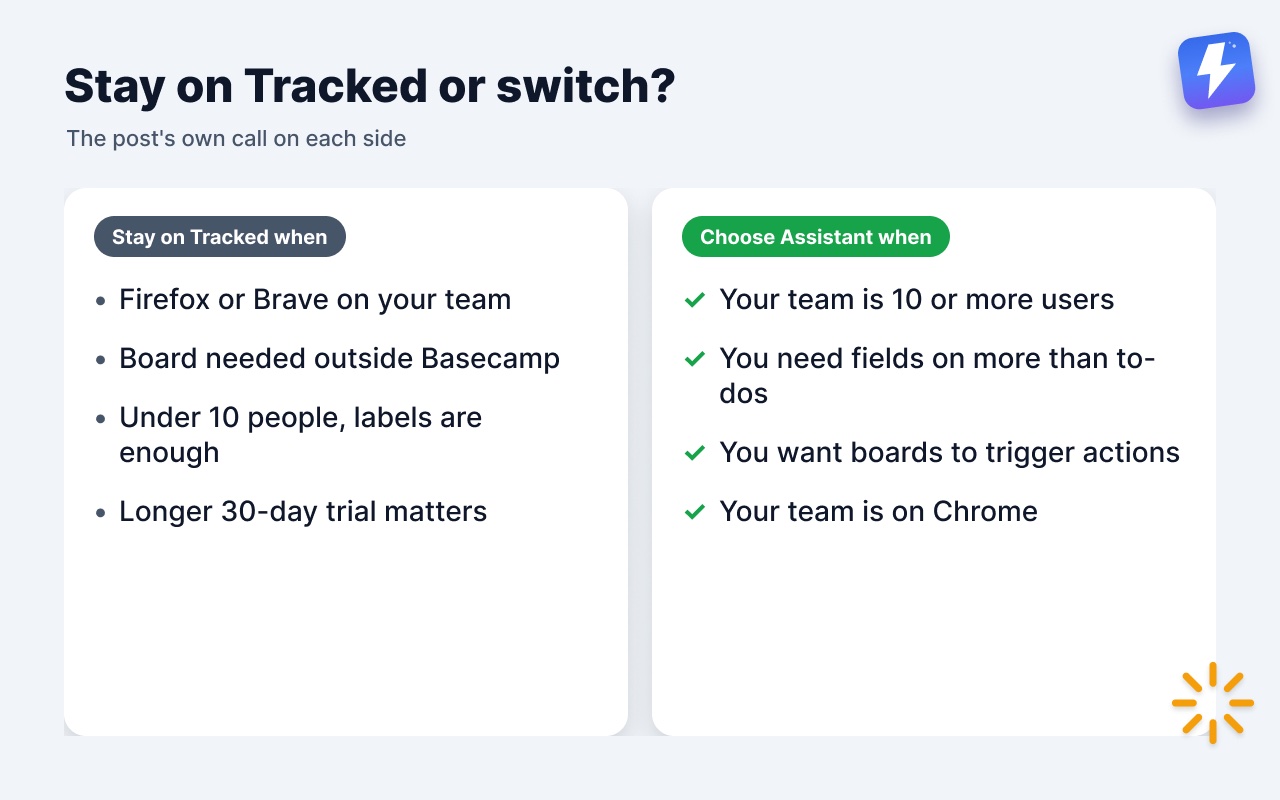
You need the board outside Basecamp. Assistant lives inside Basecamp’s own pages. Tracked ships a browser-agnostic web dashboard that works on touch devices. If the person who checks the board most does it from an iPad, that’s a reason to stay, full stop.
You’re under 10 people and labels plus estimates genuinely cover it. At 5 seats Tracked is $15/mo against our flat $29, and its 30-day trial gives you longer to be sure. Paying more for fields nobody fills in is not an upgrade.
If either describes you, Tracked remains the right tool. Bookmark this page for the day your team crosses 10 seats or starts asking for a “Client” field.
Side-by-side
| Feature | Tracked | Assistant for Basecamp | Native Card Tables |
|---|---|---|---|
| Voice note transcription | one click, posted as a comment | ||
| Kanban boards | Per project, per person, account-wide | Per list, per project or account-wide; to-do lists and card tables kept separate | Card tables only |
| Fields on items | Labels + estimates, to-dos only | Tags, status, select, text, number, date, on to-dos, cards, messages, docs | |
| Saved views, pivot view, WIP limits | |||
| Automations | Basecamp events + field changes | ||
| Works on existing to-do lists | |||
| Browsers | Chrome, Brave, Firefox + web dashboard | Chrome, Firefox, Edge, Brave | Any (native) |
| Pricing | $3/user/mo, $9 min, $60 unlimited | $29/mo flat, unlimited users | Included in Basecamp |
Common questions
Is there a free Tracked alternative? Basecamp’s own Card Tables, if your need is one board per project and you’re willing to move work into them. There’s no free tool that adds boards or fields to existing to-do lists.
Can I keep my Tracked labels if I switch? There’s no automatic import today. Most teams recreate their label list as tags or a status field in a few minutes; the field manager supports adding options with colors quickly.
Does Assistant for Basecamp charge per user? No. $29/mo (or $290/yr) covers everyone on your Basecamp account. Anyone connects it once; the whole team gets access automatically.
What happens to estimates? Create a number field called “Estimate”. It shows on cards and boards like any other field and can be filtered.
Trying to decide between the two paid tools? Read the full Assistant for Basecamp vs Tracked comparison, see the wider field in our roundup of the best Basecamp extensions and add-ons, or try Assistant free for 7 daystry Assistant free for 7 days and run them side by side.
Useful? Tell Google you want more of this.