Basecamp vs Monday.com: Should You Actually Switch?
Most people land on the basecamp vs monday question for one reason: they’re tired of a tool that’s either too rigid or too busy, and they want to know which way to jump. Basecamp and Monday.com sit at opposite ends of the same spectrum. Basecamp is deliberately calm and opinionated, an all-in-one place for messages, to-dos, docs, and files. Monday is the colorful, configurable end, built around boards you can shape into almost anything with columns, statuses, and automations.
Neither one is “better.” They’re built on different beliefs about how work should feel. This guide walks through where each one wins, where each one frustrates people, and how to figure out which side of the line your team is on.
A disclosure before the comparison. We build Assistant for Basecamp, a browser extension that adds boards and custom fields inside Basecamp, so we have a stake in your answer. Monday genuinely wins at several things and this guide says which. If closing the gaps beats switching for you, that option is further down, and the migration itself is costed in the real cost of leaving Basecamp.
What’s the core difference between Basecamp and Monday?
Basecamp gives you one structured project space and asks you to fit your work into it. Every project has the same tools: a message board, to-do lists, a schedule, a docs-and-files section, and a group chat called Campfire. You don’t design the layout. That’s the point. The structure is the same on day one as it is two years in, so nobody has to learn “how we set things up here.”
Monday hands you a blank board and a box of parts. You add columns for status, owner, dates, numbers, dropdowns, formulas, and more. You build views, dashboards, and automation rules on top. A Monday board can model a sales pipeline, a content calendar, a hiring funnel, or a bug tracker, because you decide what every column means.
So the short version of basecamp or monday.com: Basecamp is a finished room you move into, and Monday is a workshop where you build the room first.
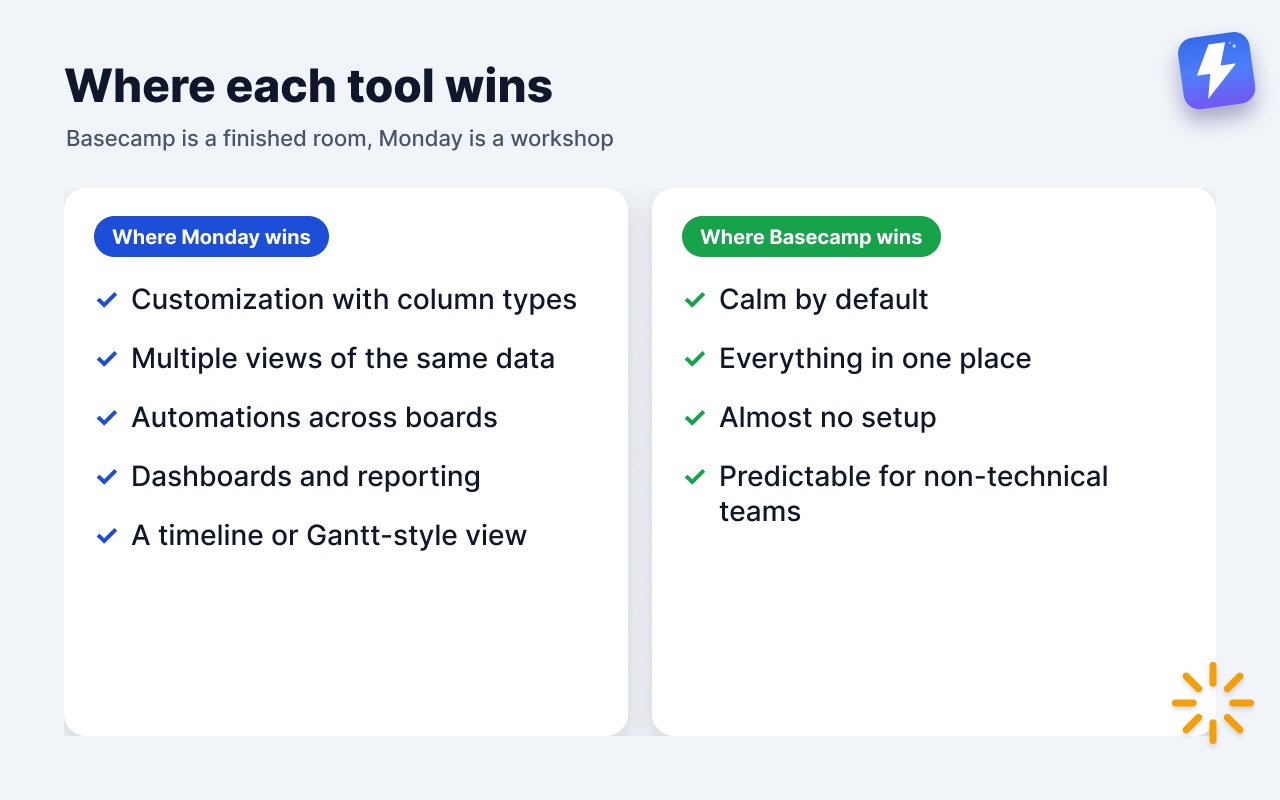
Where Monday.com wins
Let’s start here, because if you came in assuming Basecamp is the obvious pick, Monday genuinely beats it on several fronts.
- Customization. Monday’s column types are the whole product. Status, dropdown, number, date, people, timeline, formula, dependency, and more, all colored and filterable. If your workflow has a specific shape, Monday will hold that shape. Basecamp won’t bend that far.
- Multiple views of the same data. One Monday board can show as a table, a kanban board, a calendar, a timeline, or a chart, without copying anything. Basecamp’s to-do lists are lists, and its card tables are boards, but they’re separate tools holding separate data.
- Automations across boards. Monday’s automation builder is broad: when a status changes, move the item, notify someone, create a new item on another board, set a date. Basecamp has no native automation of this kind at all.
- Dashboards and reporting. Monday rolls numbers up into charts and dashboards across boards. Basecamp’s reporting is deliberately light, mostly “what’s assigned” and “what’s overdue.”
- A timeline / Gantt-style view. Monday has one built in. Basecamp does not. (Basecamp has Hill Charts, which show how far along a piece of work feels, not a dated Gantt chart.)
If your team lives and dies by a configurable pipeline, or you need cross-project dashboards a manager checks every morning, Monday is the stronger tool. Be honest with yourself about that.
Where Basecamp wins
Basecamp’s strengths are quieter, which is exactly why they’re easy to undervalue until you’ve lived with the alternative.
- Calm by default. Basecamp is built to reduce noise. Notifications batch into a once-or-twice-a-day digest if you want, there’s no firehose of automation pings, and the interface stays out of your way. Monday, with its colors and live updates, can feel loud unless you actively tune it down.
- Everything in one place. Messages, to-dos, docs, files, schedule, and chat all live inside the same project. You’re not bolting on a separate wiki or chat app. Monday handles tasks well but leans on docs and updates that feel secondary to the boards.
- Almost no setup. A new Basecamp project is usable in minutes because the structure is already there. A useful Monday board takes real configuration first, and somebody has to own that.
- Predictable for non-technical teams. Because every project looks the same, people stop asking “where do I put this?” Monday’s flexibility is a gift to power users and a tax on everyone who just wants to find the brief.
- Pricing that doesn’t scale with headcount. Basecamp charges by how many projects are active, with no per-user fees and unlimited users from Studio ($59/mo) up, so adding people doesn’t change the bill. Monday charges per seat, per tier, and the automations and dashboards you actually want often sit on higher tiers. For a growing team, that gap compounds.
If your team wants to talk less about the tool and more about the work, Basecamp is built for that.
Basecamp vs Monday: the honest trade-off
Here’s the tension in one line. Monday gives you power and asks for setup, maintenance, and a per-seat bill in return. Basecamp gives you calm and consistency and asks you to accept its structure in return.
| Basecamp | Monday.com | |
|---|---|---|
| Core idea | One calm, all-in-one project space | Configurable boards you build |
| Setup effort | Minutes, structure is fixed | Real configuration up front |
| Custom fields / columns | No native custom fields on to-dos | Many column types, the core feature |
| Kanban | Card Tables (a separate tool) | Built into every board as a view |
| Automations | None native | Broad, cross-board rules |
| Dashboards / reporting | Light (assigned, overdue) | Strong, cross-board |
| Timeline / Gantt | ❌ (has Hill Charts instead) | ✅ |
| Built-in chat + docs | ✅ (Campfire + Docs & Files) | Secondary to boards |
| Pricing model | Per active project, no per-user fees | Per seat, per tier |
The teams happiest on Monday tend to have a clear, repeatable process worth modeling and someone willing to maintain it. The teams happiest on Basecamp tend to value low overhead and a shared space more than configurability.
What about Basecamp’s missing pieces?
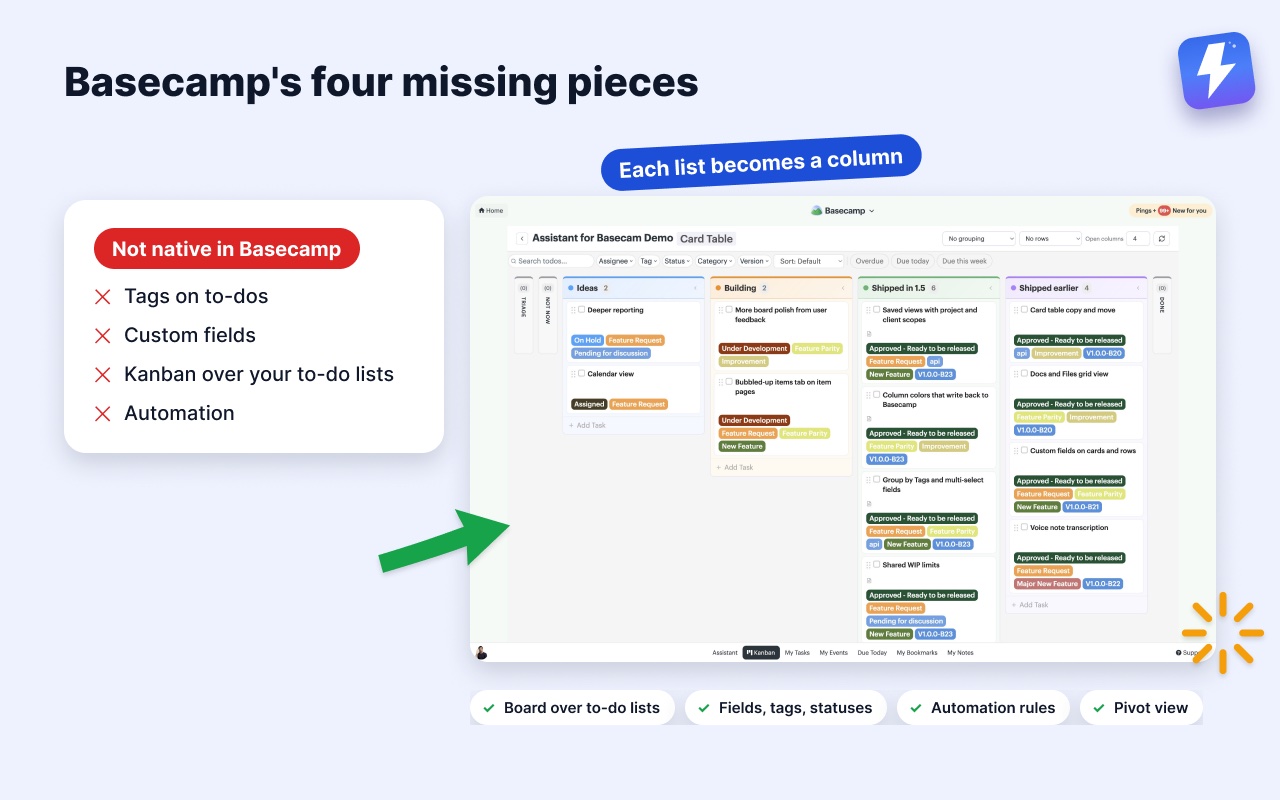
This is usually the real reason people start shopping. They like Basecamp’s calm, but they keep hitting the same walls: no tags on to-dos, no custom fields, no kanban view over their existing lists, and no automation. So they wonder if Monday is the escape hatch.
It’s worth pausing here, because switching to Monday to get those four things means trading away everything Basecamp does well, and taking on per-seat pricing and setup overhead in the process. That’s a big swap for a short list of gaps.
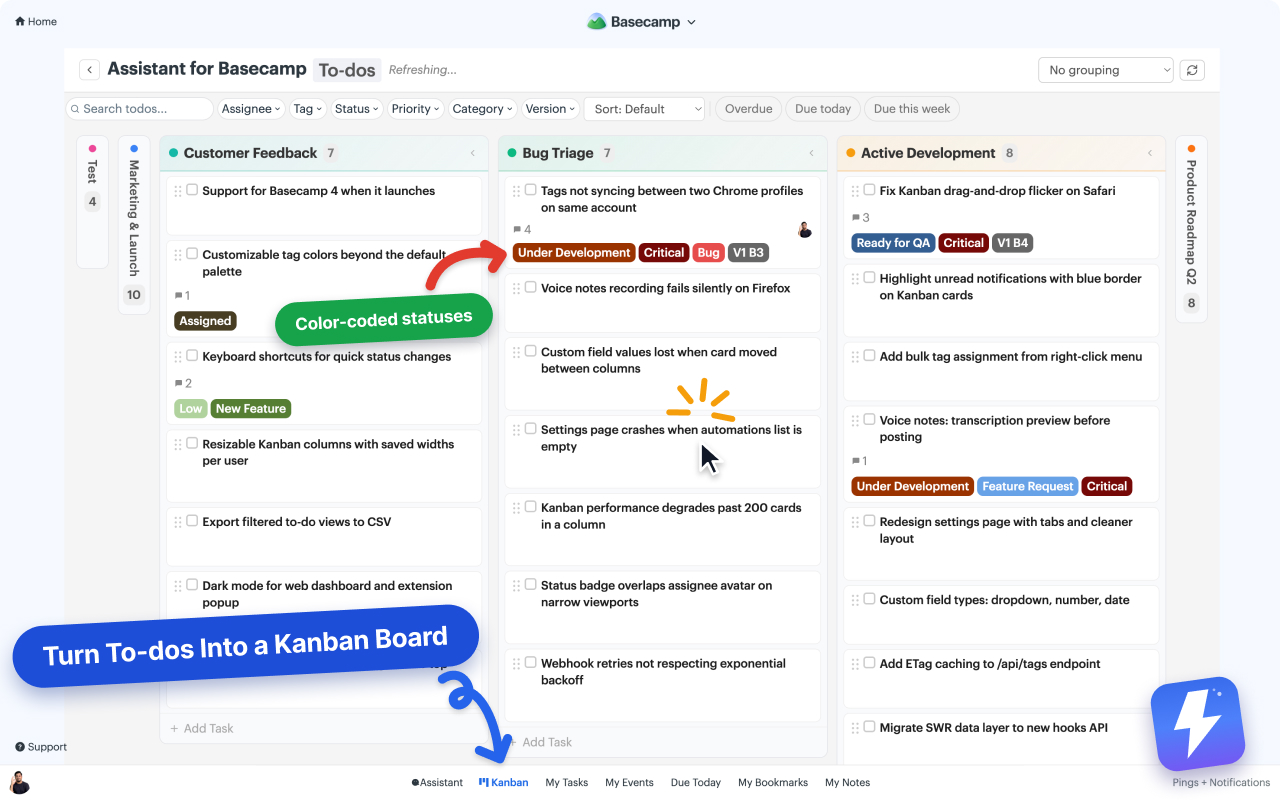
This is the space we work in. Assistant for Basecamp is a browser extension that adds those missing pieces inside Basecamp, so your projects stay where they are and nobody moves to a new tool. It puts a kanban board over your to-do lists where each list becomes a column, running on one list, one project, or every project in the account, adds custom fields and tags and statuses to to-dos, and includes automation rules driven by Basecamp’s own events and field changes. There’s a pivot view for putting one field across the columns and another down the rows, named views you can save and reopen on any computer, and per-column WIP limits the whole team shares. It’s $29/month for unlimited seats, one admin pays, with a 7-day free trial and no card needed.
It also transcribes Basecamp’s voice notes: one click turns any note into text, posted as a comment the whole thread can read and search.
To be clear about the limits: there are no dashboards or charts, the automations react to Basecamp events and field changes rather than accepting inbound webhooks from Zapier or Make, and it runs only inside Basecamp in desktop Chrome or Firefox, with nothing to open on a phone. If you need a fully configurable command center with reporting on top, that’s Monday’s job, not ours.
So which should you choose?
Choose Monday.com if:
- You have a specific, repeatable workflow worth modeling with custom columns.
- You need cross-board dashboards and reporting a manager checks regularly.
- You need a timeline/Gantt view or automations across boards.
- You have someone who will own the setup and upkeep.
Choose Basecamp if:
- You want a calm, low-maintenance home for projects, messages, docs, and chat.
- Your team is mixed-technical and you want everyone to find things without training.
- You’d rather not pay per seat as the team grows.
- The few things you miss (tags, fields, kanban, light automation) can be added without leaving.
If you’re on Basecamp and only stayed for the calm, the honest move is to fix the gaps before you uproot the whole team. Read our take on whether Basecamp has a kanban view, or get the getting-started guide for adding boards and fields inside Basecamp. Moving to a new tool is the expensive answer to a problem that’s often cheaper to solve where you already are.
Useful? Tell Google you want more of this.