How Much Time Does a Basecamp Kanban Board Save?
The short answer
For a team of 10, on our assumptions: about 2.7 hours a day across the team, or 13.3 hours a week.
Over a month that is roughly 56 hours, about $0.52 per hour recovered against a flat $29/month.
There is no safety margin applied on top of that. An earlier version of this post scaled everything down “to be conservative”, which sounds humble but is really a second guess stacked on the first, and it meant different pages quoted different numbers for the same model. Each assumption below is meant to be defensible on its own. If one is wrong for your team, change that one.
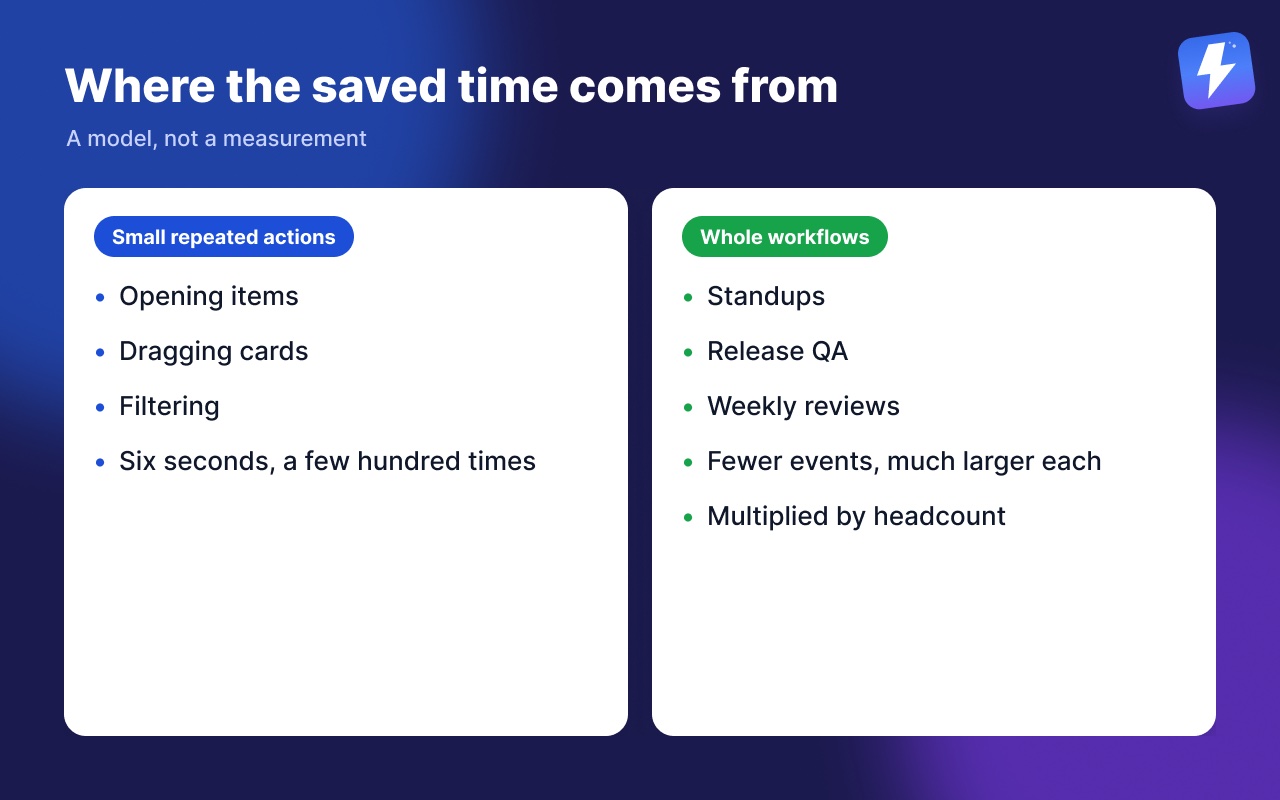
That total comes from two places, and the second one is where most of it lives:
| Tier | What it is | Team of 10 |
|---|---|---|
| Small repeated actions | Opening items, dragging cards, filtering | 7.5 h/week |
| Whole workflows | Standups, release QA, weekly reviews | 5.8 h/week |
Now the important caveat, up front rather than buried: that is a model, not a measurement. We are not quoting customer results, because we do not have enough of them yet to quote honestly. What follows is arithmetic you can check and change, which we think is worth more than a confident number you would have to take on faith.
Where the time actually goes
Nobody loses an afternoon to Basecamp. They lose six seconds, a few hundred times.
The costs are small enough to be invisible individually, which is exactly why they never get fixed. Four of them repeat constantly:
| Action | In Basecamp alone | With Assistant | Times a day | Saved each | Saved a day |
|---|---|---|---|---|---|
| Open an item to check a detail | Full page load out to the item, another one back to the list | Split-view panel opens beside the board, no navigation | 25× | 6s | 2.5 min |
| Change a status or move an item | Open the item, choose Move to another list, confirm | Drag the card; the change writes back through Basecamp's API | 8× | 15s | 2 min |
| Check where a project stands | Open each to-do list in turn and read down it | One board, grouped by status, assignee, or any select field | 3× | 60s | 3 min |
| Answer a question like 'what's overdue for Sara on Client X?' | Basecamp's Overdue report covers overdue, but the rest is cross-referenced by hand | Stack filters for assignee, tag, and due window in one query | 1× | 90s | 1.5 min |
| Per person, per working day | 9 min | ||||
Two of those deserve a note.
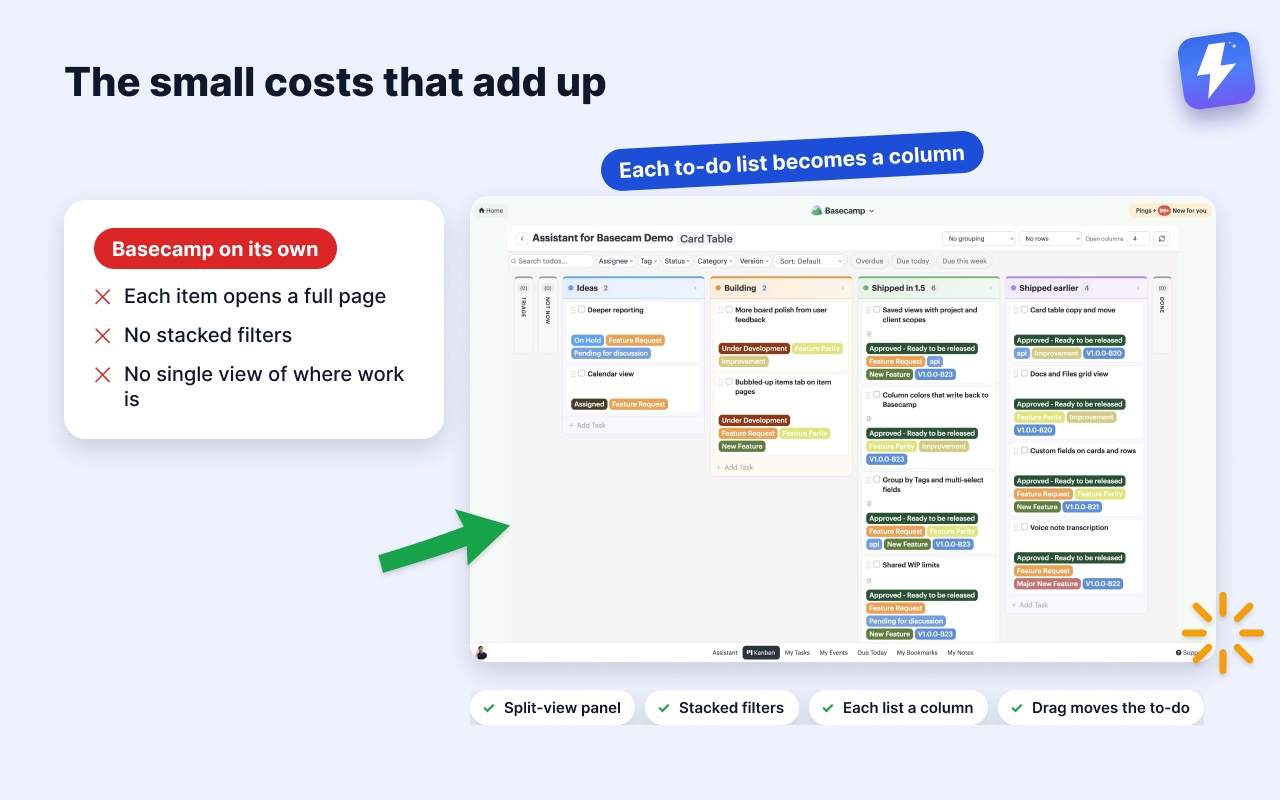
Opening an item. In Basecamp, reading a to-do’s details means a full page load out to that item and another one back to the list. Do it thirty times while triaging and you have spent real minutes navigating rather than deciding. A split-view detail panel opens the item beside the board. You read it, close it, and never lost your place.
The filter question. To be fair to Basecamp: it does have an Overdue to-dos report, under Reports. What it does not do is stack conditions. “Overdue, assigned to Sara, tagged Client X” means pulling the overdue list and cross-referencing by hand. That is the query that quietly eats ten minutes every Monday.
Why a board rather than a list
A to-do list answers “what is on this list”. A board answers “where is everything”, which is the question managers actually ask.
The version worth having reads your existing structure rather than asking you to rebuild it. In Assistant, each to-do list becomes a column, and a Card Table’s existing columns carry over as they are, so the board exists the moment you open it. Nothing to configure, nothing to migrate, and no second tool that drifts out of sync with the first.
Dragging a card moves the underlying to-do in Basecamp itself, so a teammate without the extension sees the same change in the normal list view. That matters more than it sounds: a board that is only a view creates two sources of truth, and someone eventually trusts the wrong one.
Six workflows, and what each one is worth
The per-action tier above is easy to underestimate because each cost is tiny. The workflow tier is the opposite: fewer events, much larger each, and the ones everyone attends multiply by headcount. A standup that finishes five minutes early saves five minutes per person in it.
| Workflow | Each time | A week | Who saves it | Team total / week |
|---|---|---|---|---|
| Agencies waiting on clients One pass a week through every project looking for work that stalled on a client reply. | 20 min | 1× | One person | 20 min |
| Daily standups Five minutes off a standup, counted for everyone in the room rather than once. | 5 min | 5× | Everyone (×10) | 4.2 h |
| Dev and product teams Reconciling Basecamp against a separate board, twice a week. | 10 min | 2× | One person | 20 min |
| QA testing a release On our own account the Version field carries 246 tagged cards across 20 builds, a mean of 12 per release and 51 at the largest, against a board of 591 cards. Without it, working out which cards belong to this build is the job. | 25 min | 1× | One person | 25 min |
| Anyone running a weekly review One review pass that would otherwise mean opening each list to find what slipped. | 15 min | 1× | One person | 15 min |
| Content and marketing teams Two planning passes a week over a board that already shows status. | 10 min | 2× | One person | 20 min |
| Workflow time, team of 10 | 5.8 h / week | |||
One of those is ours rather than hypothetical. On our own Basecamp account the Version field carries 246 tagged cards across 20 builds, a mean of 12 per release and 51 at the largest, on a board holding 591 cards. QA filters to the build and works that list. Without the field there is nowhere in Basecamp to record a version at all, so the alternative is reconstructing the release from memory and comments.
Agencies waiting on clients
The job: Knowing what is blocked on someone outside the team
Set up: A status field with an "Awaiting client" option, then filter the board to it.
What it removes: The Monday hunt through every project for things that stalled on a reply.
Daily standups
The job: Saying what everyone is working on without reading lists aloud
Set up: Open the board grouped by assignee; each column is one person's work.
What it removes: Ten minutes of round-robin updates that everyone forgets by lunchtime.
Dev and product teams
The job: Moving work through stages without maintaining a second tracker
Set up: Your to-do lists are already the stages (Backlog, In progress, QA, Done), so the board exists the moment you open it.
What it removes: Keeping Basecamp and a separate board in sync, and the drift when someone forgets.
QA testing a release
The job: Testing only the work that went into the build in front of you
Set up: A "Version" field on every card. QA filters the board to v2.4.1 and works that list against that build.
What it removes: Reading down a long backlog to work out which fixes belong to this release and which shipped weeks ago.
Anyone running a weekly review
The job: Finding what slipped before it becomes a problem
Set up: Stack the overdue and due-this-week filters with an assignee or tag.
What it removes: Opening each list to work out what actually needs attention.
Content and marketing teams
The job: Tracking pieces through draft, review, and published
Set up: Run the board over a Card Table, group by status, and read each brief in the split-view panel.
What it removes: Losing your place on the board every time you open a brief.
Run the numbers for your own team
The assumptions above are ours. Yours will differ. A team that lives in Basecamp all day clears the model comfortably, and a team that checks in twice a week will not get close.
The pricing page has the same model as a calculator: set your team size and how heavily people use it, and it recalculates. If our frequencies are too high for your team, turn them down. The “light” setting scales every one of them.
What would make this better
Real numbers. Once enough teams are running Assistant day to day, this post should be replaced with measured data (how long people actually spend on a board, how often they really open items) rather than a model.
Until then, the standard we are holding ourselves to is simple: show the arithmetic, show the assumptions, and let you argue with both. If you run the model and it does not clear the price for your team, it does not, and you should not buy it.
Related: how to add a Kanban board to Basecamp, the Kanban board for Basecamp feature page, and does Basecamp have a Kanban view?
Useful? Tell Google you want more of this.