Options and extras
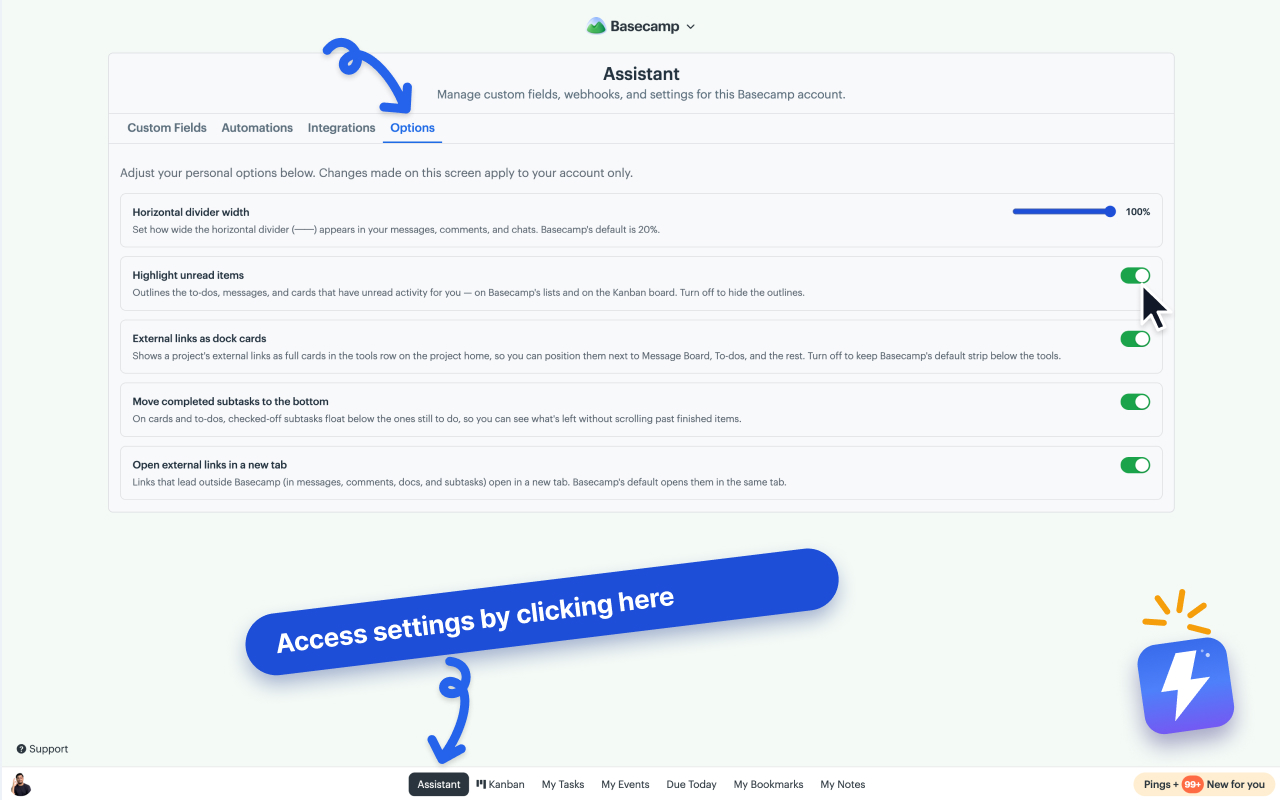
A few smaller settings and touches Assistant adds on top of the main features. The toggles live under Assistant → Options in the extension.
Move Assistant and Kanban out of the menu bar
Assistant adds Assistant and Kanban to Basecamp’s menu bar at the bottom of the screen. To keep the bar to Basecamp’s own items, turn off Assistant in the menu bar or Kanban in the menu bar under Assistant → Options. The item then shows on your Account & Settings page, under Connected apps. While a Kanban board is open, Kanban stays in the bar so you can close the board. The setting is per person, so each teammate picks their own.
Open external links in a new tab
By default, clicking an external link in Basecamp opens it in the same tab. Turn on Open external links in a new tab under Assistant → Options to open them in a new tab instead. This applies to links in messages, comments, docs, and subtasks. Basecamp’s own navigation is left untouched.
Adjust divider width
Assistant lets you resize the horizontal dividers Basecamp inserts in posts, comments, and chats. Set your preferred width under Assistant → Options.
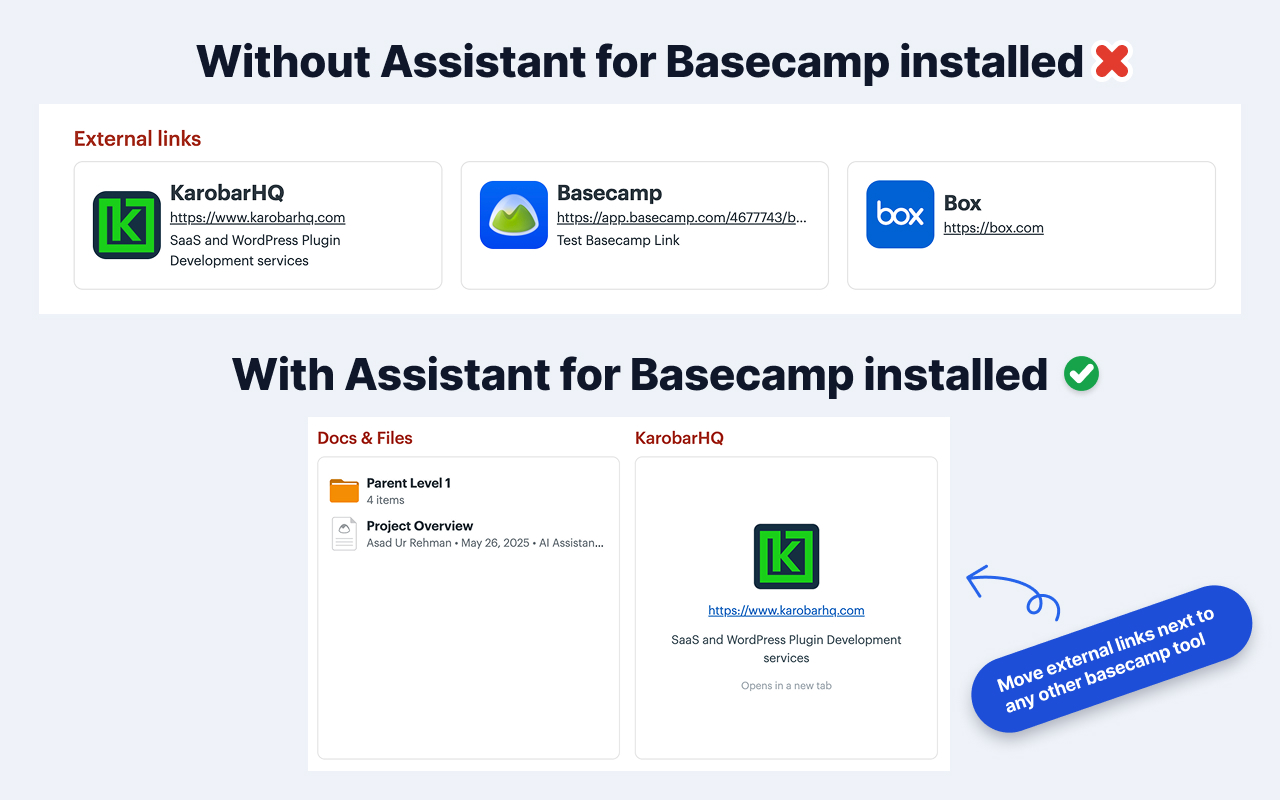
External links as dock cards
External links you add to a project show as full cards in the project’s tool grid, alongside Basecamp’s built-in tools, instead of a flat strip. You can arrange your own link cards without changing what teammates see.
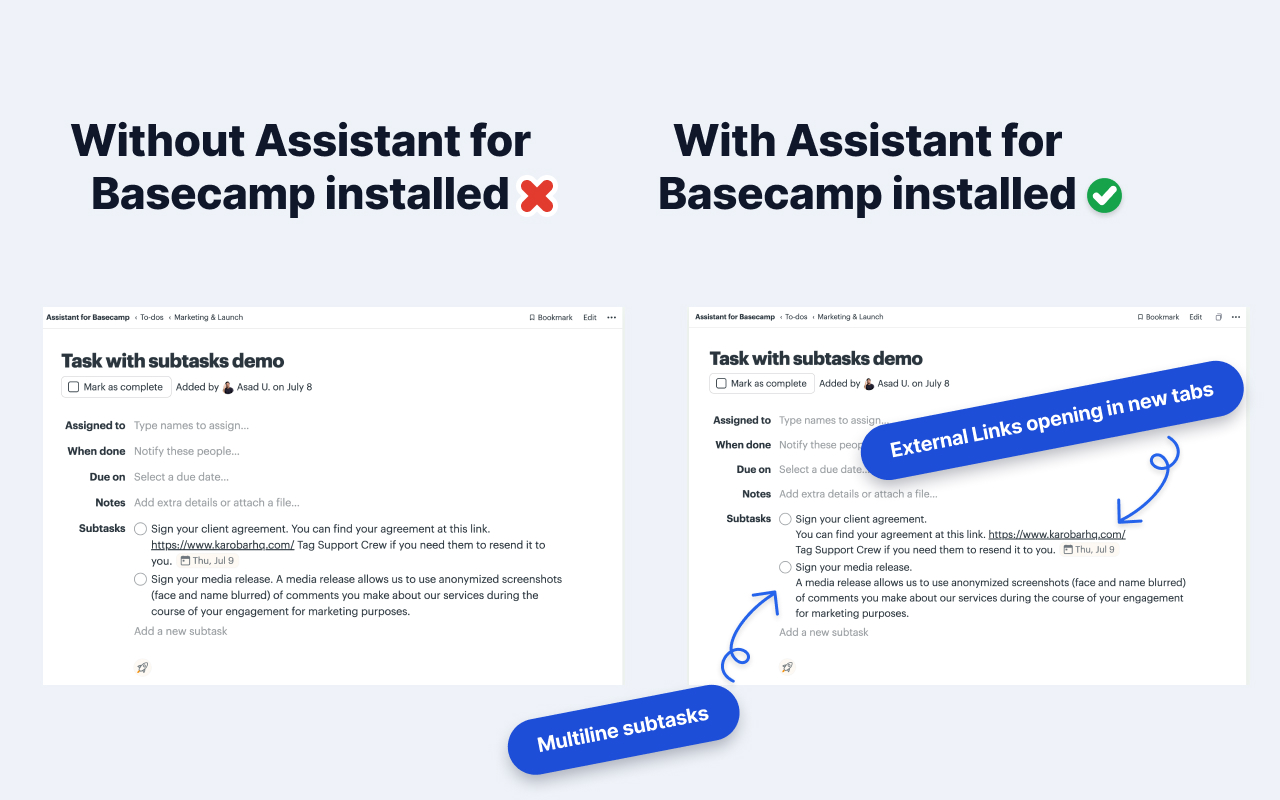
Multi-line subtasks
When a subtask title spans multiple lines, Assistant preserves the line breaks instead of collapsing everything onto one line. Any URLs in the subtask stay clickable.
Can't find what you need? Email us at hello@getassistant.io